Logo

AI 빈티지 졸업앨범

AI로 현대 사진을 다양한 시대의 레트로 졸업앨범 초상화로 변환하세요. 50년대, 60년대, 70년대, 80년대, 90년대의 클래식 학교사진 스타일을 다시 느껴보세요.

인물 사진*
*

AI Vintage Yearbook Photo Gallery

See how AI transforms modern portraits into authentic vintage yearbook photos. Compare original images with retro results across multiple AI models.

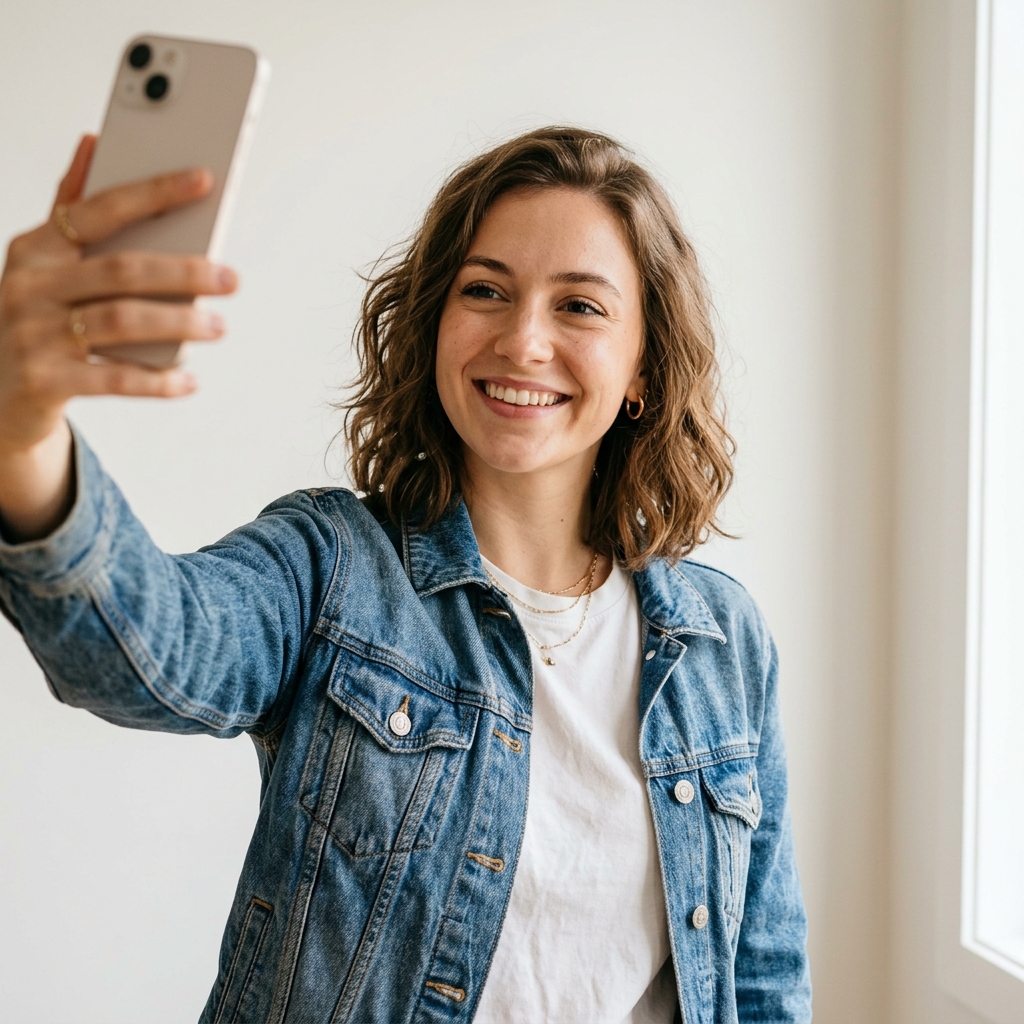
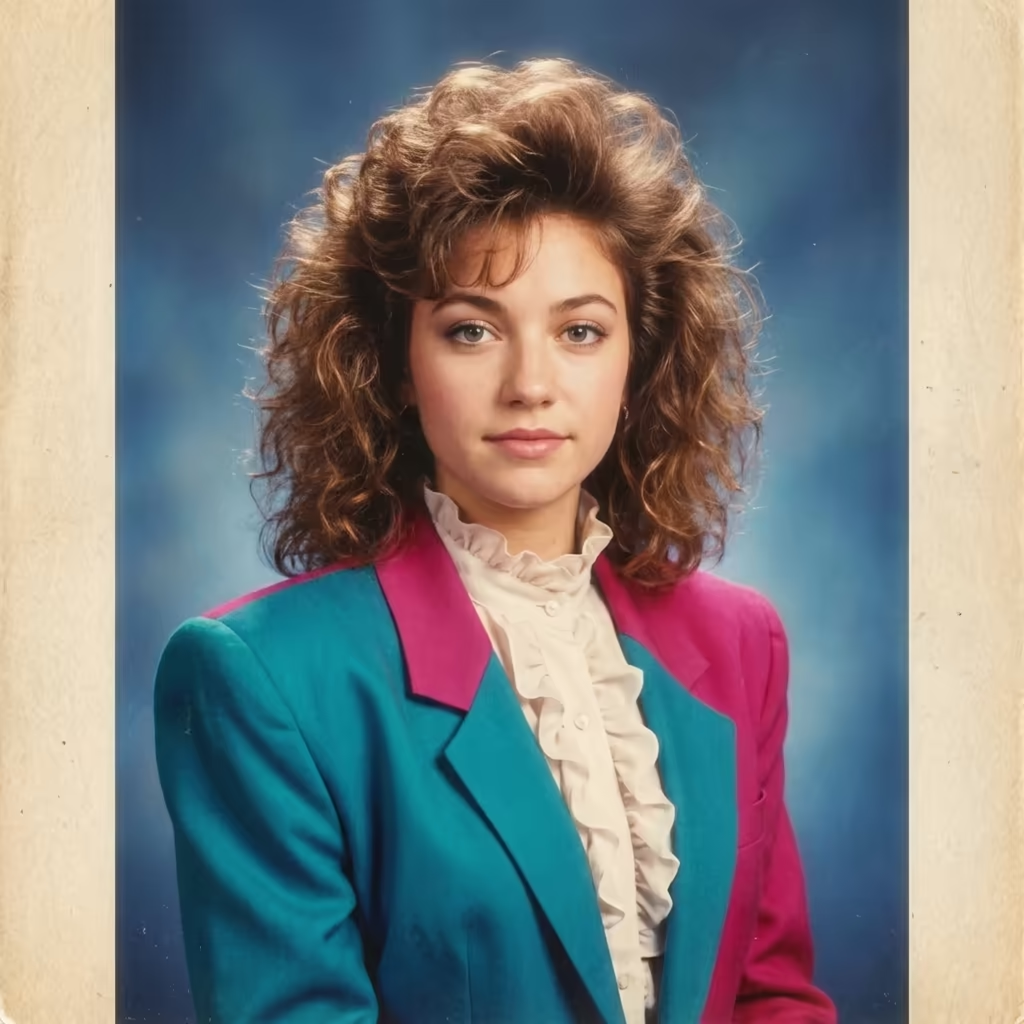
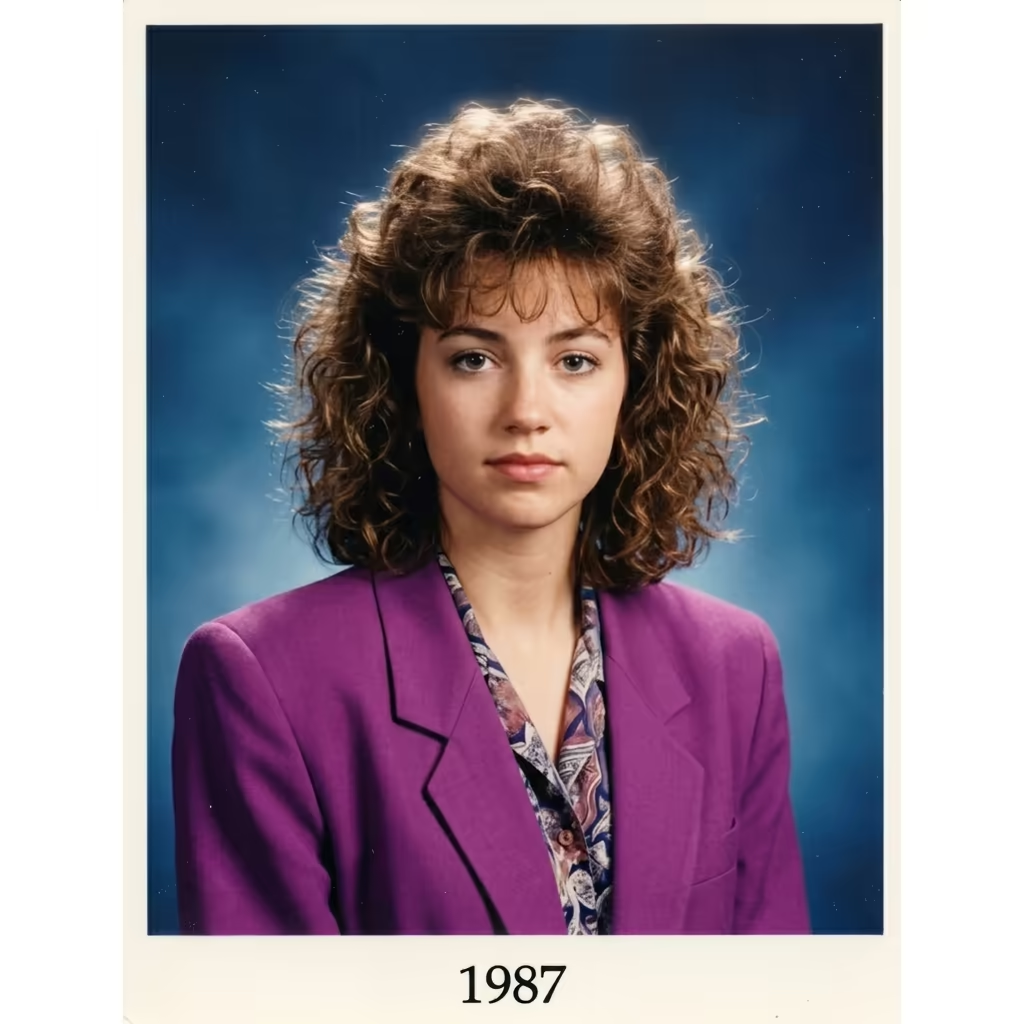
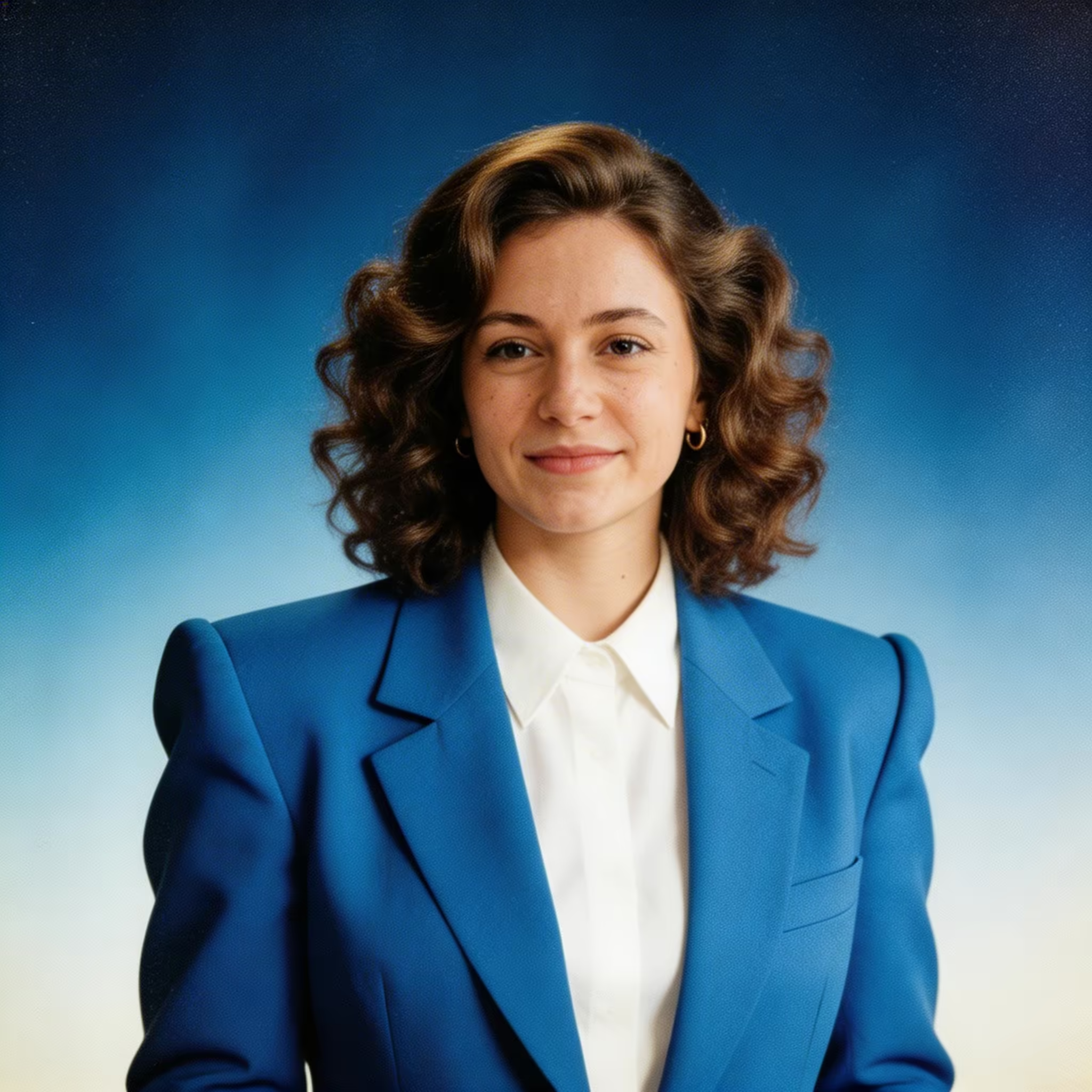
Modern Selfie to 1980s Yearbook Portrait

1980s Woman - Original
Original
1980s Woman - Gemini 3 Pro
Gemini 3 Pro
1980s Woman - Gemini Flash
Gemini Flash
1980s Woman - Seedream 5
Seedream 5

Young woman in denim jacket transformed into a classic 80s yearbook photo with big teased hair and color-block blazer

Reel · Capabilities

AI 빈티지 졸업앨범 생성기 주요 기능

Dreamega의 AI 빈티지 졸업앨범 생성기는 평범한 사진을 80~90년대 미국 하이스쿨 졸업앨범 속 한 장면으로 감각적으로 바꿔줍니다. 풍성한 펌 헤어, 데님 재킷, 파스텔 그라데이션 배경, 네온 레이저 그리드, 필름 그레인까지 디테일 하나하나를 재현하여 틱톡과 인스타그램에서 화제가 된 그 트렌디한 레트로 룩을 손쉽게 완성할 수 있습니다.

  1. Feature 01 / 05

    1950~2000년대 스타일 원클릭 전환

    올백 스타일의 50년대 클래식부터 70년대 디스코 페더 컷, 80년대 풍성한 펌과 파스텔 컬러, 90년대 그런지 플란넬 셔츠까지 한 번의 클릭으로 전환할 수 있습니다. 각 시대에 맞는 헤어, 의상, 조명까지 정확하게 재현해 진짜 졸업앨범에서 꺼낸 듯한 사진을 만들어드립니다.

  2. Feature 02 / 05

    감성적인 레트로 배경과 스튜디오 조명

    졸업앨범 사진의 상징인 클래식 블루 그라디언트, 그레이 스튜디오 배경, 80년대 네온 레이저 그리드, 도서관 책장, 형광등이 켜진 학교 복도 등 다양한 배경을 제공합니다. 부드러운 소프트 포커스 글로우와 따뜻한 인물 조명이 더해져 마치 학교 사진관에서 갓 인화한 듯한 분위기를 연출합니다.

  3. Feature 03 / 05

    필름 그레인과 빛바랜 컬러 효과 내장

    아날로그 사진의 질감을 그대로 살렸습니다. 세피아 톤, 빛바랜 코닥 컬러 필름, 고대비 흑백, 진짜 같은 필름 그레인까지. AI가 미묘한 색감 이동, 부드러운 블러, 따뜻한 톤을 자동으로 입혀 옛날 졸업앨범 특유의 빈티지 무드를 완벽히 살려줍니다.

  4. Feature 04 / 05

    다양한 의상, 포즈와 졸업앨범 별칭

    정식 학급 사진, 코사지를 단 프롬 사진, 스포츠 팀 유니폼 컷은 물론 반의 개그맨, 성공할 가능성이 가장 높은 등 졸업앨범 별칭별 버전까지 생성할 수 있습니다. 시대와 스타일, 소품을 자유롭게 조합해 친구들도 진짜라고 믿을 만한 한 페이지짜리 졸업앨범을 완성하세요.

  5. Feature 05 / 05

    바이럴 공유와 감성 선물에 최적화

    빈티지 졸업앨범 트렌드가 틱톡과 인스타그램을 휩쓴 이유는 분명합니다. 보자마자 대화가 시작되니까요. 고화질로 다운로드한 결과물은 릴스, 동창회 초대장, 추억돋는 throwback 게시물, 부모님께 드릴 인쇄 선물 등 어디에든 활용하기 좋습니다.

How to Use AI Vintage Yearbook Generator

Transform modern photos into vintage yearbook portraits in four steps

  1. Upload Modern Photo

    Select and upload a modern photo of yourself. Clear, front-facing portraits work best. The AI will transform your appearance to match the vintage era you select. Supported formats include JPEG and PNG.

  2. Choose Decade & Style

    Select the decade you want your yearbook photo to represent: 1950s, 1960s, 1970s, 1980s, 1990s, or 2000s. Each decade features authentic hairstyles, fashion, and photographic characteristics of that era.

  3. Select Effects & Filters

    Choose vintage photo effects such as sepia tone, film grain, faded colors, soft focus, or era-specific color palettes. These effects enhance the authenticity of the vintage yearbook look.

  4. Generate Yearbook Photo

    Click generate to create your vintage yearbook portrait. The AI transforms your hairstyle, clothing, and photo quality to authentically match the selected decade while preserving your facial features.

FAQ

AI Vintage Yearbook Generator FAQ

You can choose from the 1950s through the 2000s. Each decade features authentic styling: 1950s (slicked-back hair, cardigans), 1960s (bouffant hair, mod fashion), 1970s (feathered hair, wide collars), 1980s (big hair, bold colors), 1990s (grunge and preppy styles), and 2000s (early digital era looks).
The AI produces highly authentic results by incorporating era-specific hairstyles, clothing styles, photo quality, color grading, and even the typical yearbook photo composition of each decade. Many users say their results are indistinguishable from real vintage yearbook photos.
Yes! The AI transforms your hairstyle and clothing to match the selected decade while keeping your facial features intact. This is a key part of creating an authentic vintage yearbook look — the hair, fashion, and overall aesthetic will reflect the chosen era.
Absolutely! Vintage yearbook photos are perfect for social media sharing. The generated images are high quality and ready to post. They make great conversation starters and are popular for viral social media trends.
The tool is optimized for individual portraits, which is how traditional yearbook photos are taken. For best results, use a single-person photo. You can generate separate vintage yearbook photos for friends and family, then compile them together.
A clear, well-lit photo where your face is clearly visible works best. The AI can work with casual selfies but produces the best results with properly lit, front-facing photos. Avoid heavily filtered or low-resolution images for optimal output.
Pricing · Choose Yours

요금

당신에게 맞는 플랜을 선택하세요. 숨겨진 요금이나 예상치 못한 비용은 없습니다.

일회성 암호화폐 결제 지원 (BTC, USDT, ETH, 350+)

월간 청구

무료

구매 전 체험

0
1회
USD
무료
32크레딧
최대 3 비디오
최대 32 이미지
다중 모델 지원
텍스트에서 비디오
이미지에서 비디오
비디오에서 비디오
일관된 캐릭터
AI 애니메이션 생성기
템플릿 및 효과
AI 비디오 향상
인터랙티브 커뮤니티
빠른 생성 속도
워터마크 없는 출력
더 많은 카메라 움직임
비디오 비공개 설정
복사 보호
우선 지원
인기

Pro

AI 경험을 향상시키세요

29.99
1개월
USD
800
800크레딧1개월
최대 80 비디오1개월
최대 800 이미지1개월
3 작업(병렬 작업)
다중 모델 지원
텍스트에서 비디오
이미지에서 비디오
비디오에서 비디오
일관된 캐릭터
AI 애니메이션 생성기
템플릿 및 효과
AI 비디오 향상
인터랙티브 커뮤니티
빠른 생성 속도
워터마크 없는 출력
더 많은 카메라 움직임
비디오 비공개 설정
복사 보호
우선 지원

Lite

AI 여정을 시작하세요

9.99
1개월
USD
200크레딧1개월
최대 20 비디오1개월
최대 200 이미지1개월
3 작업(병렬 작업)
다중 모델 지원
텍스트에서 비디오
이미지에서 비디오
비디오에서 비디오
일관된 캐릭터
AI 애니메이션 생성기
템플릿 및 효과
AI 비디오 향상
인터랙티브 커뮤니티
빠른 생성 속도
워터마크 없는 출력
더 많은 카메라 움직임
비디오 비공개 설정
복사 보호
우선 지원