Logo

AI紋身試穿

上傳身體相片,用AI預覽逼真嘅紋身效果。嘗試唔同嘅紋身圖案、風格同位置,喺真正紋身之前先睇到效果。
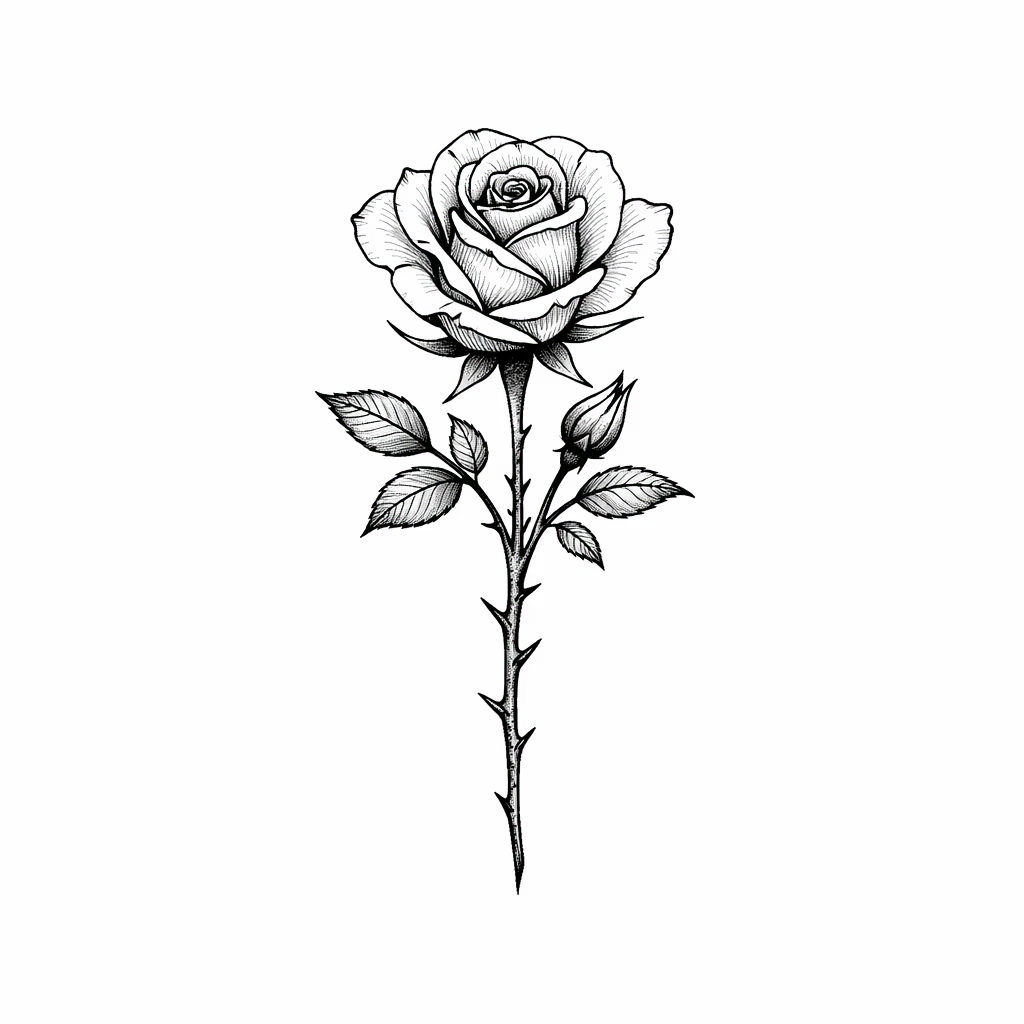
紋身圖案
身體照片(可選)

AI Tattoo Try-On Gallery

See how AI applies tattoo designs onto real body photos. Compare original photos with tattoo preview results across different body placements.

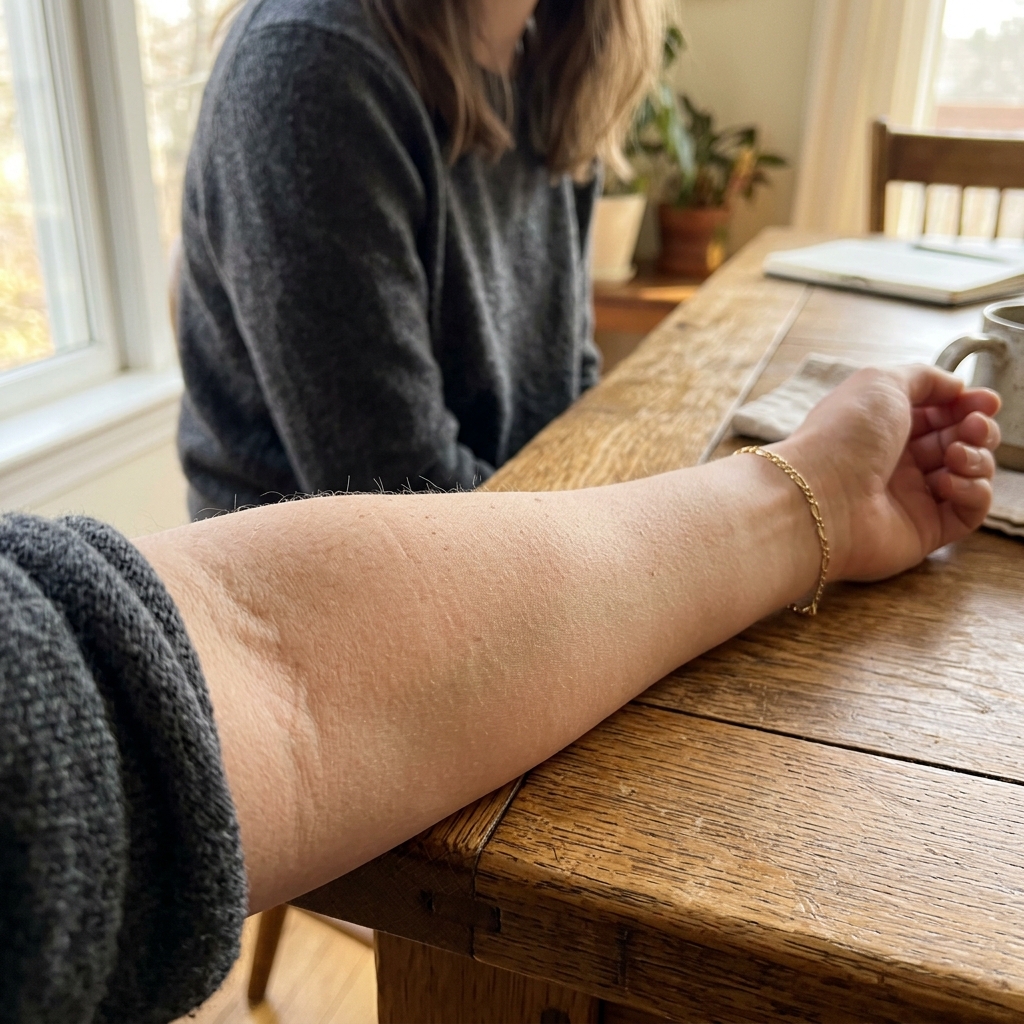
Inner Forearm Tattoo Preview

Forearm - Original
Original
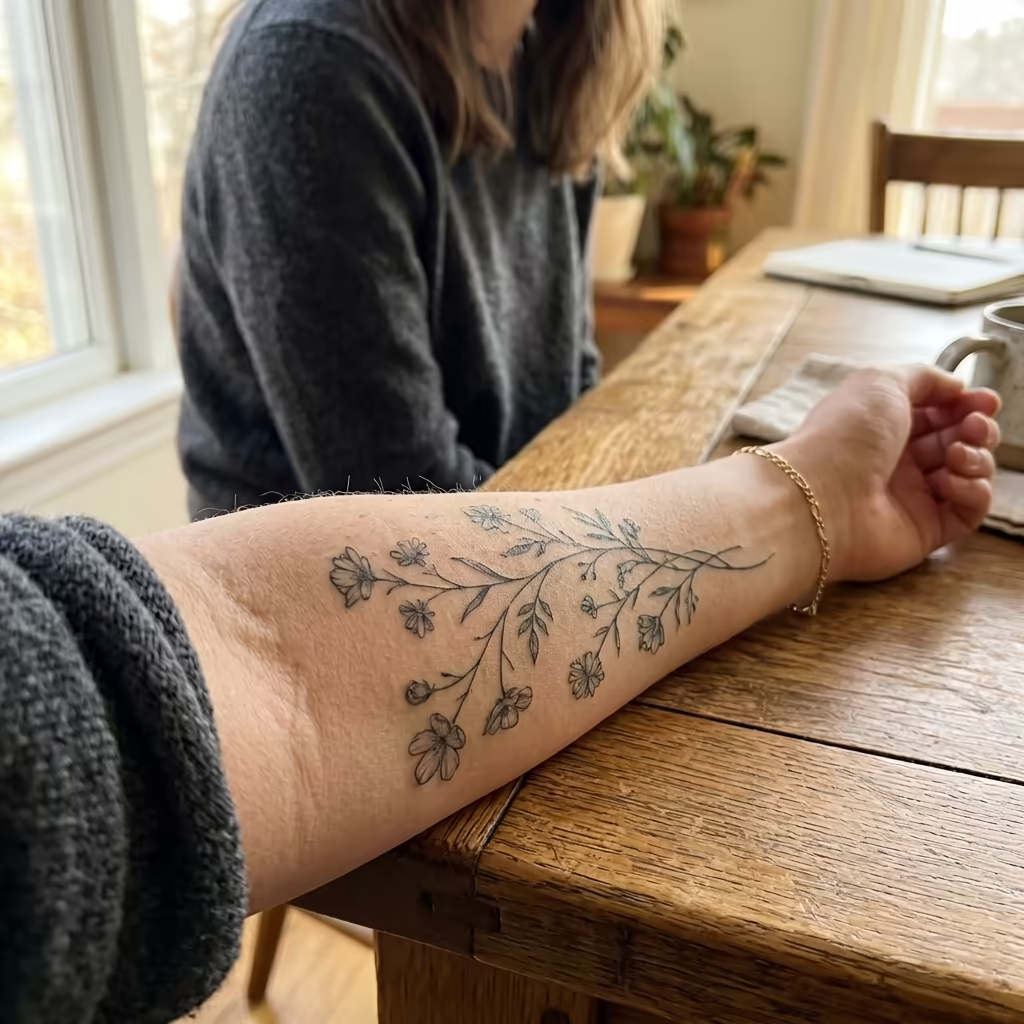
Forearm - Botanical Vine Tattoo
Botanical Vine
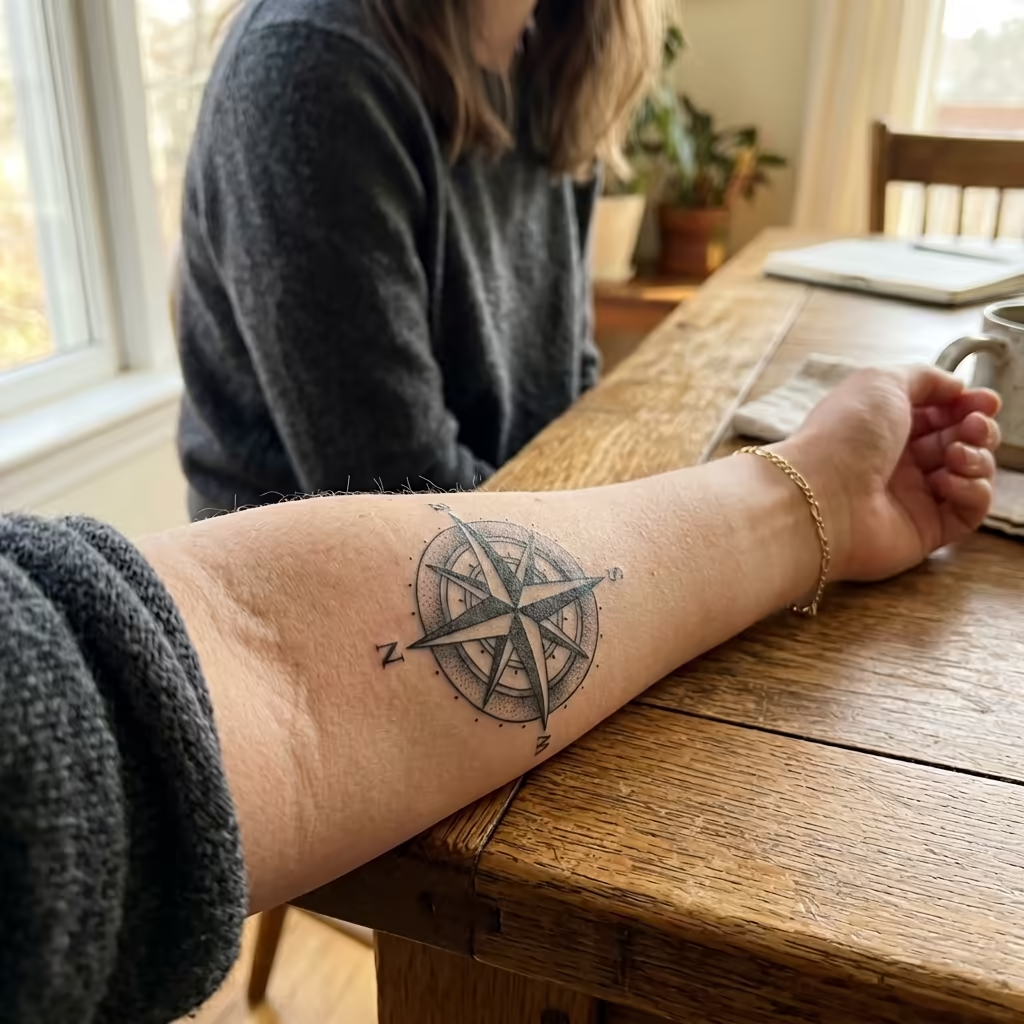
Forearm - Compass Rose Tattoo
Compass Rose

Botanical vine and compass rose tattoos applied to a woman's inner forearm

How to Use AI Tattoo Try-On

Preview tattoos on your body in four simple steps

1

Upload Tattoo Design

Upload the tattoo design you want to preview. This can be a design you created, downloaded, or generated with our AI Tattoo Generator. Supported formats include JPEG and PNG.

2

Upload Body Photo (Optional)

Optionally upload a photo of yourself or the body area where you want the tattoo placed. If no body photo is provided, the AI will generate a realistic body preview automatically.

3

Choose Placement & Settings

Select the body placement area such as forearm, upper arm, back, chest, shoulder, or leg. Adjust size and orientation to match your desired tattoo placement.

4

Generate Preview

Click generate to see a realistic preview of how the tattoo will look on the body. The AI blends the design naturally with skin tone, contours, and lighting for a lifelike result.

AI Tattoo Try-On FAQ

No, the body photo is optional. If you don't upload one, the AI will generate a realistic body model to showcase your tattoo design. However, uploading your own photo gives you a more personalized and accurate preview of how the tattoo will look on your specific body.
You can preview tattoos on various body areas including forearm, upper arm, shoulder, back, chest, ribcage, leg, thigh, calf, ankle, wrist, neck, and hand. The AI adapts the design to fit the natural contours of each body area.
The AI produces highly realistic previews by accounting for skin tone, body contours, lighting conditions, and natural skin texture. The tattoo design is blended seamlessly onto the skin, showing how it would actually appear after being tattooed.
Yes, your privacy is our priority. Uploaded photos are processed securely and are not shared with third parties. Photos are used solely for generating your tattoo preview and are handled according to our privacy policy.
Yes! You can upload different tattoo designs and generate multiple previews on the same body area to compare how each design looks. This helps you make an informed decision before committing to a real tattoo.
We support JPEG and PNG formats for both tattoo designs and body photos. For best results with tattoo designs, use images with transparent or white backgrounds so the AI can cleanly isolate the design.

價格

選擇適合您的計劃。沒有隱藏費用,沒有意外。

月付帳單

免費版

免費試用

0
一次性
USD
免費
32points
Up to 3 videos
Up to 32 images
Multi-Model Support
Text to Video
Image to Video
Video to Video
Consistent Character
AI Animation Generator
Templates & Effects
AI Video Enhancers
Interactive Community
Faster Generation Speed
No-watermark Outputs
More Camera Movement
Private Video Visibility
Copy Protection
Priority Support
熱門

Pro

Elevate your AI experience

29.99
1 月
USD
800
800points1 月
Up to 80 videos1 月
Up to 800 images1 月
3 tasks(Parallel Tasks)
Multi-Model Support
Text to Video
Image to Video
Video to Video
Consistent Character
AI Animation Generator
Templates & Effects
AI Video Enhancers
Interactive Community
Faster Generation Speed
No-watermark Outputs
More Camera Movement
Private Video Visibility
Copy Protection
Priority Support

Lite

Start your AI journey

9.99
1 月
USD
200points1 月
Up to 20 videos1 月
Up to 200 images1 月
3 tasks(Parallel Tasks)
Multi-Model Support
Text to Video
Image to Video
Video to Video
Consistent Character
AI Animation Generator
Templates & Effects
AI Video Enhancers
Interactive Community
Faster Generation Speed
No-watermark Outputs
More Camera Movement
Private Video Visibility
Copy Protection
Priority Support