









🎨 Seedream 5.0 Pro — ByteDance's flagship image model: up to 2K, best-in-class typography & multi-reference editing!


AI Scrapbook Collage
Drop in one to three photos and get a page that looks like somebody actually cut, tore and taped it: deckle edges, washi tape, photo corners, stamps and a handwritten line in your own words.
Scrapbook Collage Gallery
Three pages from three eras and three paper treatments. The input photos were generated with our own model; compare each print with the page it ended up on.
Summer by the Sea
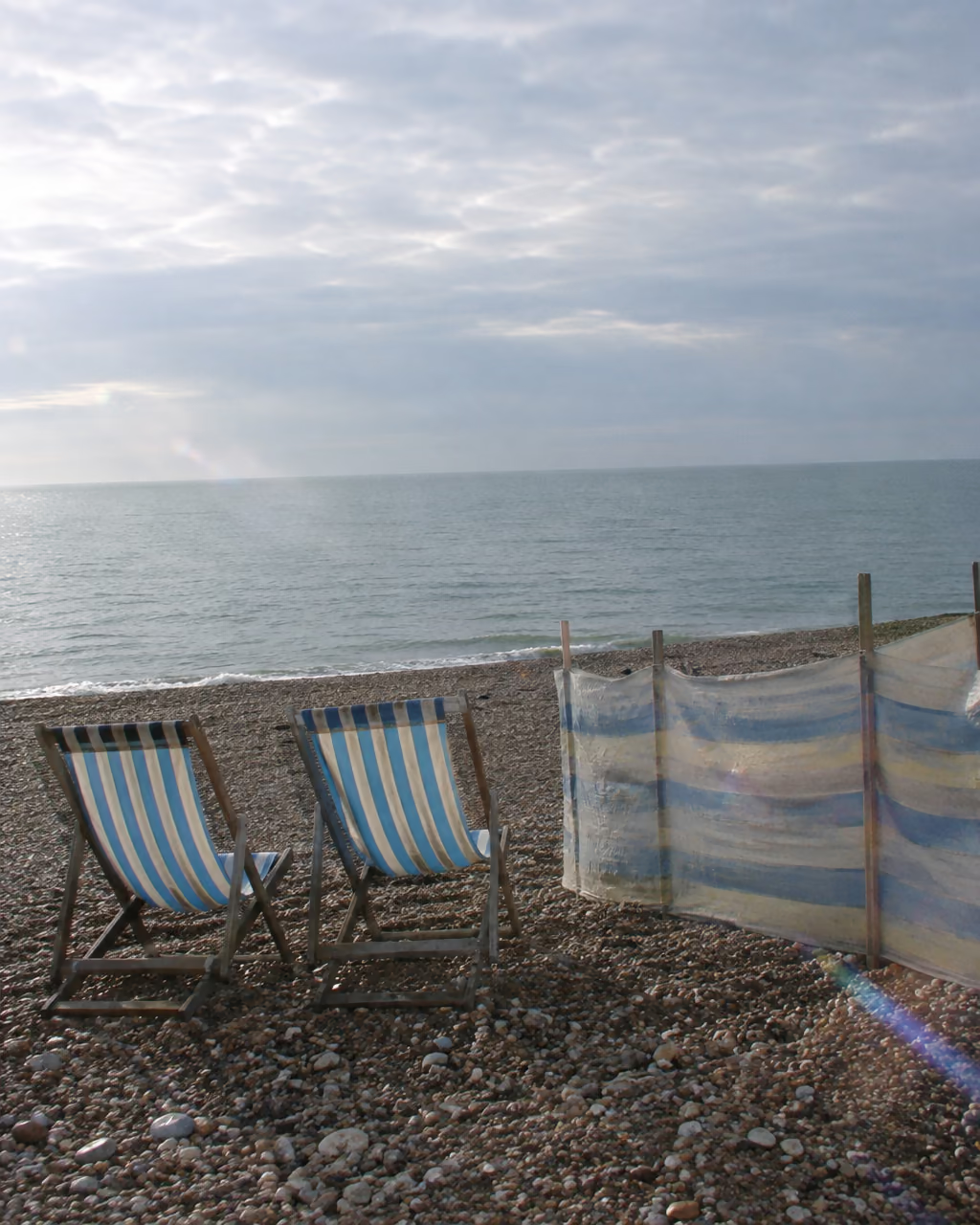
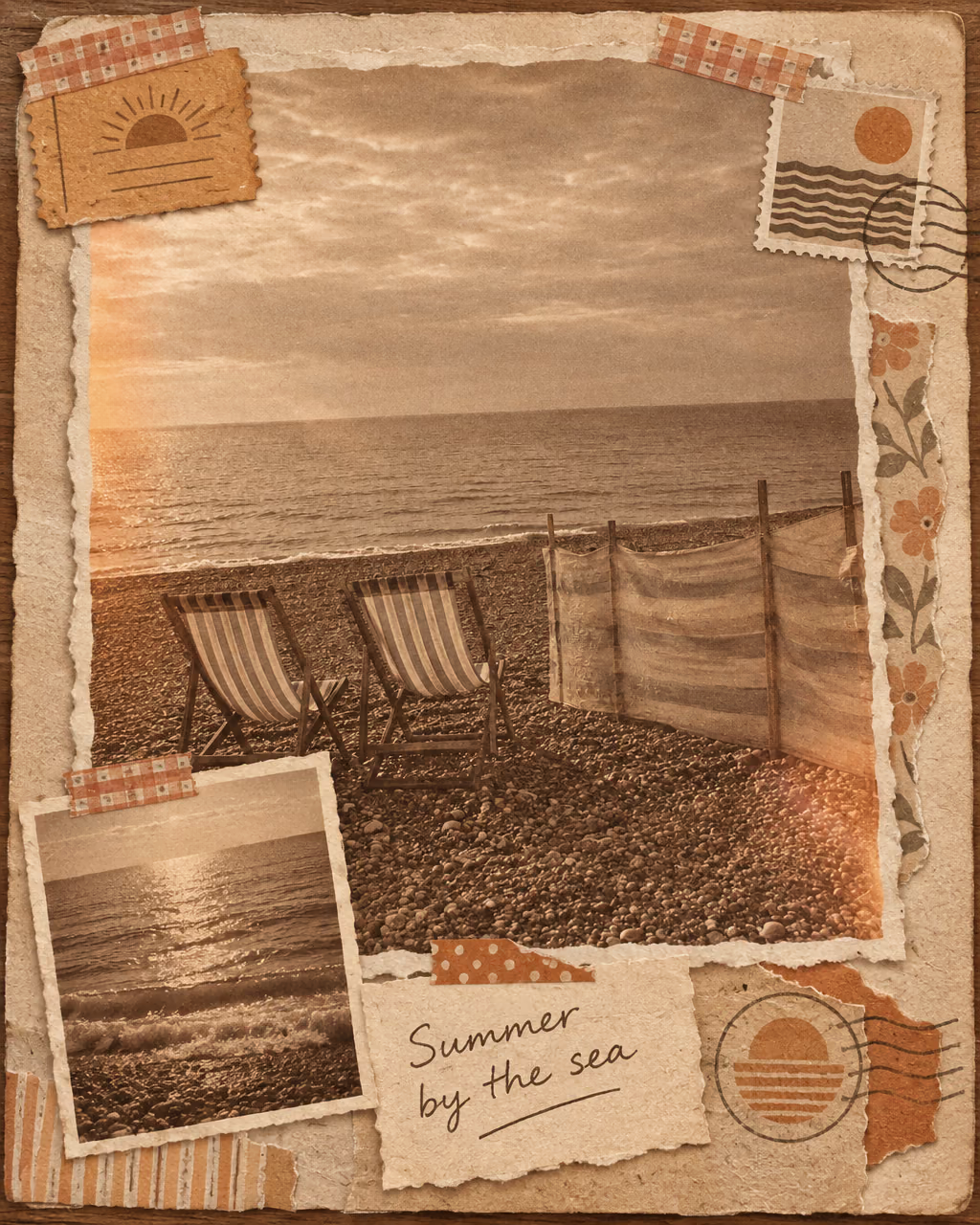
1970s magazine collage with sepia toning, washi tape, deckle-torn edges, invented postage stamps and a handwritten note.
AI Scrapbook Collage Features
Built from the vocabulary real scrapbookers use — washi tape, photo corners, deckle edges, ephemera, distress ink — so the page reads as craft rather than as a filter.
- 01
Up to Three Photos, Kept Intact
Each photo stays a distinct physical print on the page: same faces, same framing, never merged into one another and never repainted by the model.
- 02
Eight Documented Aesthetics
1970s magazine, junk journal, zine cut-and-paste, Dada photomontage, cottagecore, Y2K, vintage travel journal and pen-pal mail art.
- 03
Real Print Treatments
Sepia toning, kraft ground, foxed aged paper, newsprint halftone, risograph grain and cyanotype blue — each a process that actually exists, not a generic vintage filter.
- 04
Your Handwriting Line
Add a short note and it is lettered onto a journaling card in natural handwriting, spelled exactly as you typed it.

How to Make a Scrapbook Page
Three steps from a camera roll to a page that looks hand-made
- 01
Add one to three photos
One photo becomes the hero print; two or three get laid out as separate prints on the same page. Photos that already share a mood or a trip work best together.
- 02
Pick the era and the paper
Choose a collage style — 1970s magazine, junk journal, zine, cottagecore, travel journal — then a print treatment: sepia, kraft, foxed, newsprint halftone, riso or cyanotype.
- 03
Add tape, ephemera and a note
Tap the tag chips for washi tape, photo corners, stamps, pressed flowers or a pocket layout, then type a short handwritten line to letter onto the page.

AI Scrapbook Collage FAQ
AI Pricing Plans
Flexible AI Pricing
Pay-as-you-go credits or subscription plans. No hidden fees, cancel anytime.
One Time supports crypto payment (BTC, USDT, ETH, 350+) · Monthly billing
Free-One Time
Try before you buy
- Up to 3 videos
- Up to 32 images
- Multi-Model Support
- Text to Video
- Image to Video
- Video to Video
Show more (+11)
- Consistent Character
- AI Animation Generator
- Templates & Effects
- AI Video Enhancers
- Interactive Community
- Faster Generation Speed
- No-watermark Outputs
- More Camera Movement
- Private Video Visibility
- Copy Protection
- Priority Support
Pro-1 Month
PopularElevate your AI experience
- Up to 80 videos
- Up to 800 images
- 3 tasks(Parallel Tasks)
- Multi-Model Support
- Text to Video
- Image to Video
Show more (+12)
- Video to Video
- Consistent Character
- AI Animation Generator
- Templates & Effects
- AI Video Enhancers
- Interactive Community
- Faster Generation Speed
- No-watermark Outputs
- More Camera Movement
- Private Video Visibility
- Copy Protection
- Priority Support
Lite-1 Month
Start your AI journey
- Up to 30 videos
- Up to 300 images
- 3 tasks(Parallel Tasks)
- Multi-Model Support
- Text to Video
- Image to Video
Show more (+12)
- Video to Video
- Consistent Character
- AI Animation Generator
- Templates & Effects
- AI Video Enhancers
- Interactive Community
- Faster Generation Speed
- No-watermark Outputs
- More Camera Movement
- Private Video Visibility
- Copy Protection
- Priority Support
- Card
- Crypto accepted (BTC, USDT, ETH, 350+)