











1980s AI Photo Prompt
Upload a selfie and turn it into a photo that looks like it came out of a 1980s shoebox: yearbook portraits, Polaroids, glamour studio shots and VHS stills, with your face kept recognizable.
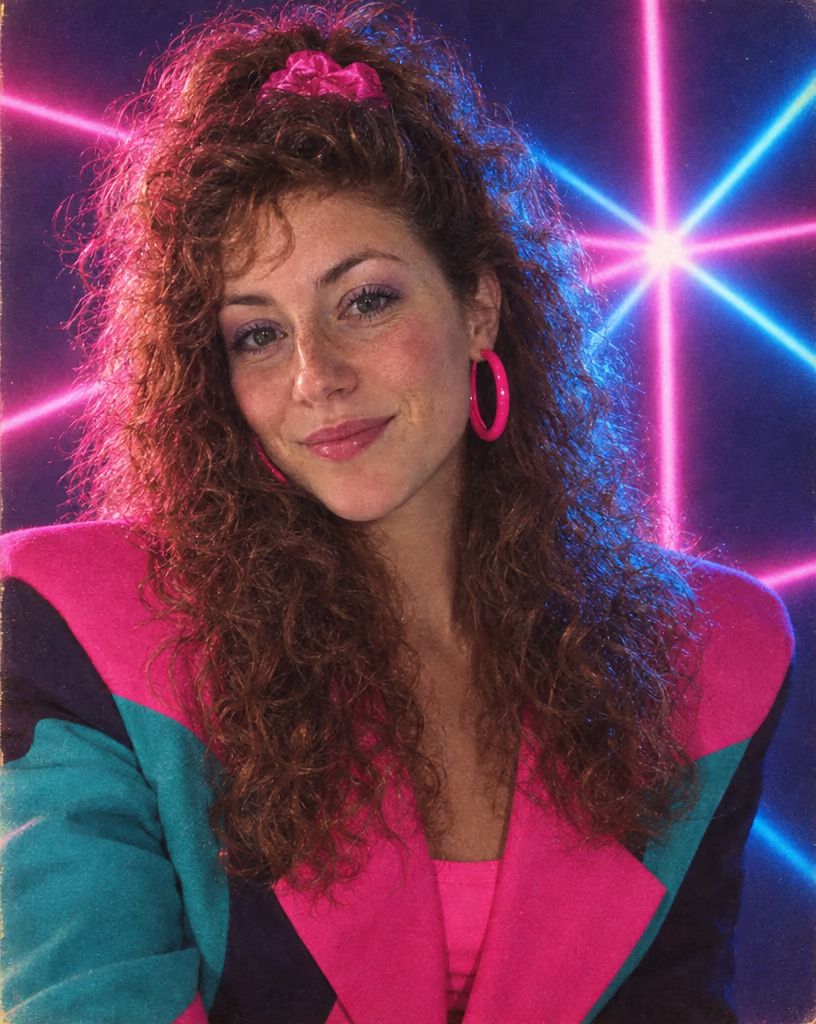
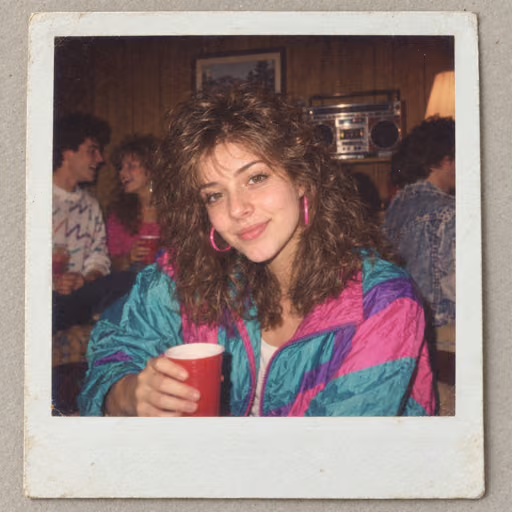
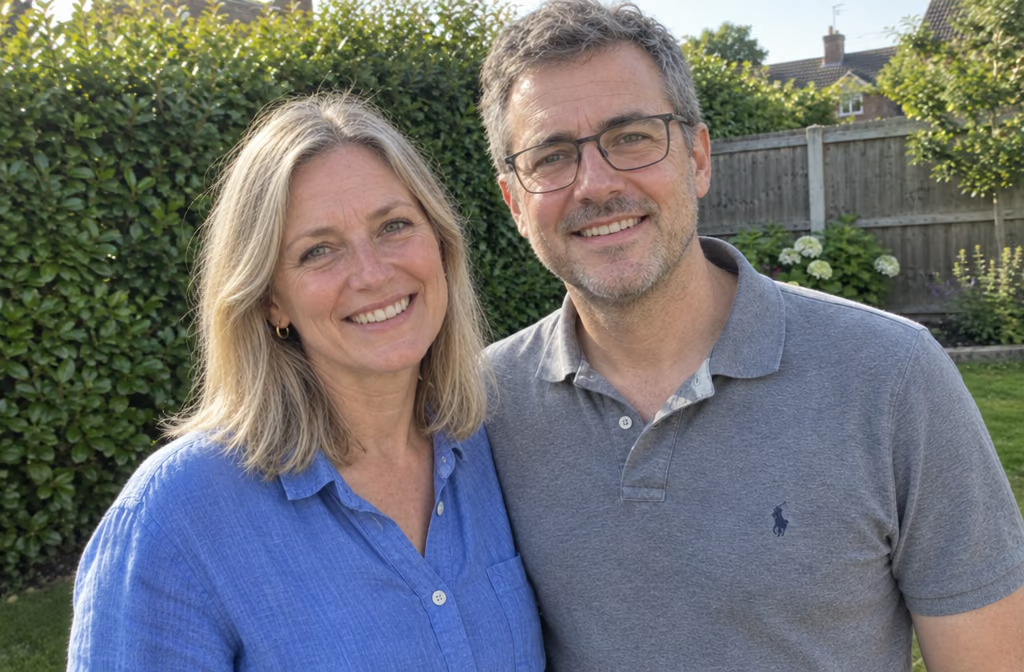
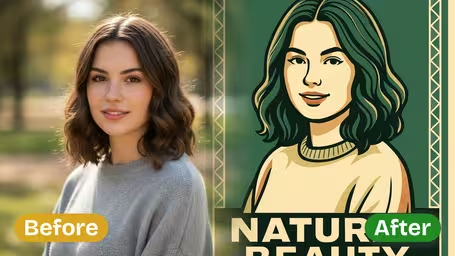
1980s AI Photo Examples
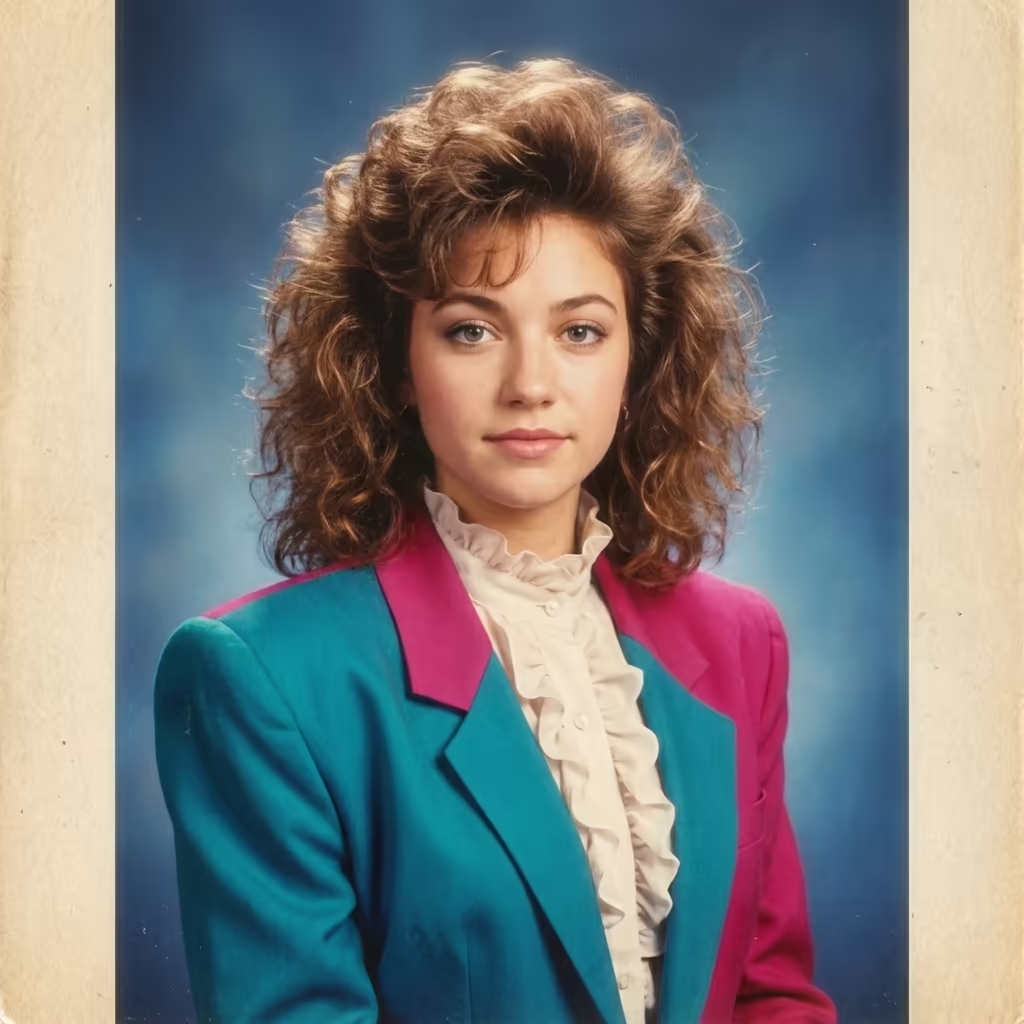
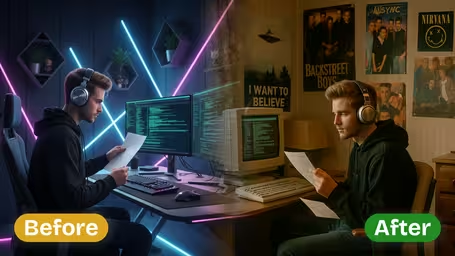
Real before-and-after results: modern selfies turned into 1985 yearbook, 80s office and neon nightclub photos. The face stays recognizable; the hair, clothes, lighting and film look change.
Modern Selfie to 1985 Yearbook Portrait
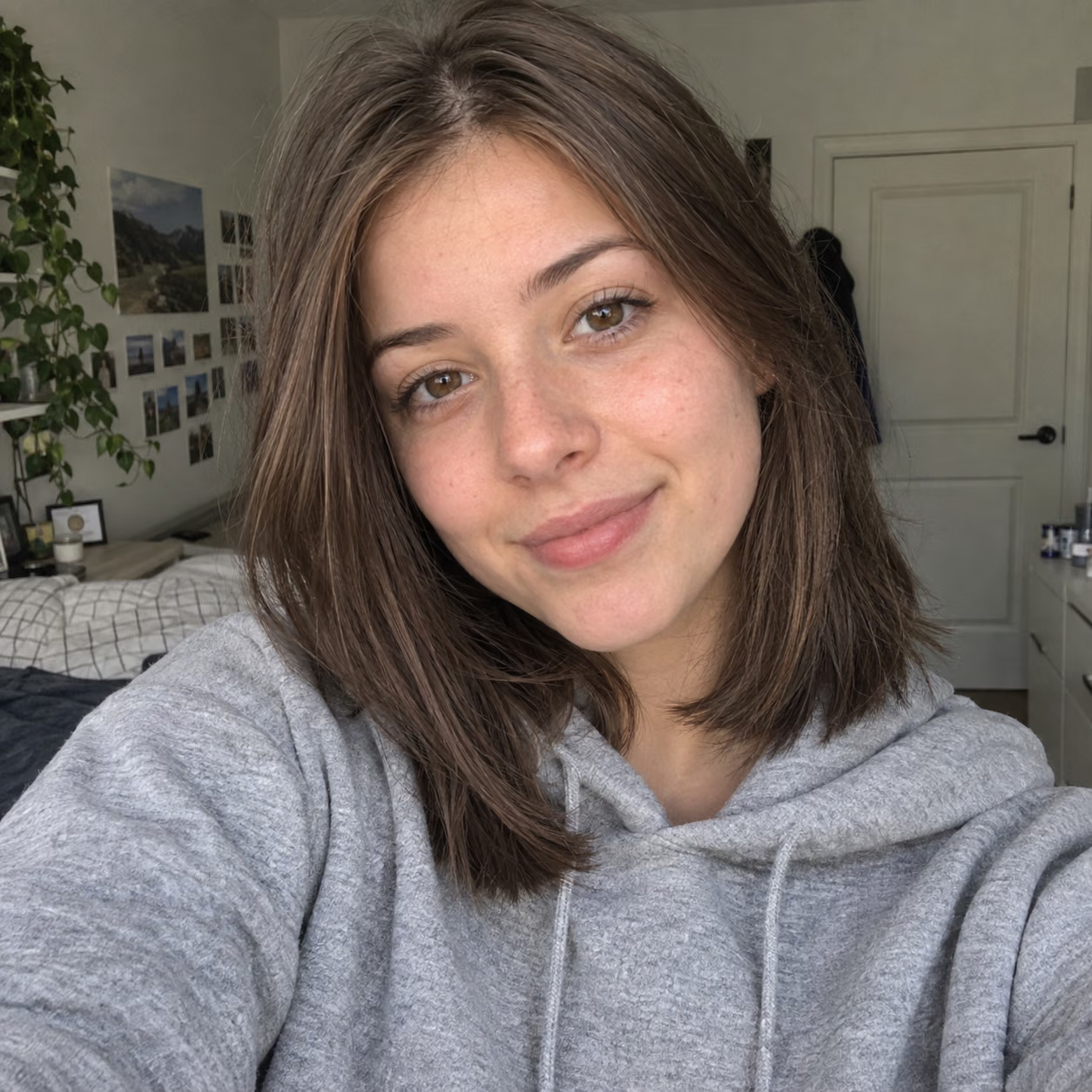
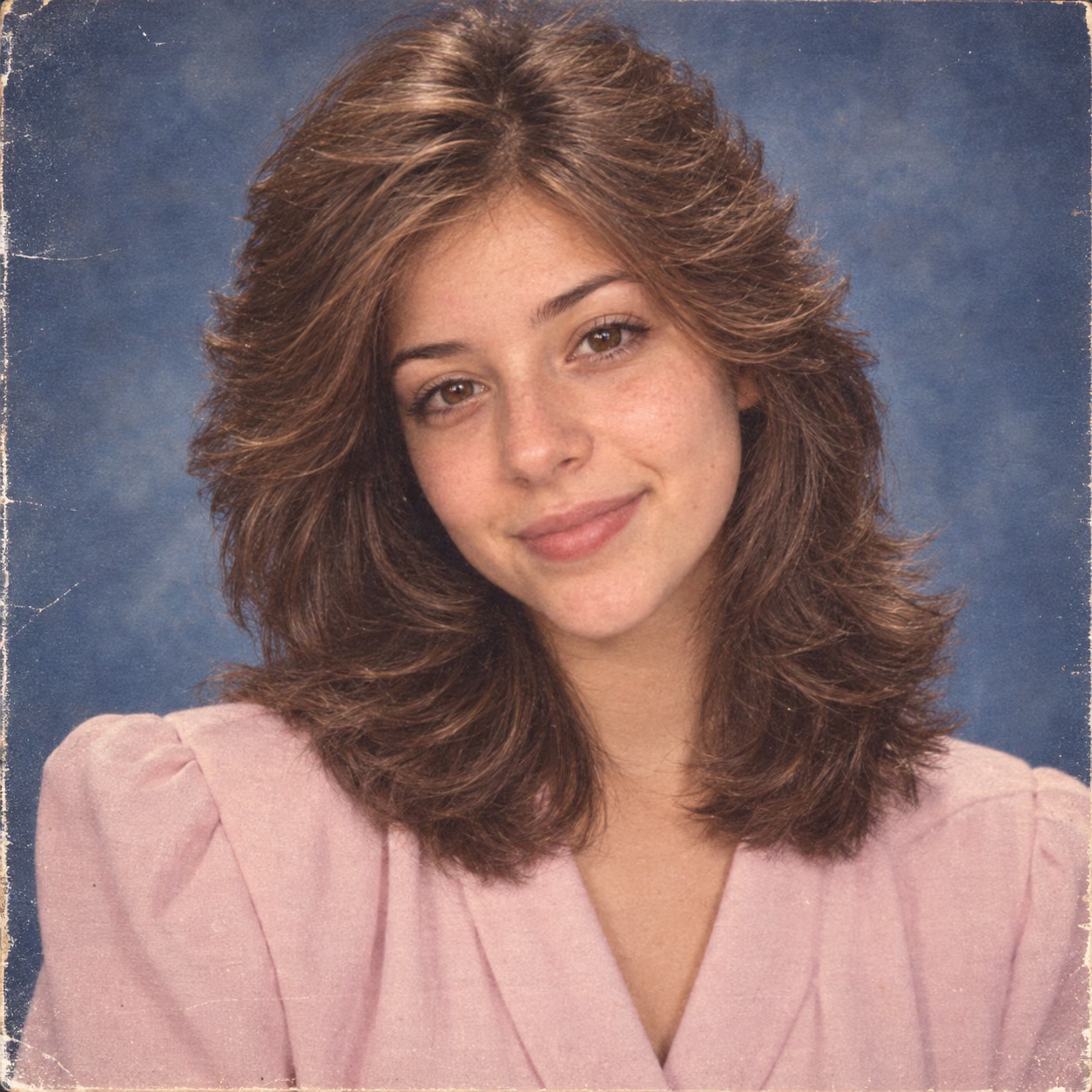
Hoodie selfie turned into a classic yearbook photo: feathered hair, pastel blouse with shoulder pads and the mottled blue studio backdrop.
Copy-Paste 1980s AI Photo Prompts
The six 80s looks behind the trend, written out as full prompts. Use them in the tool above, or paste them into any image model that accepts a reference photo, including ChatGPT with GPT Image.
1985 Yearbook Portrait
Turn the person in this photo into a 1985 American high school yearbook portrait. Keep their face, features and skin tone exactly the same. Give them feathered, voluminous 80s hair and a period sweater or collared shirt, head-and-shoulders pose, mottled blue studio backdrop with faint laser lines, soft even studio light, slightly soft-focus lens, warm color film with fine grain. It should look like a scan from a real 1985 yearbook, not a modern filter.
80s Polaroid Snapshot
Turn the person in this photo into a 1980s instant film snapshot. Keep their face and identity unchanged. Casual candid pose at a 1980s house party, era clothing such as a denim jacket or bright sweatshirt, harsh direct on-camera flash with a hard shadow behind them, slightly washed-out colors and soft focus, thick white instant-film border around the image. Make it look like a real photo pulled from a 1980s shoebox.
Mall Glamour Studio Portrait
Turn the person in this photo into a 1980s mall glamour studio portrait. Keep their face recognizable. Big teased hair, bold makeup, a sequined top or jacket with shoulder pads, hand-on-chin glamour pose, heavy soft-focus diffusion glow, smoky backlit backdrop, warm studio lighting. It should look like a professional 1980s glamour photo print, not a digital beauty filter.
Neon Nightclub 80s
Turn the person in this photo into a photo taken in a 1980s nightclub. Keep their face and features the same. New wave outfit in bold colors, pink and blue gel lighting, neon signs, light haze and glitter in the air, synth-pop club atmosphere, slight motion blur, 35mm film grain and on-camera flash. It should feel like a real night-out photo from 1986.
80s Office Portrait
Turn the person in this photo into a 1980s corporate office portrait. Keep their face and identity unchanged. Power suit with wide lapels and shoulder pads, big hair or a neat side part, seated at a desk in a wood-paneled office with a beige phone, filing cabinets and a desk lamp, warm tungsten light, faded color print look. Make it look like a real company brochure photo from 1984.
VHS Film-Grain Still
Turn the person in this photo into a still frame from a 1980s home camcorder video. Keep their face recognizable. Era clothing and hair, casual living-room setting, soft low-resolution image, visible scan lines, color bleeding and tape noise, slightly blown-out highlights, orange date stamp in the bottom corner reading JUL 14 1987. It should look like a paused VHS tape, not a modern effect.
What Is the 1980s AI Photo Prompt Trend?
A viral way to see how you might have looked in 1985
- · 01680s looks
- · 026AI models
- · 031K–4KOutput size
- · 04Your faceKept recognizable
The trend took off when people began asking ChatGPT to turn their selfies into 80s photos and posting the results. The idea is simple: keep the face, change everything else — hair, clothes, lighting and film — so the image reads as a real photo from the decade. This page turns that idea into a tool: upload one photo, choose an 80s look, and pick the AI model that renders it.
Why Use This 1980s AI Photo Generator
Everything the viral 80s prompt does, without writing the prompt yourself.
- Feature 01 / 04
Six Real 80s Photo Types
Each preset recreates an actual kind of 1980s photo rather than a generic retro filter: the school yearbook portrait, the instant-film party snapshot, the soft-focus mall glamour shot, the neon club photo, the corporate portrait and the camcorder still.
- Feature 02 / 04
Era-Accurate Hair and Clothes
Add big perms, mullets, side ponytails, shoulder pads, acid-wash denim or neon windbreakers with one tap. Tags stack, so you can combine a yearbook backdrop with a mullet and a faded print.
- Feature 03 / 04
Film Color That Looks Analog
Choose warm, saturated slide-film color, a faded magenta-shifted print, harsh on-camera flash with red-eye, or 35mm grain. These imperfections are what make a picture read as 1980s instead of simply edited.
- Feature 04 / 04
Pick Your Model
Run the same look on Gemini 3 Pro Image, Nano Banana Pro, Nano Banana 2, Seedream 5.0 Lite, Qwen Image 3.0 Pro or GPT Image 2.5. Models differ in how closely they keep faces and how strongly they restyle, so trying two is often worth it.
How to Make a 1980s AI Photo
From selfie to 80s print in three steps
Upload a Clear Photo
Use a well-lit photo where your face is sharp and fills a good part of the frame. Front-facing selfies and headshots work best; JPEG and PNG are supported.
Pick an 80s Look
Tap a Look preset such as 1985 yearbook portrait or 80s Polaroid snapshot, then add hair, film and background tags if you like. Leave the box empty to get a classic 1980s studio portrait.
Generate and Compare
Choose a model and resolution, then generate. If the face drifts or the look is too subtle, switch models or add more specific details, then download the version you like best.
1980s AI Photo Prompt FAQ
Flexible AI Pricing
Pay-as-you-go credits or subscription plans. No hidden fees, cancel anytime.
One Time supports crypto payment (BTC, USDT, ETH, 350+)
Monthly billing