











1980s Yearbook Photo AI
Upload a selfie and get a 1980s yearbook portrait with teased hair, bold colors and film grain. Prefer another era? The 50s, 60s, 70s, 90s and Y2K are one tap away.
AI Vintage Yearbook Photo Gallery
See how AI transforms modern portraits into authentic vintage yearbook photos. Compare original images with retro results across multiple AI models.
Modern Selfie to 1980s Yearbook Portrait

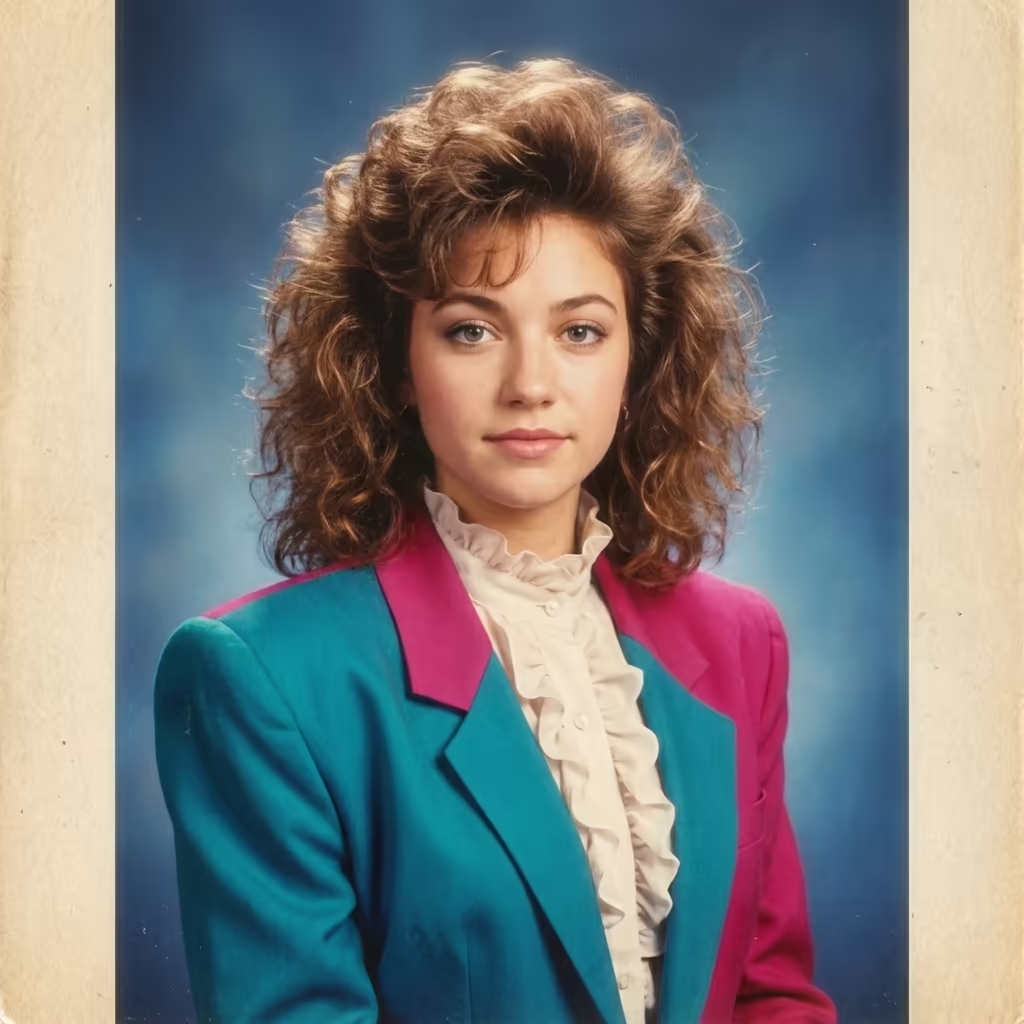
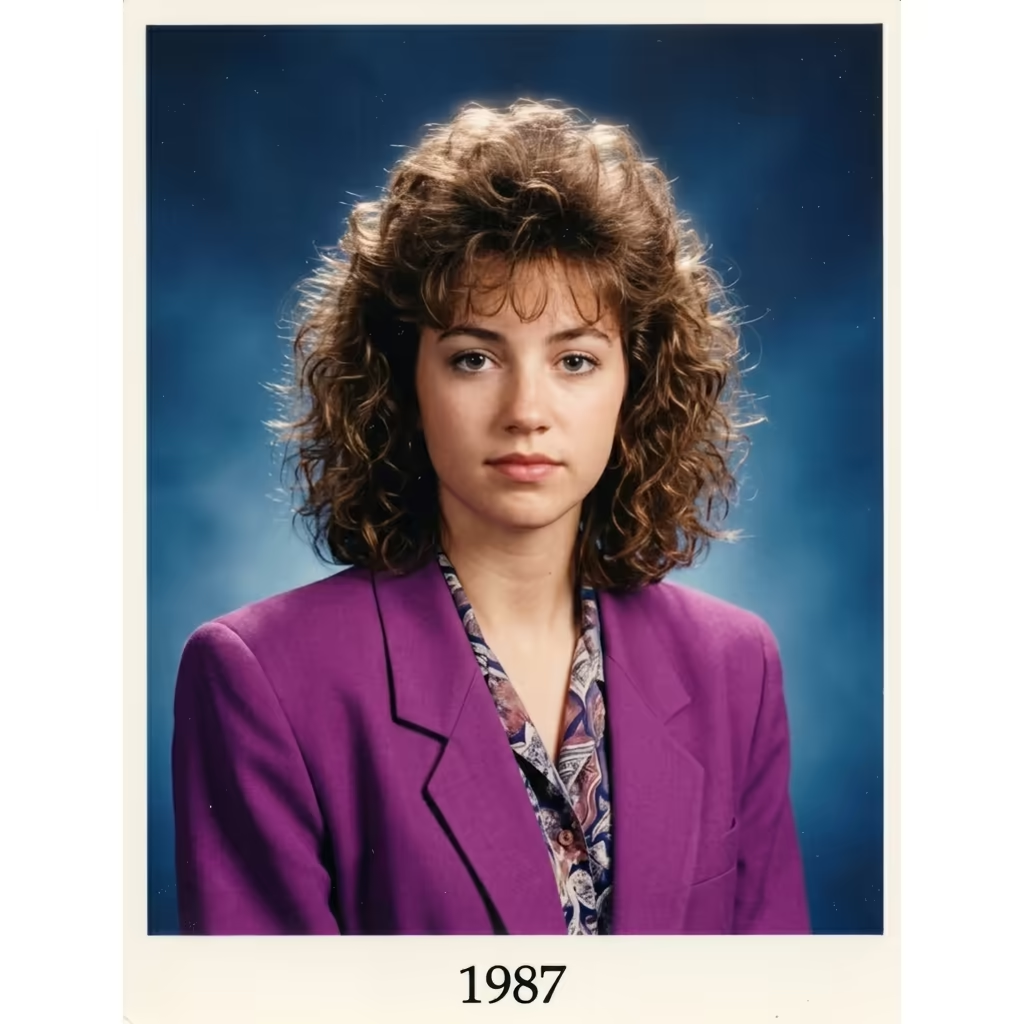
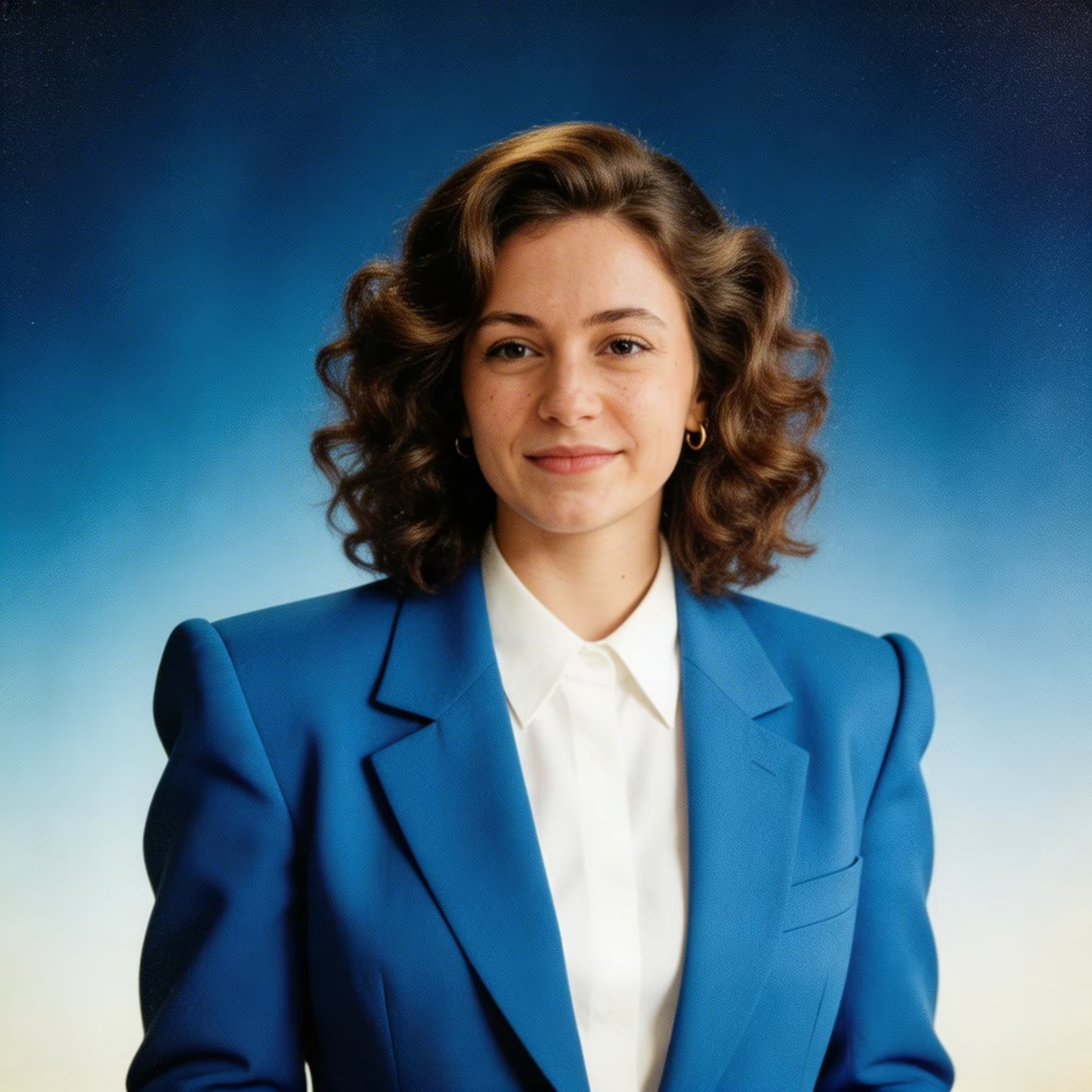
Young woman in denim jacket transformed into a classic 80s yearbook photo with big teased hair and color-block blazer
What Is a 1980s Yearbook Photo AI?
It is an AI photo editor that restyles a modern portrait as a school yearbook picture from a past decade, with hair, wardrobe, lighting and film look included, while keeping your face recognizable.
- · 016Decades, 1950s to Y2K
- · 026AI models to choose from
- · 033 creditsDefault model, per photo
- · 04Up to 4KOn Pro plan
The 80s yearbook photo is the look most people ask for: teased or permed hair, shoulder pads and bright color blocking, soft studio lighting and slightly faded color film, framed like a class of 1985 portrait. Upload a clear, front-facing photo, tap the 1980s era tag (or write your own description of up to 500 characters), and optionally add a pose such as formal portrait, prom photo, team photo or a superlative like Class Clown, plus an effect and a backdrop such as the classic blue gradient or a school hallway. The same tool also covers the 1950s, 1960s, 1970s, 1990s and 2000s Y2K. Six image models are available: Gemini 3 Pro Image (the default, 3 credits per photo), Nano Banana Pro, Nano Banana 2, Seedream 5.0 Lite, Qwen Image 3.0 Pro and GPT-Image 2.5. Output is 1K for every account, with 2K and 4K on the Pro plan.
1980s Yearbook Photo AI Features
What makes an AI yearbook photo look like it came out of a real 80s high school annual, plus every other decade from the 50s to Y2K.
- Feature 01 / 05
True-to-the-80s Styling
The 1980s preset brings big teased hair, perms, shoulder pads and bold color blocking, so the result reads as a mid-80s class portrait rather than a modern photo with a filter.
- Feature 02 / 05
Every Decade from the 50s to Y2K
Switch to 1950s classic, 1960s mod, 1970s disco, 1990s grunge or 2000s Y2K with one tag. Each era changes hairstyle, clothing and photo character together.
- Feature 03 / 05
Classic Yearbook Backdrops
Choose a blue gradient, grey studio paper, library shelves or a school hallway, or describe your own, like the laser background from 80s picture day.
- Feature 04 / 05
Film Grain and Faded Color
Add sepia, faded color film, black and white, a soft-focus glow or film grain to match the look of an old printed yearbook.
- Feature 05 / 05
Poses and Superlatives
Go beyond the headshot with casual candids, prom photos, team photos and superlatives such as Class Clown or Most Likely to Succeed. Great for reunions, throwback posts and birthday gifts.
How to Make a 1980s Yearbook Photo with AI
Four steps from selfie to retro yearbook portrait.
Upload a Portrait
Upload one clear, front-facing photo in JPG or PNG. Even lighting and a visible face give the most faithful results; single-person photos work best.
Pick the 1980s or Another Era
Tap the 1980s tag or type your own description of up to 500 characters. Add a style, effect and backdrop tag to fine-tune the look.
Choose Model and Resolution
Gemini 3 Pro Image is the default at 3 credits per photo. Try Nano Banana Pro or Seedream 5.0 Lite for a different take; 2K and 4K output require the Pro plan.
Generate and Download
Generate, compare results and download your favorite. Failed generations are refunded automatically.
1980s Yearbook Photo AI FAQ
Flexible AI Pricing
Pay-as-you-go credits or subscription plans. No hidden fees, cancel anytime.
One Time supports crypto payment (BTC, USDT, ETH, 350+)
Monthly billing