
🎨 Seedream 5.0 Pro — ByteDance's flagship image model: up to 2K, best-in-class typography & multi-reference editing!

Try It!
Logo
· STATION/WATERMARK REMOVAL

Remove Gemini Watermark from Images

A free Gemini logo remover for Nano Banana and Gemini pictures. Runs in your browser — no upload, no sign-up, no cropping, original resolution kept.

· AUX/Want Higher Quality Watermark-Free Images?

Try Now

Try Nano Banana Pro (Gemini 3 Pro Image) for stunning 4K outputs with 10 aspect ratios, or the new Nano Banana 2 for fast, affordable high-quality generations — starting at just $29.9/month.

· SPECIMEN BED/STANDBY
000 / ∞

Drop images here or click to upload

Supports PNG, JPG, WebP and other image formats

· ARCHIVE/04 SPECIMENS
CLICK TO LOAD

· 04 CASES/DRAG TO REVEAL

Before & After Examples

See how Gemini watermarks are completely removed from images

01/CASE 001
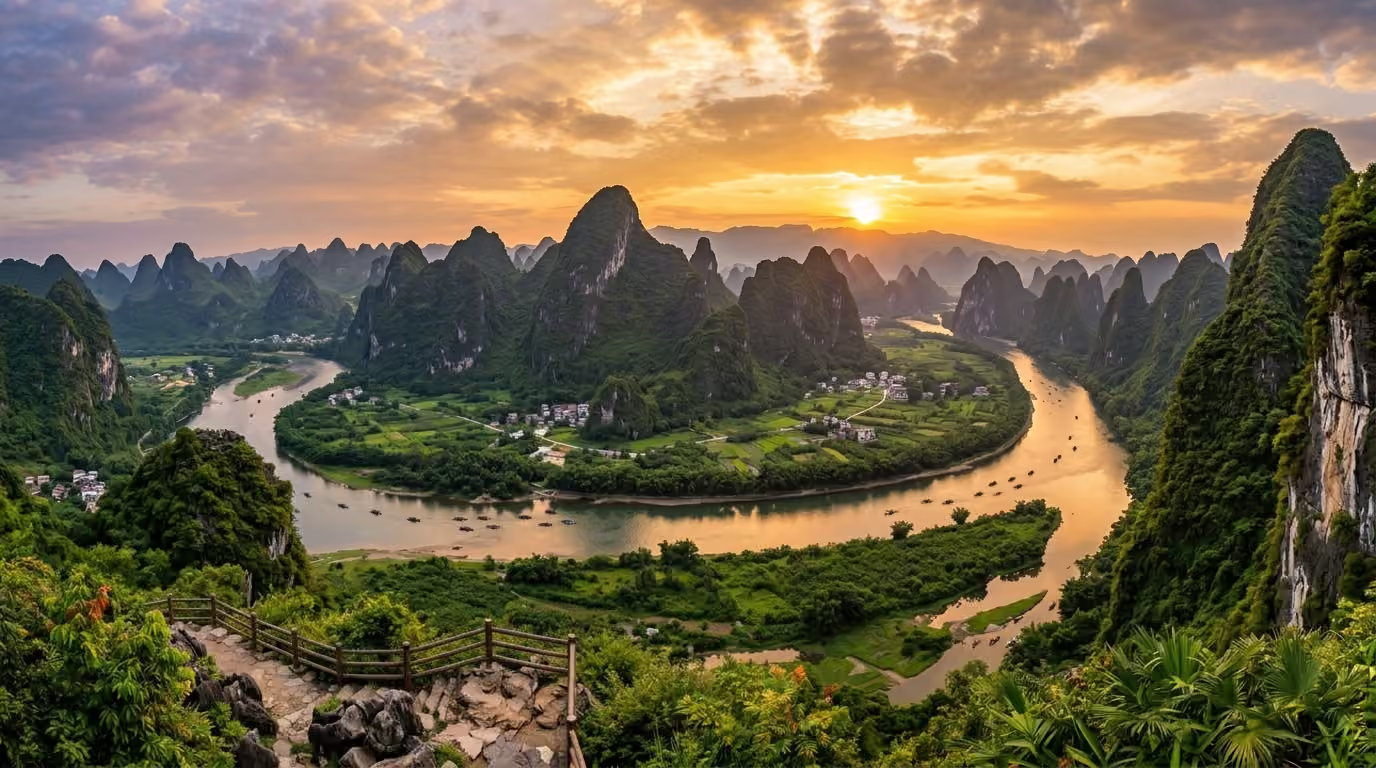
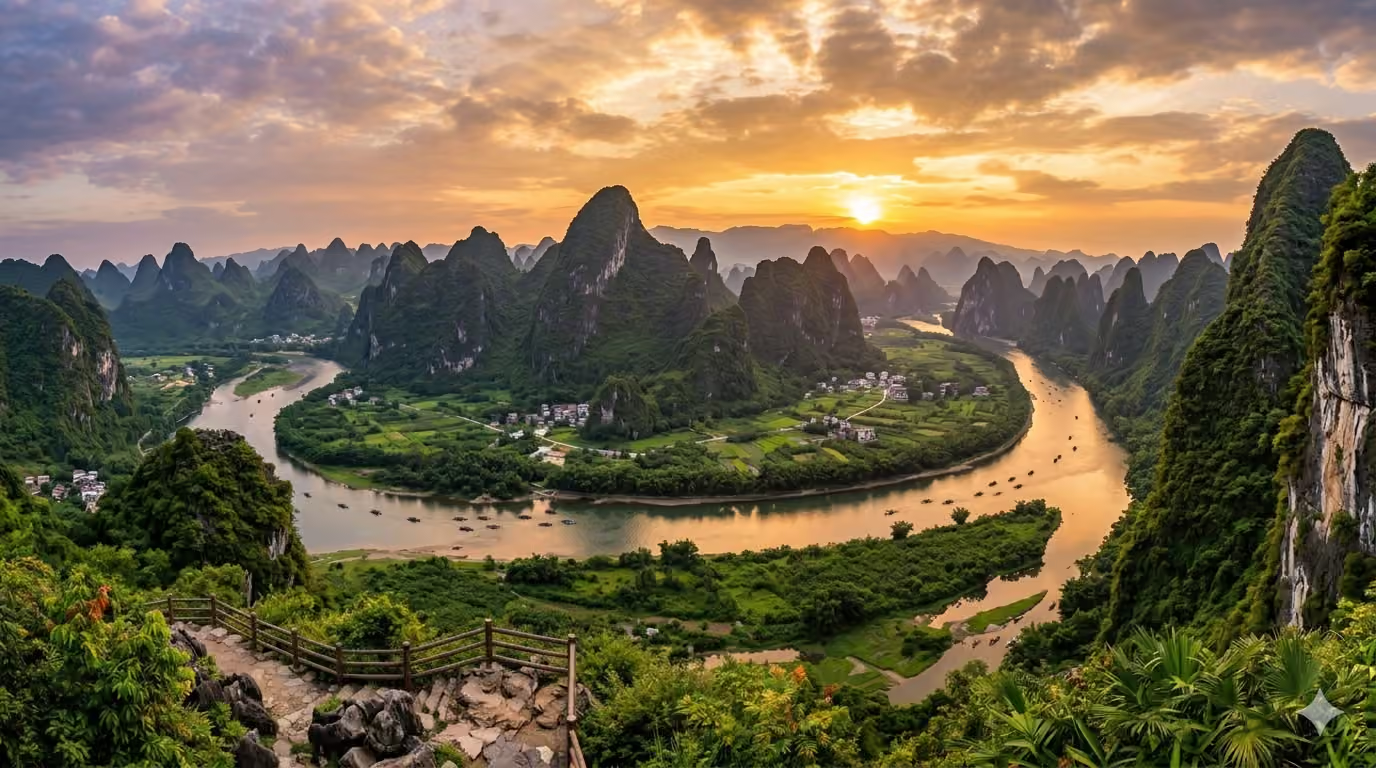
Example 1 — Watermark Removed
Example 1 — With Watermark
With WatermarkWatermark Removed
50%
02/CASE 002
Example 2 — Watermark Removed
Example 2 — With Watermark
With WatermarkWatermark Removed
50%
03/CASE 003
Example 3 — Watermark Removed
Example 3 — With Watermark
With WatermarkWatermark Removed
50%
04/CASE 004
Example 4 — Watermark Removed
Example 4 — With Watermark
With WatermarkWatermark Removed
50%
Image Models

Nano Banana Pro & Nano Banana 2

Generate watermark-free images with two top models. Pick Nano Banana Pro (Gemini 3 Pro Image) for 4K outputs across 10 aspect ratios, or Nano Banana 2 for faster, affordable high-quality generations.

How to Use Gemini Watermark Remover

Remove the Gemini watermark (the sparkle logo) from your images in three steps - free and processed entirely in your browser

  1. 01

    Upload Your Images

    Drag and drop or click to upload images with Gemini watermarks. Supports PNG, JPG, WebP and other common image formats. You can upload multiple images at once for batch processing.

  2. 02

    Automatic Processing

    The tool automatically detects the Gemini watermark in the bottom-right corner and removes it using reverse alpha blending algorithm. All processing happens locally in your browser - your images are never uploaded to any server.

  3. 03

    Download Results

    Once processing is complete, download your watermark-free images. You can download individual images or use the 'Download All' button for batch downloads. The output maintains your original image quality.

What's Gemini Watermark Remover

A free Gemini logo remover for images - no cropping, no upload, complete privacy

  1. 100% FreeNo Cost
  2. Browser-BasedFull Privacy
  3. No CroppingComplete Image
  4. UnlimitedImages Processed

Gemini Watermark Remover is a free Gemini logo remover for still images. It finds the sparkle watermark Google adds to Gemini and Nano Banana pictures and uses reverse alpha blending to restore the pixels underneath, so you can remove the Gemini watermark from images without cropping them or uploading anything.

Features

Everything you need to remove Gemini watermarks

  1. 01

    100% Free Forever

    Completely free to use with no hidden costs, subscriptions, or credit requirements - unlimited usage for everyone

  2. 02

    No Upload Required

    All processing happens directly in your browser - your images never leave your device or touch any server

  3. 03

    Full Image Preserved

    We don't crop your images! Uses reverse alpha blending to restore the original pixels under the watermark

  4. 04

    Instant Processing

    Remove Gemini watermarks in milliseconds with no waiting, queues, or processing delays

  5. 05

    Complete Privacy

    100% client-side processing means absolute privacy - no data collection, no tracking, no logs

  6. 06

    Multiple Format Support

    Works with PNG, JPG, WebP, and other popular image formats from Gemini AI

  7. 07

    Batch Processing

    Process multiple images at once - upload as many as you need and download them all

  8. 08

    Automatic Detection

    Automatically finds the Gemini sparkle logo in the bottom-right corner and removes it

Want Higher Quality Watermark-Free Images?

Try Nano Banana Pro (Gemini 3 Pro Image) for stunning 4K watermark-free images, or the new Nano Banana 2 for fast, affordable high-quality generations — starting at just $29.9/month.

Try Nano Banana Pro

Gemini Watermark Remover FAQ

Find answers to common questions about removing Gemini AI watermarks from your images using our free, browser-based tool.

Drop one or more Gemini or Nano Banana images (PNG, JPG or WebP) onto the tool. It detects the sparkle logo in the corner, rebuilds the pixels behind it and lets you download the clean file at its original size. Nothing is uploaded.
Our tool uses advanced reverse alpha blending algorithm to intelligently remove the Gemini AI watermark from images. It analyzes the watermark's transparency and color values, then mathematically reconstructs the original pixels underneath. This is NOT cropping - we preserve the full image dimensions.
Yes. The "Gemini logo" is the small sparkle Google places in the bottom-right corner of Gemini images, and it's the same thing as the visible Gemini watermark. The tool finds that logo and rebuilds the pixels behind it, so the picture keeps its original size. It only removes the visible mark; Google's invisible SynthID watermark is not affected.
No, absolutely not. Unlike simple cropping tools, our Gemini Watermark Remover preserves your complete image. We use a sophisticated algorithm to reconstruct the pixels under the watermark, keeping your full image resolution and dimensions intact.
Yes, our Gemini Watermark Remover is 100% free with no limits. Since all processing happens in your browser, there are no server costs, which allows us to offer this service completely free forever.
No. Your images never leave your device. All processing happens entirely in your browser using client-side JavaScript. We don't see, store, or have access to any of your image files. This ensures complete privacy and security.
The tool supports all common image formats including PNG, JPG/JPEG, WebP, and other browser-compatible formats. You can upload images in any of these formats and download the processed results.
The Gemini AI watermark is typically placed in the bottom-right corner of images generated by Google's Gemini AI. Our tool automatically targets and removes this specific watermark pattern.
Yes, you can upload and process multiple images simultaneously. Simply drag and drop or select multiple files, and the tool will process them one by one. You can then download each processed image individually or use the 'Download All' button.
Since Gemini uses a semi-transparent watermark with known characteristics, our algorithm is optimized specifically for this watermark type and typically achieves excellent results. If you encounter issues, try ensuring the image is in its original quality without additional compression.
Yes. Pictures made with Nano Banana, Nano Banana 2 or Nano Banana Pro in the Gemini app carry the same sparkle logo, and the remover handles them. For the cleanest result, use the original file you downloaded from Gemini. Screenshots, resized copies or heavily recompressed images can leave a faint trace.
Not on this page, which is built for still images. For Veo clips made in Gemini, use our Gemini Video Watermark Remover: tap "Video" in the switch at the top of this page. It also runs in your browser and keeps the original resolution and audio.
No. There is no account, app or browser extension. Open the page, drop your image and download the result, free and as often as you need.

AI Pricing Plans

Flexible AI Pricing

Pay-as-you-go credits or subscription plans. No hidden fees, cancel anytime.

One Time supports crypto payment (BTC, USDT, ETH, 350+) · Monthly billing

Free

Try before you buy

Free
32points
  • Up to 3 videos
  • Up to 32 images
  • Multi-Model Support
  • Text to Video
  • Image to Video
  • Video to Video
Show more (+11)
  • Consistent Character
  • AI Animation Generator
  • Templates & Effects
  • AI Video Enhancers
  • Interactive Community
  • Faster Generation Speed
  • No-watermark Outputs
  • More Camera Movement
  • Private Video Visibility
  • Copy Protection
  • Priority Support

Pro

Popular

Elevate your AI experience

29.99USD / 1 Month
800
800 credits/mo
  • Up to 80 videos
  • Up to 800 images
  • 3 tasks(Parallel Tasks)
  • Multi-Model Support
  • Text to Video
  • Image to Video
Show more (+12)
  • Video to Video
  • Consistent Character
  • AI Animation Generator
  • Templates & Effects
  • AI Video Enhancers
  • Interactive Community
  • Faster Generation Speed
  • No-watermark Outputs
  • More Camera Movement
  • Private Video Visibility
  • Copy Protection
  • Priority Support

Lite

Start your AI journey

19.99USD / 1 Month
300 credits/mo
  • Up to 30 videos
  • Up to 300 images
  • 3 tasks(Parallel Tasks)
  • Multi-Model Support
  • Text to Video
  • Image to Video
Show more (+12)
  • Video to Video
  • Consistent Character
  • AI Animation Generator
  • Templates & Effects
  • AI Video Enhancers
  • Interactive Community
  • Faster Generation Speed
  • No-watermark Outputs
  • More Camera Movement
  • Private Video Visibility
  • Copy Protection
  • Priority Support
  • Card
  • Crypto accepted (BTC, USDT, ETH, 350+)

Privacy preferences

We use essential storage to run the service. Optional analytics, advertising and convenience features stay off until you choose to enable them. Privacy policy