


🎨 Seedream 5.5 — ByteDance's newest image model: native transparent backgrounds, up to 2K & editing with up to 10 references!


WAN 3.0 Text / Image / Reference to Video Generator
Generate video with WAN 3.0, Alibaba Tongyi Lab's unified video model, on Dreamega AI. Write a prompt for text-to-video, animate a first frame with an optional last frame for image-to-video, or combine up to 10 reference images, 5 reference videos and 5 reference audio tracks for reference-to-video. Every mode renders 2 to 30 seconds at 480p, 720p or 1080p with native synchronized audio.
WAN Model Series
WAN 3.0 Prime
Faster Wan 3.0 tier with edit and extend
WAN 2.7
Latest WAN with text-to-image, image editing, and video generation
WAN 2.6
Enhanced video generation with reference-to-video and flash modes
WAN 2.5
High-quality text-to-video and image-to-video generation
WAN 2.2
Versatile video generation with multiple aspect ratios

WAN 2.2 Animate
Specialized animation and motion generation
WAN 2.1
Foundation video generation model with text and image input
WAN 3.0 Video Gallery
Browse clips generated with WAN 3.0 from text prompts. Every example runs in a single pass with native synchronized audio.
Astronaut in the Overgrown City
A lone astronaut crosses a reclaimed city and finds a child holding a glowing flower, generated from text.
“A lone astronaut walks through the ruins of a once-busy city, surrounded by abandoned cars, overgrown skyscrapers, and trees growing through cracked streets. She discovers a small child standing inside an old convenience store, holding a glowing flower. The astronaut slowly removes her helmet as birds suddenly rise into the sky and sunlight breaks through the clouds. Emotional science-fiction film, grand post-apocalyptic environment, slow cinematic camera movement, wide establishing shots, intimate facial close-ups, realistic dust particles, warm sunlight contrasting with cold ruins, epic yet hopeful atmosphere.”

WAN 3.0 Image to Video Gallery
See how WAN 3.0 brings a still image to life. The clip below starts from a single first-frame image and renders with native synchronized audio.
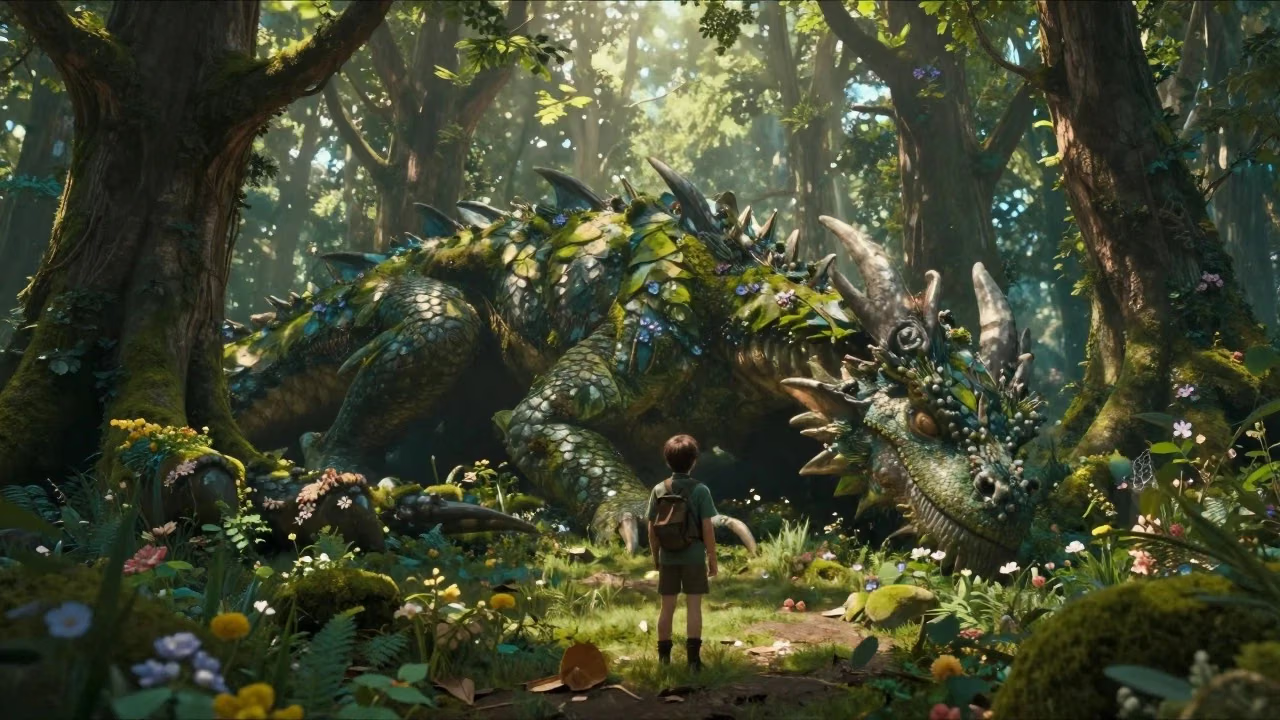
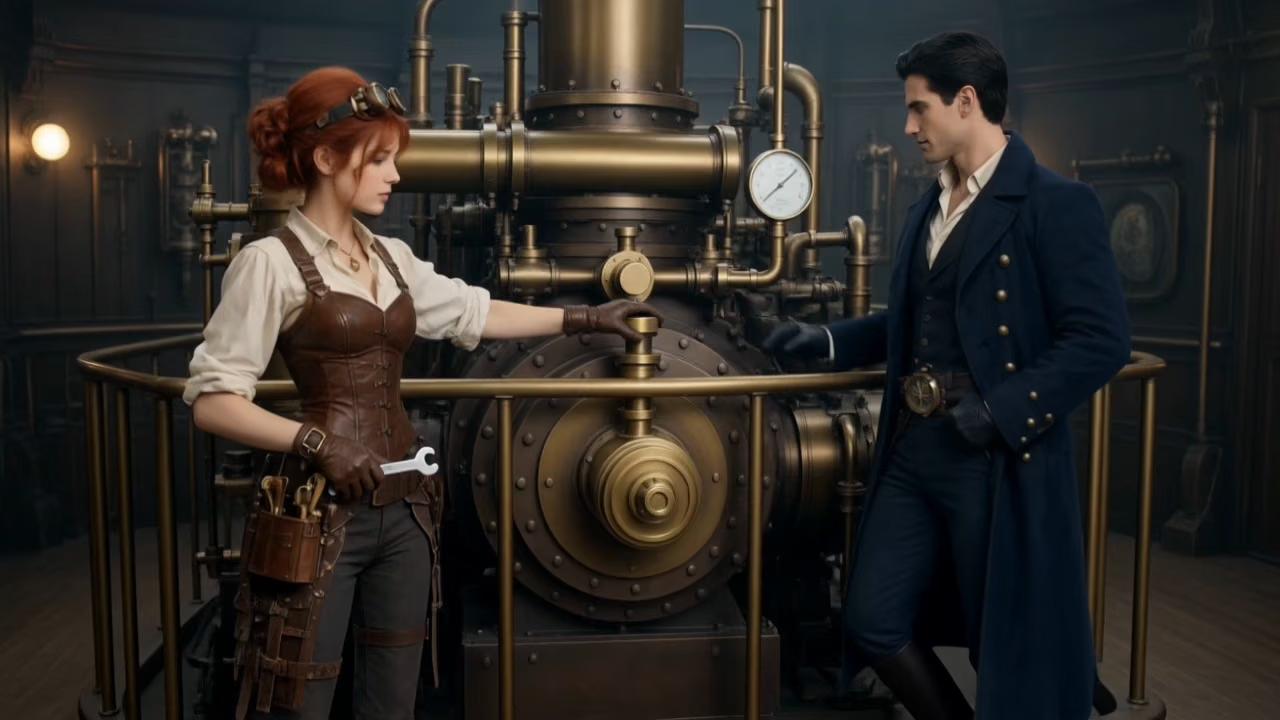
Ranger Meets the Forest Dragon
The dragon slowly opens its eyes, leaves move from its breathing, glowing particles float around the forest, the ranger slowly steps forward and reaches out a hand. The camera slowly circles around both characters revealing the enormous scale difference.
What's WAN 3.0
Alibaba Tongyi Lab's unified video model, served on Dreamega AI
- 2-30sSingle-Pass Duration
- 1080pMax Resolution
- 3Modes: Text / Image / Reference
- 10Reference Images per Run
WAN 3.0 is Alibaba Tongyi Lab's unified video generation model. Where WAN 2.7 split text-to-video, image-to-video, reference generation and editing across separate models, WAN 3.0 folds them into one. On Dreamega AI it is available in three modes: Text-to-Video builds a clip from a written prompt, Image-to-Video animates a first-frame image with an optional last frame, and Reference-to-Video combines up to 10 reference images, 5 reference videos and 5 reference audio tracks to keep a subject consistent. Every mode renders 2 to 30 seconds in a single pass at 480p, 720p or 1080p, with native synchronized audio on by default.
WAN 3.0's Powerful Features
What Alibaba's unified video model brings to text, image and reference driven generation
- 01
One Unified Model
WAN 2.7 split text-to-video, image-to-video, reference generation and editing across separate models. WAN 3.0 folds them into a single model, so behaviour stays consistent whichever mode you start from.
- 02
30 Seconds in One Pass
Set any duration from 2 to 30 seconds and the whole clip renders in a single generation, making continuous camera moves and one-take shot language possible without stitching separate clips together.
- 03
Native Synchronized Audio
Audio is generated with the picture rather than added afterwards, covering dialogue timbre, environmental sound and musical rhythm, so speech and action line up without a separate pass.
- 04
480p to 1080p Output
Pick 480p for quick drafts, 720p for everyday delivery or 1080p for final work. Billing is per second at each tier, so short tests stay cheap and only finals cost full price.
- 05
Omni-Reference Inputs
Reference-to-Video accepts up to 10 reference images, 5 reference video clips and 5 audio tracks in one run, letting you lock a character, a product or a location across a whole sequence.
- 06
First and Last Frame Control
Image-to-Video animates the first-frame image you upload and optionally accepts a last-frame image, so you can pin exactly where a shot begins and where it should land on screen.
- 07
Deep-Thinking Mode
Turn on thinking mode and the model reasons more deliberately about a complex prompt before it starts generating, which helps with multi-beat scenes and unusual staging instructions.
- 08
Five Aspect Ratios
Choose 16:9, 9:16, 1:1, 4:3 or 3:4 to cover widescreen delivery, vertical mobile, square social feeds and classic framing from one parameter. Image-to-Video can also follow the input image.






How to Use WAN 3.0 Text to Video
Generate a clip of up to 30 seconds from a written description
- 01
Write Your Prompt
Describe the scene, subject, camera movement, lighting and mood. Detail helps, and you can turn on thinking mode for complex ideas.
- 02
Set Duration, Ratio and Resolution
Pick any length from 2 to 30 seconds, one of five aspect ratios, and 480p, 720p or 1080p depending on whether this is a draft or a final.
- 03
Generate and Download
Click generate and WAN 3.0 renders the whole clip in one pass with synchronized audio. Preview the result, then download it or rerun with an adjusted prompt.
WAN 3.0 YouTube Videos
Watch community demos, reviews and tutorials showcasing what WAN 3.0 can do
- Wan 3.0 Is Here — 30-Second AI Videos in One Pass - Tech With Hamza
- China Did It AGAIN? – 100+ Wan 3.0 AI Videos - Airt
- WAN 3.0 Is Almost Too Good to Be True.. (Review) - Oprelia AI
- Alibaba Just Dropped Wan 3.0 (And It's FREE To Try) - ByteForward
- How to Access Wan 3.0 Uncensored API - Best Alternative to Seedance 2 - Anil Chandra Naidu Matcha
WAN 3.0 YouTube Videos
Watch community demos, reviews and tutorials showcasing what WAN 3.0 can do
Explore other models
More top AI models you can try right here.
 NEW
FLUX 3
Black Forest Labs' multimodal video model: text, image, start-end frames and video extend with native audio, 5-20 seconds at up to 1080p
HappyHorse 1.0
#1 Alibaba video model, cinematic high-quality output
 NEW
Kling 4.0 Flash
Kuaishou's 720p Kling model: 3–20s takes with native audio, references and video edit
 NEW
Veo 3.1
Google Veo 3.1 creates cinematic 1080p videos with native audio and lip-sync
 NEW
Gemini Omni 1.2 Flash
Google's fast video model with native audio: 3–15 s clips up to 4K, from text, images, references or an existing video
 HOT
Sora 2
OpenAI's revolutionary video generation model with synchronized audio and enhanced physics accuracy
AI Pricing Plans
Flexible AI Pricing
Pay-as-you-go credits or subscription plans. No hidden fees, cancel anytime.
One Time supports crypto payment (BTC, USDT, ETH, 350+) · Monthly billing
Free-One Time
Try before you buy
- Up to 3 videos
- Up to 32 images
- Multi-Model Support
- Text to Video
- Image to Video
- Video to Video
Show more (+11)
- Consistent Character
- AI Animation Generator
- Templates & Effects
- AI Video Enhancers
- Interactive Community
- Faster Generation Speed
- No-watermark Outputs
- More Camera Movement
- Private Video Visibility
- Copy Protection
- Priority Support
Pro-1 Month
PopularElevate your AI experience
- Up to 80 videos
- Up to 800 images
- 3 tasks(Parallel Tasks)
- Multi-Model Support
- Text to Video
- Image to Video
Show more (+12)
- Video to Video
- Consistent Character
- AI Animation Generator
- Templates & Effects
- AI Video Enhancers
- Interactive Community
- Faster Generation Speed
- No-watermark Outputs
- More Camera Movement
- Private Video Visibility
- Copy Protection
- Priority Support
Lite-1 Month
Start your AI journey
- Up to 30 videos
- Up to 300 images
- 3 tasks(Parallel Tasks)
- Multi-Model Support
- Text to Video
- Image to Video
Show more (+12)
- Video to Video
- Consistent Character
- AI Animation Generator
- Templates & Effects
- AI Video Enhancers
- Interactive Community
- Faster Generation Speed
- No-watermark Outputs
- More Camera Movement
- Private Video Visibility
- Copy Protection
- Priority Support
- Card
- Crypto accepted (BTC, USDT, ETH, 350+)

Frequently Asked Questions
Common questions about WAN 3.0 video generation
Still have questions?