









🎨 Seedream 5.0 Pro — ByteDance's flagship image model: up to 2K, best-in-class typography & multi-reference editing!


Eyebrow Filter
Eyebrow Filter - Transform your eyebrows with professional shaping, defined arch, and groomed appearance. Create natural-looking eyebrows with beauty salon quality finishing.
Example Gallery
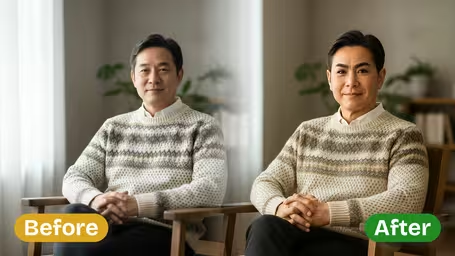
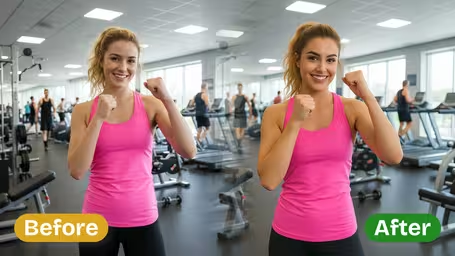
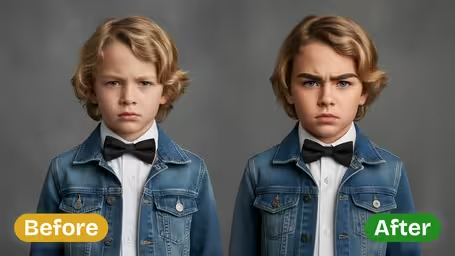
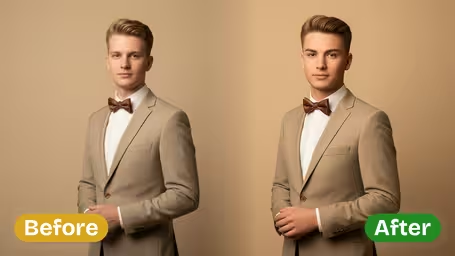
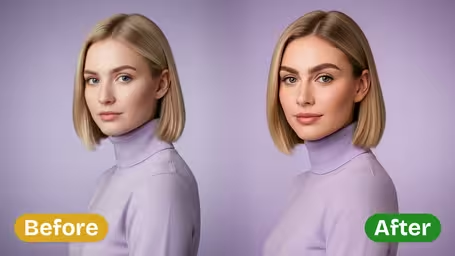
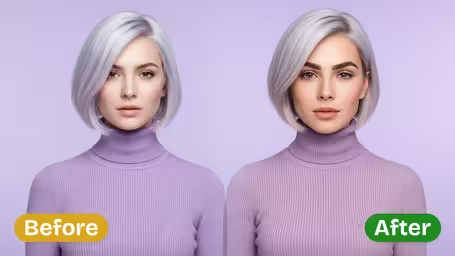
Recommended Templates
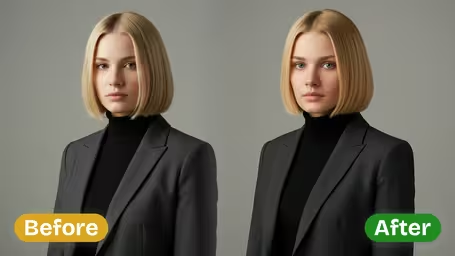
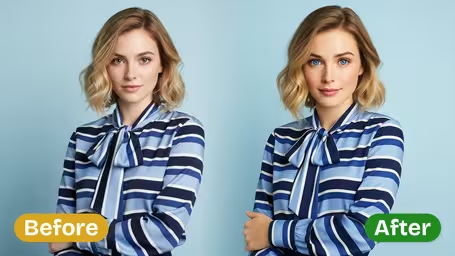
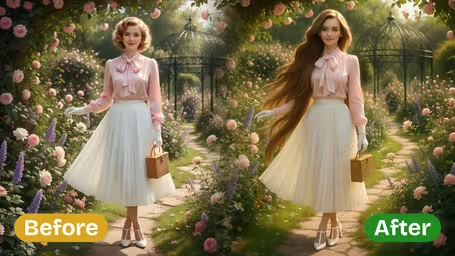
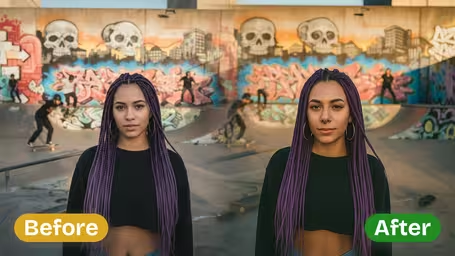
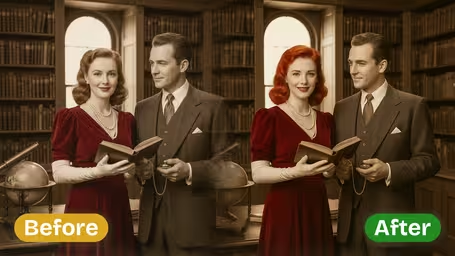
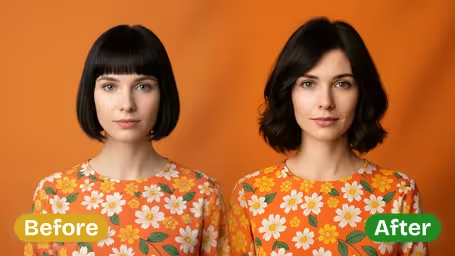
Eyebrow Filter Features
Discover Dreamega’s AI-powered eyebrow filter that lets you shape, refine, and experiment with bold eyebrow styles in your photos. Upload an image to get perfect, expressive looks with seamless blending and natural detail.
- 01
Define Your Look with Stylish Eyebrows
Enhance your photo with Dreamega’s eyebrow filter to create bold, expressive eyebrows that transform your look. Perfect for selfies or memorable images, this tool gives you striking styles that stand out effortlessly.
- 02
Precision Eyebrow Shaping
AI-powered processing delivers perfect arches and natural shading that blend smoothly into your photo. Dreamega preserves your facial features while giving you an expressive, polished eyebrow style ready for beauty showcases or social media.
- 03
Bold Eyebrow Exploration
Upload your photo and try different eyebrow styles instantly. From adventurous bold looks to refined shapes, Dreamega’s filter showcases styles that match your personality and give every image a unique, expressive charm.

How to Create the Perfect Bold Eyebrow Look with Dreamega Eyebrow Filter
Upload a front-facing photo, type the brow shape you have in mind, and see it drawn on your own face.
- 01
Upload a photo with both brows visible
Use a JPG or PNG with your face toward the camera and your bangs pushed back.
Skip photos taken with a beauty filter, since they have already changed your brows.
- 02
Type a brow style and pick a model
Replace 'arched' with the look you want, such as 'straight thick brows' or 'soft feathered arch' (100 characters max). Choose GPT Image 2.5 (8 credits) or Nano Banana 2.1 (4 credits) and generate.
Change one detail per run (shape, thickness or color) so you can tell what made the difference.
- 03
Save and compare
Download each version and line them up side by side, or show them to your brow artist.
Keep your original photo in the lineup so you can judge whether the new shape really suits you.


When people use the Eyebrow Filter
Brows are hard to undo once they have been plucked, tinted or microbladed, so most people use the filter as a dry run. It quickly shows whether a straighter or thicker brow changes your face the way you hoped, and a picture is easier to show a brow artist than a description.
Before microblading or lamination
Try two or three shapes and bring the one you like to the appointment as a reference.
Growing out over-plucked brows
Preview fuller brows to decide whether the months of growing them back are worth it.
Testing a makeup trend
See how straight brows, thin 90s brows or bleached brows look on your face before drawing them in.
Brow artists showing options
Artists can show a client a few shapes on the client's own photo during a consultation, with their permission.
AI Eyebrow Filter FAQ
How the eyebrow filter works: describing a brow style, choosing a model, getting natural results and using them before a brow appointment.
AI Pricing Plans
Flexible AI Pricing
Pay-as-you-go credits or subscription plans. No hidden fees, cancel anytime.
One Time supports crypto payment (BTC, USDT, ETH, 350+) · Monthly billing
Free-One Time
Try before you buy
- Up to 3 videos
- Up to 32 images
- Multi-Model Support
- Text to Video
- Image to Video
- Video to Video
Show more (+11)
- Consistent Character
- AI Animation Generator
- Templates & Effects
- AI Video Enhancers
- Interactive Community
- Faster Generation Speed
- No-watermark Outputs
- More Camera Movement
- Private Video Visibility
- Copy Protection
- Priority Support
Pro-1 Month
PopularElevate your AI experience
- Up to 80 videos
- Up to 800 images
- 3 tasks(Parallel Tasks)
- Multi-Model Support
- Text to Video
- Image to Video
Show more (+12)
- Video to Video
- Consistent Character
- AI Animation Generator
- Templates & Effects
- AI Video Enhancers
- Interactive Community
- Faster Generation Speed
- No-watermark Outputs
- More Camera Movement
- Private Video Visibility
- Copy Protection
- Priority Support
Lite-1 Month
Start your AI journey
- Up to 30 videos
- Up to 300 images
- 3 tasks(Parallel Tasks)
- Multi-Model Support
- Text to Video
- Image to Video
Show more (+12)
- Video to Video
- Consistent Character
- AI Animation Generator
- Templates & Effects
- AI Video Enhancers
- Interactive Community
- Faster Generation Speed
- No-watermark Outputs
- More Camera Movement
- Private Video Visibility
- Copy Protection
- Priority Support
- Card
- Crypto accepted (BTC, USDT, ETH, 350+)