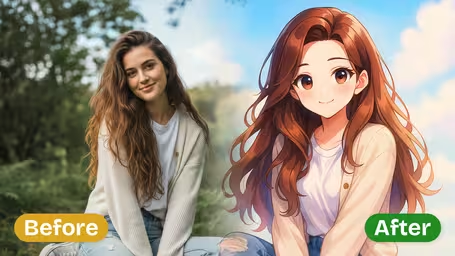
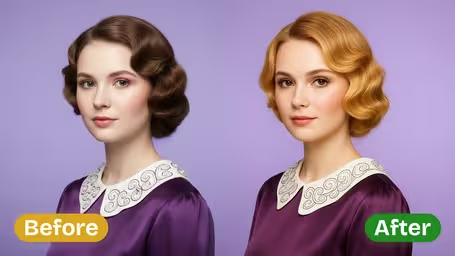
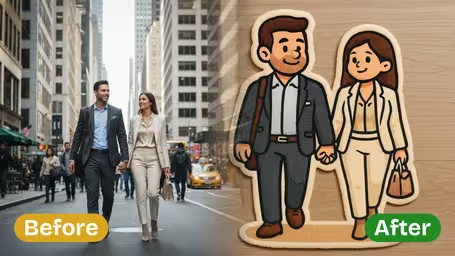
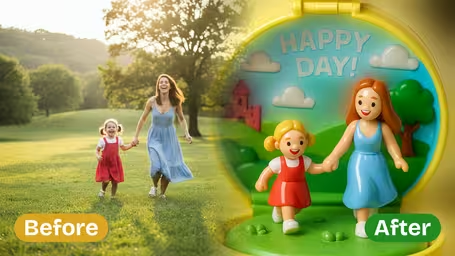
🎨 Seedream 5.0 Pro — ByteDance's flagship image model: up to 2K, best-in-class typography & multi-reference editing!

Try It!
Logo

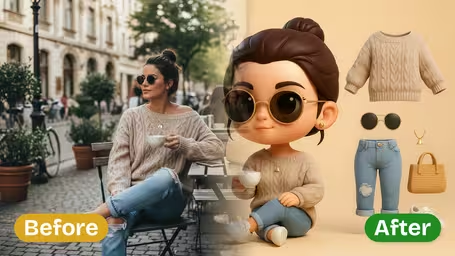
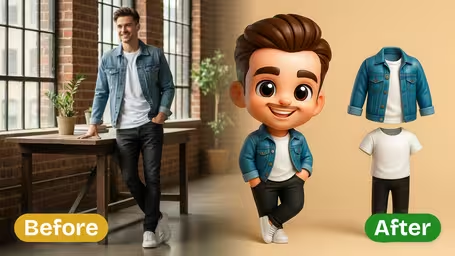
3D Chibi Character OOTD

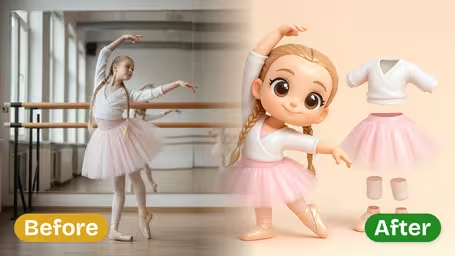
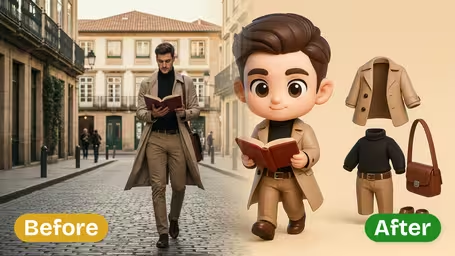
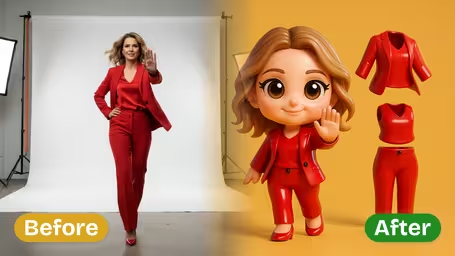
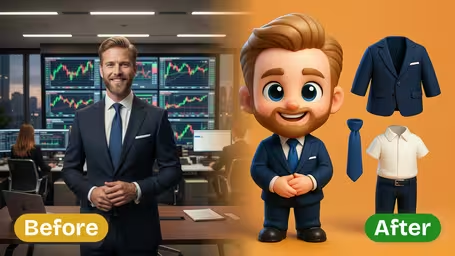
Transform the subject into a 3D chibi-style character with oversized head, large expressive eyes, small body proportions, smooth skin texture, and glossy toy-like rendering. Maintain the exact outfit details (colors, patterns, accessories, and textures) as the original photo, presenting them as simplified but polished 3D cartoon clothing. Display the chibi character on a clean solid-color background along with the separated outfit pieces shown as floating references. Lighting should be soft, even, and bright, emphasizing playful and collectible figure aesthetics.

Example Gallery
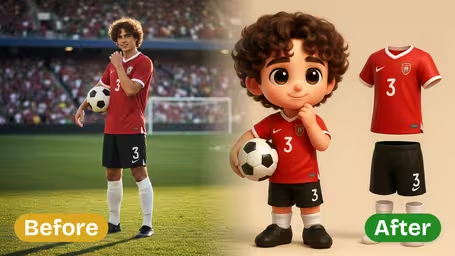
Example 1
Example 2
Example 3
Example 4
Example 5
Example 6
Example 7

AI 3D Chibi Character OOTD Generator Features

Discover how Dreamega’s AI 3D Chibi Character OOTD Generator transforms images of a person into high-quality Chibi characters with faithful outfit replication for adorable OOTD displays.

  1. 01

    Transform Person into Chibi with OOTD

    Convert the subject from the original image into a delightful Chibi-style character while preserving the outfit’s design and essence, creating a vibrant and playful final display.

  2. 02

    Accurate Outfit Replication

    Replicate the person’s original outfit in detailed Chibi format positioned clearly in the final image, ensuring every style element is represented faithfully for the OOTD showcase.

  3. 03

    High-Quality Chibi Output

    Generate crisp and focused Chibi character images by processing single-person photos, delivering a clean final display that emphasizes the outfit without distractions.

How to Create a Chibi OOTD Character Display Image with Dreamega Generator

Follow this simple guide to transform an image of a person into a cute 3D Chibi-style OOTD display. Dreamega's generator turns the original outfit into a vibrant and adorable final character image.

  1. 01

    Upload a Clear Image of a Single Person

    Choose and upload a high-quality image featuring only one person. This ensures Dreamega’s chibi generator can accurately capture the original outfit and create a precise character display.

    Use a well-lit photo with the outfit clearly visible to get the best OOTD replication.

  2. 02

    Generate Your Chibi Character OOTD Display

    Let Dreamega process the uploaded image to create a 3D chibi character showcasing the person’s original outfit. The generator will replicate clothing details in a colorful, cartoon-like style for a playful display.

    Be patient during processing to allow for accurate detail rendering of your original outfit.

  3. 03

    Download the Final Chibi Character Image

    Once your chibi OOTD display is ready, save the final image to your device. You can use it for sharing, design inspiration, or as part of your character collection.

    Check that the final image meets your expectations before sharing or printing.

AI 3D Chibi Character OOTD Generator FAQ

Answers to common questions about using the AI 3D Chibi Character OOTD generator by Dreamega, including tips on uploading images, technical requirements, best practices, and troubleshooting for optimal outfit display results.

For the best results, upload a clear, high-resolution image showing a single person with their outfit fully visible. Make sure the image has proper lighting and minimal background distractions to help the generator accurately transform the subject into a Chibi character and replicate the outfit.
No. This generator is optimized for images featuring only one person. Focusing on a single subject ensures precise Chibi conversion and faithful outfit-of-the-day (OOTD) display without mixing clothing details from different people.
The Dreamega AI 3D Chibi Character OOTD generator analyzes patterns, textures, and colors in complex clothing and adapts them into a stylized yet accurate Chibi format. While the style simplifies certain details, it maintains the original outfit’s essence and vibrancy.
In the final output, the Chibi character styled with your original clothing is positioned on the right side, making the outfit the clear focal point of the display image. This arrangement emphasizes the OOTD while ensuring a balanced composition.
The generator supports common image formats such as JPG and PNG. To ensure accurate processing of the person’s appearance and outfit, use a high-quality image that is not heavily compressed.
Currently, the AI 3D Chibi Character OOTD generator focuses solely on converting the original person into a Chibi style based on the uploaded image and replicating their OOTD. Additional customization options outside the automated process are not available at this time.

AI Pricing Plans

Flexible AI Pricing

Pay-as-you-go credits or subscription plans. No hidden fees, cancel anytime.

One Time supports crypto payment (BTC, USDT, ETH, 350+) · Monthly billing

Free

Try before you buy

Free
32points
  • Up to 3 videos
  • Up to 32 images
  • Multi-Model Support
  • Text to Video
  • Image to Video
  • Video to Video
Show more (+11)
  • Consistent Character
  • AI Animation Generator
  • Templates & Effects
  • AI Video Enhancers
  • Interactive Community
  • Faster Generation Speed
  • No-watermark Outputs
  • More Camera Movement
  • Private Video Visibility
  • Copy Protection
  • Priority Support

Pro

Popular

Elevate your AI experience

29.99USD / 1 Month
800
800 credits/mo
  • Up to 80 videos
  • Up to 800 images
  • 3 tasks(Parallel Tasks)
  • Multi-Model Support
  • Text to Video
  • Image to Video
Show more (+12)
  • Video to Video
  • Consistent Character
  • AI Animation Generator
  • Templates & Effects
  • AI Video Enhancers
  • Interactive Community
  • Faster Generation Speed
  • No-watermark Outputs
  • More Camera Movement
  • Private Video Visibility
  • Copy Protection
  • Priority Support

Lite

Start your AI journey

19.99USD / 1 Month
300 credits/mo
  • Up to 30 videos
  • Up to 300 images
  • 3 tasks(Parallel Tasks)
  • Multi-Model Support
  • Text to Video
  • Image to Video
Show more (+12)
  • Video to Video
  • Consistent Character
  • AI Animation Generator
  • Templates & Effects
  • AI Video Enhancers
  • Interactive Community
  • Faster Generation Speed
  • No-watermark Outputs
  • More Camera Movement
  • Private Video Visibility
  • Copy Protection
  • Priority Support
  • Card
  • Crypto accepted (BTC, USDT, ETH, 350+)

Privacy preferences

We use essential storage to run the service. Optional analytics, advertising and convenience features stay off until you choose to enable them. Privacy policy