


🎨 Seedream 5.0 Pro — ByteDance's flagship image model: up to 2K, best-in-class typography & multi-reference editing!


Chibi Marriage Proposal
Chibi Marriage Proposal Generator - Transform your couple photos into adorable chibi-style 3D cartoon marriage proposal scenes with romantic atmosphere and cute proportions.
Example Gallery


Recommended Templates


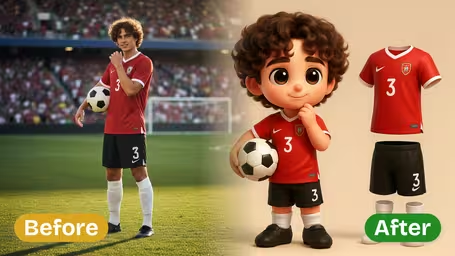


AI Chibi Marriage Proposal Generator Features
Transform your photos into adorable chibi-style marriage proposal scenes with Dreamega’s AI generator, creating personalized, vibrant, and romantic artworks for free.
- 01
Turn Photos into Chibi-style Proposal Scenes
Instantly convert your photos into romantic chibi-style artwork featuring you and your partner in a marriage proposal scene. Our AI generator adds expressive characters and charming details to visualize your dream proposal.
- 02
Personalized Chibi Character Designs
Create custom proposal characters with dreamy eyes, adorable expressions, and elegant attire. Transform anyone into a unique chibi-style figure that perfectly expresses love and affection.
- 03
Beautiful & Vibrant Proposal Art
Upload a photo and let our AI generator craft a colorful chibi-style marriage proposal scene. Enjoy charming compositions and warm, expressive art that captures the magic of your love story.

How to Create Cute AI Chibi Marriage Proposal Scenes from Your Photos
Upload a photo of the two of you, pick an atmosphere, and get a 3D chibi proposal scene with a ring box and a floral arch.
- 01
Upload One Photo of the Couple
Add one JPG or PNG where both partners are clearly visible. The AI uses it for faces, hair and outfits.
A photo where you stand side by side works better than one where one person is hidden behind the other.
- 02
Choose the Atmosphere and Model
Pick Romantic, Dreamy, Magical or Fairy Tale, or type your own setting, then choose GPT Image 2.5 (8 credits) or Nano Banana 2.1 (4 credits).
Try a place in the custom field, such as "cherry blossom park", for a background that means something to you.
- 03
Generate and Download the Scene
Generate the image and download it. Add your own caption afterwards if you want a card or announcement.
If the wrong person ends up kneeling, generate again; the result changes from run to run.



When people make a chibi marriage proposal picture
It shows up at both ends of a proposal. Some people make it beforehand as a cute way to pop the question or to drop a hint, and many more make it afterwards to share the news. The chibi style keeps it light, so it works in family chats where a formal photo would feel stiff.
Popping the question
Some people show the picture on their phone or inside a card at the moment they propose.
Engagement announcements
Newly engaged couples post it with a caption like "She said yes" before the ring photos.
Wedding invitations
Couples use it as a small illustration on save-the-dates, invitations or the wedding website.
Proposal anniversaries
Married couples make one from an old photo each year on the date they got engaged.
AI Chibi Marriage Proposal Generator FAQ
What the proposal scene looks like, how the atmosphere options work, and what to expect with different couples.
AI Pricing Plans
Flexible AI Pricing
Pay-as-you-go credits or subscription plans. No hidden fees, cancel anytime.
One Time supports crypto payment (BTC, USDT, ETH, 350+) · Monthly billing
Free-One Time
Try before you buy
- Up to 3 videos
- Up to 32 images
- Multi-Model Support
- Text to Video
- Image to Video
- Video to Video
Show more (+11)
- Consistent Character
- AI Animation Generator
- Templates & Effects
- AI Video Enhancers
- Interactive Community
- Faster Generation Speed
- No-watermark Outputs
- More Camera Movement
- Private Video Visibility
- Copy Protection
- Priority Support
Pro-1 Month
PopularElevate your AI experience
- Up to 80 videos
- Up to 800 images
- 3 tasks(Parallel Tasks)
- Multi-Model Support
- Text to Video
- Image to Video
Show more (+12)
- Video to Video
- Consistent Character
- AI Animation Generator
- Templates & Effects
- AI Video Enhancers
- Interactive Community
- Faster Generation Speed
- No-watermark Outputs
- More Camera Movement
- Private Video Visibility
- Copy Protection
- Priority Support
Lite-1 Month
Start your AI journey
- Up to 30 videos
- Up to 300 images
- 3 tasks(Parallel Tasks)
- Multi-Model Support
- Text to Video
- Image to Video
Show more (+12)
- Video to Video
- Consistent Character
- AI Animation Generator
- Templates & Effects
- AI Video Enhancers
- Interactive Community
- Faster Generation Speed
- No-watermark Outputs
- More Camera Movement
- Private Video Visibility
- Copy Protection
- Priority Support
- Card
- Crypto accepted (BTC, USDT, ETH, 350+)