









🎨 Seedream 5.0 Pro — ByteDance's flagship image model: up to 2K, best-in-class typography & multi-reference editing!


3D Miniature Building
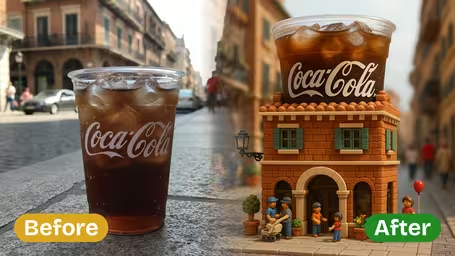
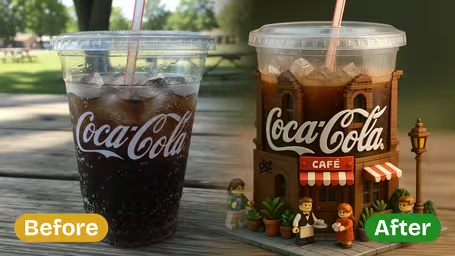
3D Miniature Building Generator - Transform your photos into highly detailed 3D miniature building dioramas with toy-like, blocky modular forms and lively town scenes.
Example Gallery
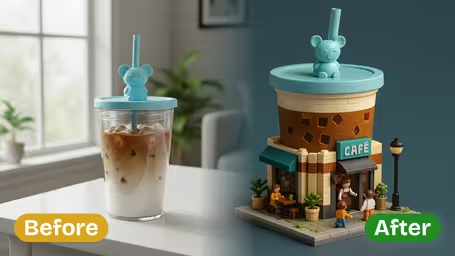
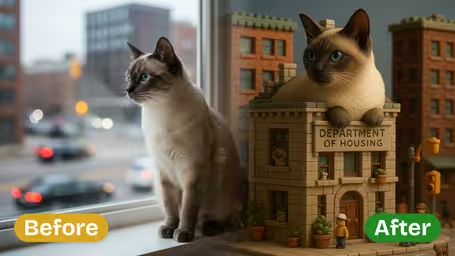
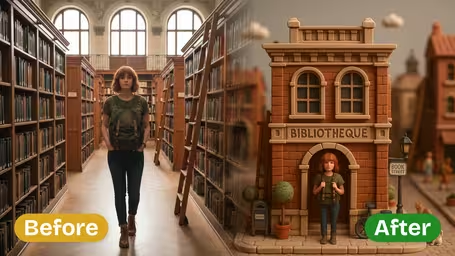
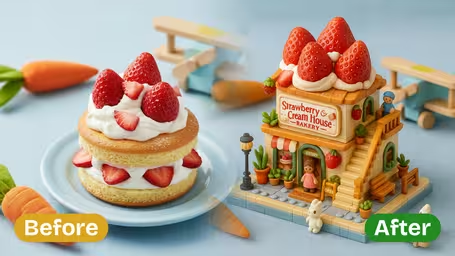
Recommended Templates
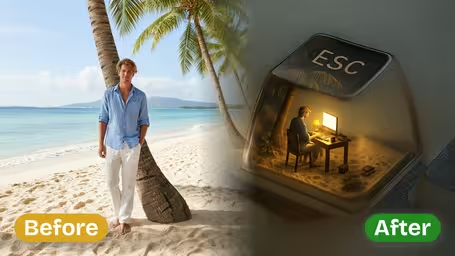
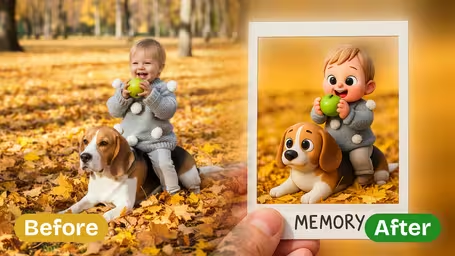
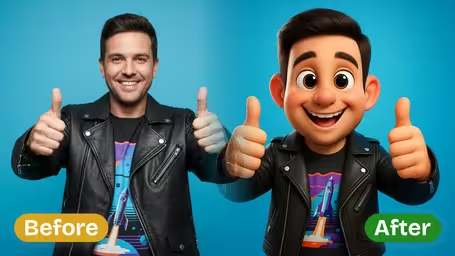
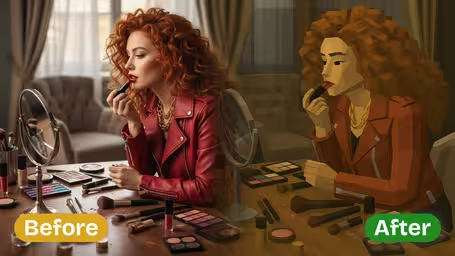
AI 3D Miniature Building Generator Features
Discover how Dreamega’s AI 3D Miniature Building Generator can transform any photo into a lifelike miniature building image with intricate detail and playful charm.
- 01
Build Mini Worlds with Realistic Details
Use the AI 3D miniature building generator to create highly detailed tiny building models from your ideas or photos, capturing textures and shapes that resemble handcrafted architectural scenes perfect for display or sharing.
- 02
Turn Any Scene into a Miniature Structure
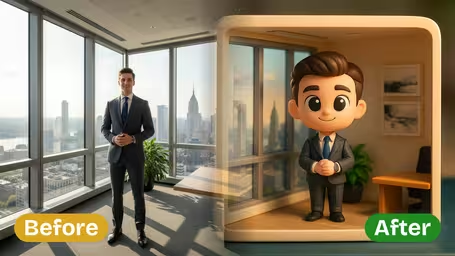
Upload any photo—whether it’s a home, shop, object, or imaginative concept—into the generator and instantly produce a vivid miniature building image that reflects your creative vision.
- 03
Playful Block-Style Model Creation
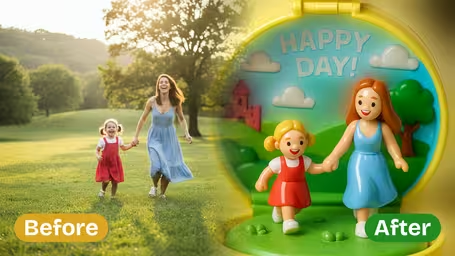
Transform landscapes, objects, or cityscapes into miniature building images with a charming block-style aesthetic, without needing physical materials or assembly skills—just upload and create.


How to Use Dreamega’s Building Miniature Generator to Create Any Photo into a Mini Model Image
Upload a photo of a building or object and get it back as the centerpiece of a toy-block miniature town scene.
- 01
Upload a photo of the building or object
Use a JPG or PNG of a house, shop, landmark or product with the whole subject in frame.
For buildings, a slight corner angle in daylight shows two sides and gives the best 3D shape.
- 02
Pick a model and generate
GPT Image 2.5 (8 credits) gives the sharpest toy-block look; Nano Banana 2.1 (4 credits) stays closer to the original colors.
Run both on the same photo once, then stick with the model you prefer for that kind of subject.
- 03
Download your miniature building
Save the diorama and use it for a post, a housewarming card or a product teaser.
If the street feels too busy, try a photo with a plainer surrounding rather than regenerating.


What people build with the 3D Miniature Building template
This template is mostly used by people who want a place or a product to look like a collectible toy set: homeowners, small shops, real-estate agents and brands. Because it always adds little figurines and street details, the result feels like a tiny town around your subject rather than a plain 3D model.
New home keepsake
A photo of a first house or a family home becomes a toy-block diorama for a housewarming card or a framed print.
Shops and cafés
Owners turn their storefront into a miniature town corner with tiny customers, a nice change from regular photos on social media.
Product as a building
Brands and makers upload a sneaker, bottle or gadget and get a shop-shaped building around it for a playful launch post.
Travel landmarks
A holiday photo of a famous building comes back as a little toy version, good for a travel album cover or a postcard.
AI 3D Miniature Building Generator FAQ
Answers about the 3D Miniature Building template: which photos work, why it adds tiny people, model choice and credits, and using the result.
AI Pricing Plans
Flexible AI Pricing
Pay-as-you-go credits or subscription plans. No hidden fees, cancel anytime.
One Time supports crypto payment (BTC, USDT, ETH, 350+) · Monthly billing
Free-One Time
Try before you buy
- Up to 3 videos
- Up to 32 images
- Multi-Model Support
- Text to Video
- Image to Video
- Video to Video
Show more (+11)
- Consistent Character
- AI Animation Generator
- Templates & Effects
- AI Video Enhancers
- Interactive Community
- Faster Generation Speed
- No-watermark Outputs
- More Camera Movement
- Private Video Visibility
- Copy Protection
- Priority Support
Pro-1 Month
PopularElevate your AI experience
- Up to 80 videos
- Up to 800 images
- 3 tasks(Parallel Tasks)
- Multi-Model Support
- Text to Video
- Image to Video
Show more (+12)
- Video to Video
- Consistent Character
- AI Animation Generator
- Templates & Effects
- AI Video Enhancers
- Interactive Community
- Faster Generation Speed
- No-watermark Outputs
- More Camera Movement
- Private Video Visibility
- Copy Protection
- Priority Support
Lite-1 Month
Start your AI journey
- Up to 30 videos
- Up to 300 images
- 3 tasks(Parallel Tasks)
- Multi-Model Support
- Text to Video
- Image to Video
Show more (+12)
- Video to Video
- Consistent Character
- AI Animation Generator
- Templates & Effects
- AI Video Enhancers
- Interactive Community
- Faster Generation Speed
- No-watermark Outputs
- More Camera Movement
- Private Video Visibility
- Copy Protection
- Priority Support
- Card
- Crypto accepted (BTC, USDT, ETH, 350+)