


🎨 Seedream 5.0 Pro — ByteDance's flagship image model: up to 2K, best-in-class typography & multi-reference editing!


AI 3D Pop-Out Effect
AI 3D Pop-Out Effect Generator - Transform your photos into stunning 3D pop-out effects where subjects appear to emerge from smartphone screens with realistic depth and shadows.
Example Gallery


Recommended Templates


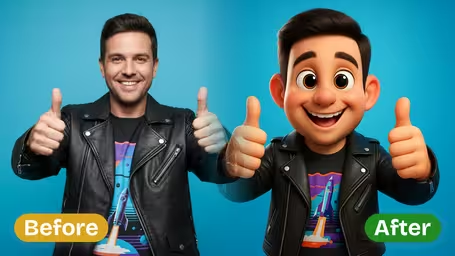

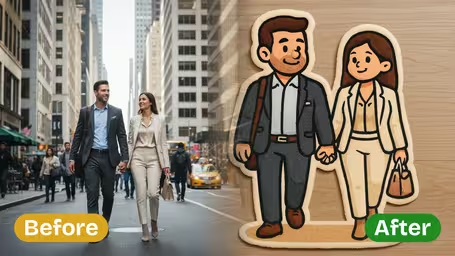

AI 3D Pop-Out Effect Features
Discover how Dreamega's AI 3D pop-out effect transforms any photo into a striking 3D image. Preserve subject details, add depth, and create unique visuals with just one click.
- 01
Vivid 3D Pop-Out Image Creation
Turn any flat photo into an eye-catching 3D pop-out image with realistic depth. The AI analyzes every subject in your photo to make it appear as if it’s stepping out of the frame.
- 02
One-Click Photo to 3D Transformation
Simply upload your photo and click once to instantly generate a vibrant 3D pop-out effect—no design skills or editing knowledge required.
- 03
Accurate Subject Detail Preservation
Maintain the subject’s original traits, contours, and defining characteristics while adding a bold pop-out effect for a lifelike, recognizable result.

How to Create a 3D Pop-Out Image from Your Photo
Upload one JPG or PNG photo, pick a background and a model, and get a still image of your subject standing on a phone screen held in someone's hand.
- 01
Upload a Full-Body Photo
Upload one JPG or PNG of a person, pet or product. The subject will be placed standing on a phone screen, so a photo that shows the whole body or object works better than a close-up.
Keep the feet, paws or the base of the product inside the frame; the AI uses them to plant the subject and cast its shadow.
- 02
Choose a Background and Model, Then Generate
Pick a Background Style (Neutral Clean, Office Environment, Modern Interior or Gradient Background) or type your own scene. Then choose GPT Image 2.5 (8 credits, square output) or Nano Banana 2.1 (4 credits) and click generate.
Custom backgrounds are limited to 50 characters. Short phrases like "beach at sunset" work better than long descriptions.
- 03
Check the Hand and Phone, Then Download
Look closely at the fingers, the phone edges and the shadow under the subject before you save the image. If they look right, download it and post it.
If a finger is missing or the phone looks warped, generate again or try the other model instead of editing the result.


When people use the AI 3D Pop-Out Effect
Most people use it to make one photo look like it is coming out of a phone: a product in an ad, themselves on a profile post, a pet that seems to stand on the screen. Because the output always includes a hand and a phone, it fits anything that talks about apps, mobile shopping or social media.
Product ads
Turn a plain product shot into an image of the item standing on a phone, for a "now in our app" or mobile store post.
Social posts of yourself
Put a full-body photo of yourself on a phone screen for an Instagram or TikTok post or a creator announcement.
Pet photos
A standing photo of a dog or cat becomes a tiny pet on someone's phone, which tends to get more reactions than the original.
Work and app announcements
Use the Office Environment background for a launch post, a new-hire welcome or a LinkedIn update about a mobile feature.
AI 3D Pop-Out Effect FAQ
Answers about photos, backgrounds, models and credits for the AI 3D Pop-Out Effect, which puts your subject standing on a phone held in a hand.
AI Pricing Plans
Flexible AI Pricing
Pay-as-you-go credits or subscription plans. No hidden fees, cancel anytime.
One Time supports crypto payment (BTC, USDT, ETH, 350+) · Monthly billing
Free-One Time
Try before you buy
- Up to 3 videos
- Up to 32 images
- Multi-Model Support
- Text to Video
- Image to Video
- Video to Video
Show more (+11)
- Consistent Character
- AI Animation Generator
- Templates & Effects
- AI Video Enhancers
- Interactive Community
- Faster Generation Speed
- No-watermark Outputs
- More Camera Movement
- Private Video Visibility
- Copy Protection
- Priority Support
Pro-1 Month
PopularElevate your AI experience
- Up to 80 videos
- Up to 800 images
- 3 tasks(Parallel Tasks)
- Multi-Model Support
- Text to Video
- Image to Video
Show more (+12)
- Video to Video
- Consistent Character
- AI Animation Generator
- Templates & Effects
- AI Video Enhancers
- Interactive Community
- Faster Generation Speed
- No-watermark Outputs
- More Camera Movement
- Private Video Visibility
- Copy Protection
- Priority Support
Lite-1 Month
Start your AI journey
- Up to 30 videos
- Up to 300 images
- 3 tasks(Parallel Tasks)
- Multi-Model Support
- Text to Video
- Image to Video
Show more (+12)
- Video to Video
- Consistent Character
- AI Animation Generator
- Templates & Effects
- AI Video Enhancers
- Interactive Community
- Faster Generation Speed
- No-watermark Outputs
- More Camera Movement
- Private Video Visibility
- Copy Protection
- Priority Support
- Card
- Crypto accepted (BTC, USDT, ETH, 350+)