









🎨 Seedream 5.0 Pro — ByteDance's flagship image model: up to 2K, best-in-class typography & multi-reference editing!


Free AI ID Photo Generator
Generate professional ID photos with AI-powered background cleanup, hair fixing, and clothing normalization. Perfect for passports, visas, and ID cards.
Recommended Templates
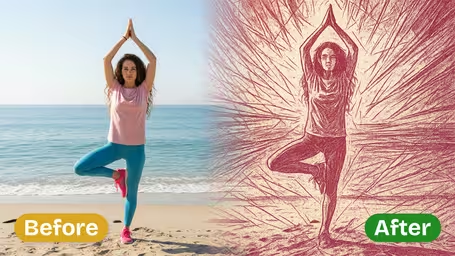
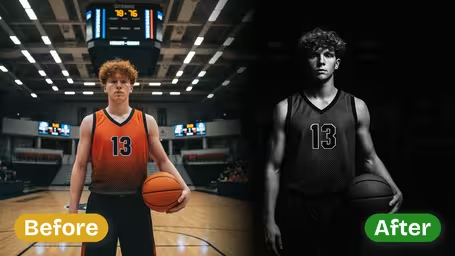
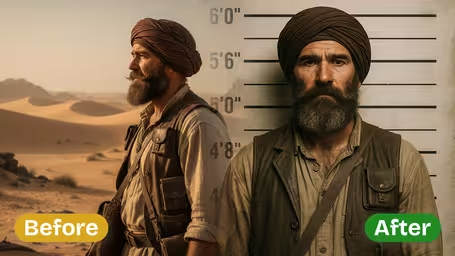
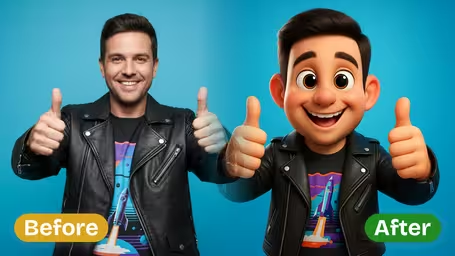
Dreamega ID Photo Generator Features
Turn a casual selfie into a clean, official-looking ID or passport photo in seconds. The Dreamega ID Photo Generator handles the background color, framing, expression and lighting so your shot is ready for visa, driver's license, employee badge or school ID applications.
- 01
Standard ID Backgrounds in One Click
Replace busy backgrounds with the colors most issuing authorities ask for — pure white, official blue, red, or grey. Edges around hair and shoulders are cleaned up so the subject sits cleanly on a solid, evenly lit backdrop.
- 02
Document-Ready Aspect Ratios
Choose 1:1 for general use, 3:4 for ID cards, or 2:3 for visa and passport-style submissions. Dreamega keeps generous padding around the head and shoulders so you can crop down to the exact millimeter spec your authority requires.
- 03
Tidy Wardrobe and Hair Cleanup
Convert a t-shirt into a formal suit, white collared shirt, or business-casual top, and smooth flyaway hairs into a neat, polished look. Clothing is automatically adjusted to contrast with light backgrounds so your silhouette stays clearly visible.
- 04
Neutral Expression and Even Lighting
Set a neutral or slight smile expression, open both eyes toward the camera, and apply even, soft studio lighting. Harsh shadows and color casts on the face are removed while moles, birthmarks and natural features are preserved.
- 05
Remove Glasses, Hats and Distractions
Quickly take off glasses, sunglasses, hats, earrings or background objects, and clean up acne, dark circles and minor blemishes. The result looks natural — not over-processed — so it still looks like you, only application-ready.

How to Make an ID Photo with the Dreamega ID Photo Generator
Three simple steps to turn a regular selfie into a clean ID, passport, visa or badge photo with Dreamega.
- 01
Upload a Clear Front-Facing Selfie
Pick a recent JPG or PNG photo where you're facing the camera, both eyes are visible, and your face isn't covered by hair, hands or sunglasses. Daylight near a window or a plain wall background works best.
Avoid heavy makeup filters, group photos, or pictures where your shoulders are cropped — the AI needs the full head and shoulders to compose a proper ID frame.
- 02
Pick Background Color, Ratio and Outfit
Choose the required background color (white, blue, red or grey), output ratio (1:1, 3:4 for ID cards, 2:3 for visa/passport), and decide whether to keep your clothing or swap it for a formal suit, white shirt or business-casual look. You can also remove glasses, hats or blemishes.
If you don't know the exact spec, start with white background + 2:3 ratio + neutral expression — it covers most passport and visa formats. Always confirm the final size with your issuing authority.
- 03
Generate, Crop and Download
Hit Generate. Dreamega returns a wide, evenly lit image with extra padding around the head and shoulders so you can crop it down to the exact dimensions your document requires, then download the final ID photo for printing or online submission.
Save the original wide output as well — it's easier to recrop later for a different document size than to regenerate from scratch.


Dreamega ID Photo Generator FAQ
Common questions about turning a regular selfie into an ID, passport, visa, driver's license, employee or school photo with the Dreamega ID Photo Generator.
AI Pricing Plans
Flexible AI Pricing
Pay-as-you-go credits or subscription plans. No hidden fees, cancel anytime.
One Time supports crypto payment (BTC, USDT, ETH, 350+) · Monthly billing
Free-One Time
Try before you buy
- Up to 3 videos
- Up to 32 images
- Multi-Model Support
- Text to Video
- Image to Video
- Video to Video
Show more (+11)
- Consistent Character
- AI Animation Generator
- Templates & Effects
- AI Video Enhancers
- Interactive Community
- Faster Generation Speed
- No-watermark Outputs
- More Camera Movement
- Private Video Visibility
- Copy Protection
- Priority Support
Pro-1 Month
PopularElevate your AI experience
- Up to 80 videos
- Up to 800 images
- 3 tasks(Parallel Tasks)
- Multi-Model Support
- Text to Video
- Image to Video
Show more (+12)
- Video to Video
- Consistent Character
- AI Animation Generator
- Templates & Effects
- AI Video Enhancers
- Interactive Community
- Faster Generation Speed
- No-watermark Outputs
- More Camera Movement
- Private Video Visibility
- Copy Protection
- Priority Support
Lite-1 Month
Start your AI journey
- Up to 30 videos
- Up to 300 images
- 3 tasks(Parallel Tasks)
- Multi-Model Support
- Text to Video
- Image to Video
Show more (+12)
- Video to Video
- Consistent Character
- AI Animation Generator
- Templates & Effects
- AI Video Enhancers
- Interactive Community
- Faster Generation Speed
- No-watermark Outputs
- More Camera Movement
- Private Video Visibility
- Copy Protection
- Priority Support
- Card
- Crypto accepted (BTC, USDT, ETH, 350+)