


🎨 Seedream 5.0 Pro — ByteDance's flagship image model: up to 2K, best-in-class typography & multi-reference editing!


AI Black And White Portrait Generator
AI Black And White Portrait Generator - Create classic black and white portrait with high-contrast monochrome tones, professional portrait lighting technique, subtle grayscale gradients, classic photography aesthetic, timeless artistic quality, dramatic chiaroscuro lighting, fine art portrait style.
Example Gallery
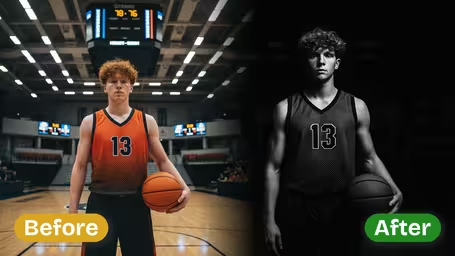


Recommended Templates
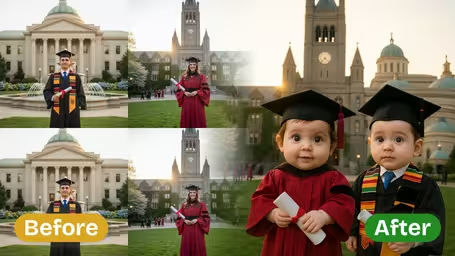
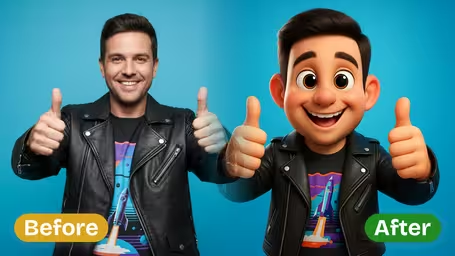
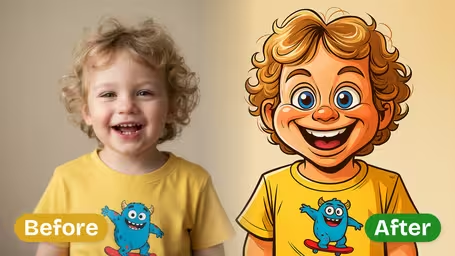
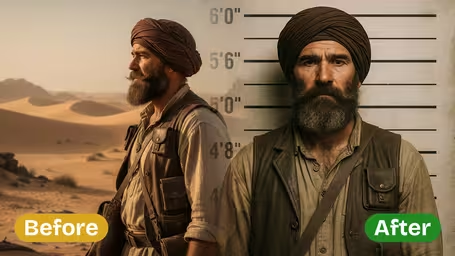
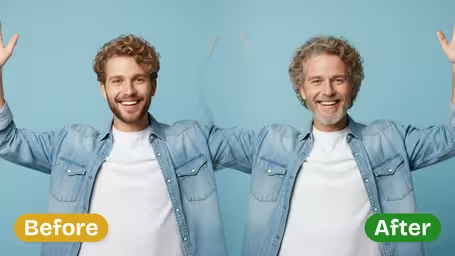
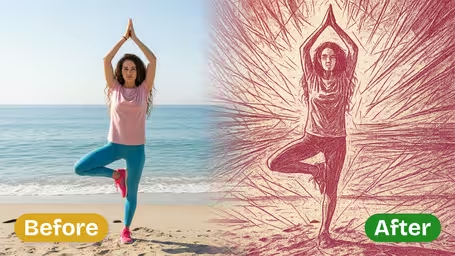
AI Black And White Portrait Generator Features
Discover how Dreamega’s AI black and white portrait generator transforms any photo into a timeless monochrome masterpiece with rich contrast, emotional depth, and professional-grade effects.
- 01
Capture Timeless Elegance in Monochrome
Step into classic photography with Dreamega’s generator, converting your photo into black and white portraits that blend rich texture, balanced tones, and nostalgic style for authentic monochrome effects.
- 02
Crisp, High-Contrast Monochrome Art
AI enhancement sharpens facial textures, adjusts lighting, and delivers bold, high-contrast black and white portraits that replicate the depth and drama of vintage film photography.
- 03
Emphasize Emotion Through Shadows
Automatically fine-tune shadow depth and tonal balance to highlight mood and emotion, creating dramatic monochrome portraits perfect for art projects, social media, or lasting keepsakes.


How to Create a Black and White Portrait from Your Photo
Upload a portrait, choose contrast and lighting, and get a black and white version that looks like a studio print rather than a desaturated snapshot.
- 01
Upload a Portrait Photo
Upload a JPG or PNG with a face that is in focus. Head-and-shoulders shots give the generator the most to work with.
Busy backgrounds turn into distracting gray shapes; a plain wall or a blurred outdoor background works better.
- 02
Pick Contrast and Lighting
Choose Subtle, Medium or High contrast and Classic Portrait, Dramatic Chiaroscuro or Soft Even Light, then pick GPT Image 2.5 (8 credits) or Nano Banana 2.1 (4 credits).
For a headshot, Medium contrast with Classic Portrait lighting is a safe place to start.
- 03
Download Your Black and White Portrait
Download the result and compare it with your original before printing or posting it.
Make a second version with Dramatic Chiaroscuro so you have a moodier alternative to choose from.


When people use the AI Black and White Portrait Generator
A black and white portrait hides a messy color background and uneven skin tones and puts the focus on expression. People reach for this generator when they need a portrait that looks deliberate: a profile photo, a print for the wall, or a picture for an occasion where color would feel out of place.
Professional headshots
Classic Portrait lighting with Medium contrast gives a clean monochrome headshot for LinkedIn, a speaker bio or a book jacket.
Framed prints and gifts
A family or couple photo turned black and white sits well on a gallery wall next to older prints.
Memorial photos
Families turn a favorite snapshot into a dignified portrait for a funeral program or a memorial page.
Moody profile pictures
Dramatic Chiaroscuro with High contrast makes an artistic profile picture for musicians, actors and photographers.
AI Black and White Portrait Generator FAQ
How the contrast and lighting options work, which model to pick, and how this differs from a simple grayscale filter.
AI Pricing Plans
Flexible AI Pricing
Pay-as-you-go credits or subscription plans. No hidden fees, cancel anytime.
One Time supports crypto payment (BTC, USDT, ETH, 350+) · Monthly billing
Free-One Time
Try before you buy
- Up to 3 videos
- Up to 32 images
- Multi-Model Support
- Text to Video
- Image to Video
- Video to Video
Show more (+11)
- Consistent Character
- AI Animation Generator
- Templates & Effects
- AI Video Enhancers
- Interactive Community
- Faster Generation Speed
- No-watermark Outputs
- More Camera Movement
- Private Video Visibility
- Copy Protection
- Priority Support
Pro-1 Month
PopularElevate your AI experience
- Up to 80 videos
- Up to 800 images
- 3 tasks(Parallel Tasks)
- Multi-Model Support
- Text to Video
- Image to Video
Show more (+12)
- Video to Video
- Consistent Character
- AI Animation Generator
- Templates & Effects
- AI Video Enhancers
- Interactive Community
- Faster Generation Speed
- No-watermark Outputs
- More Camera Movement
- Private Video Visibility
- Copy Protection
- Priority Support
Lite-1 Month
Start your AI journey
- Up to 30 videos
- Up to 300 images
- 3 tasks(Parallel Tasks)
- Multi-Model Support
- Text to Video
- Image to Video
Show more (+12)
- Video to Video
- Consistent Character
- AI Animation Generator
- Templates & Effects
- AI Video Enhancers
- Interactive Community
- Faster Generation Speed
- No-watermark Outputs
- More Camera Movement
- Private Video Visibility
- Copy Protection
- Priority Support
- Card
- Crypto accepted (BTC, USDT, ETH, 350+)