









🎨 Seedream 5.0 Pro — ByteDance's flagship image model: up to 2K, best-in-class typography & multi-reference editing!


Pop Art Filter: Turn Your Photo into a Lichtenstein-Style Comic Portrait
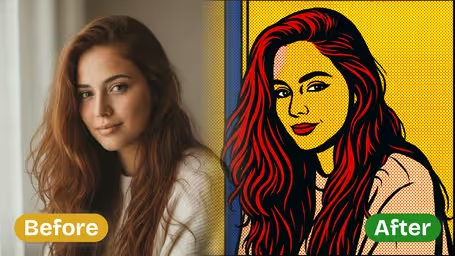
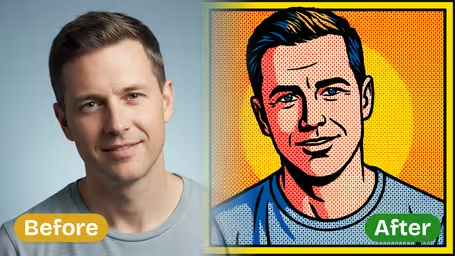
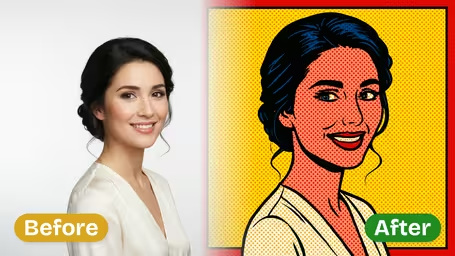
Upload one photo and the AI redraws it as 1960s pop art: thick black outlines, Ben-Day dot shading and flat red, yellow and blue. Pick GPT Image 2.5 for detail or Nano Banana 2.1 for half the credits.
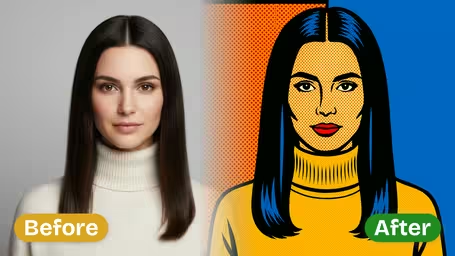
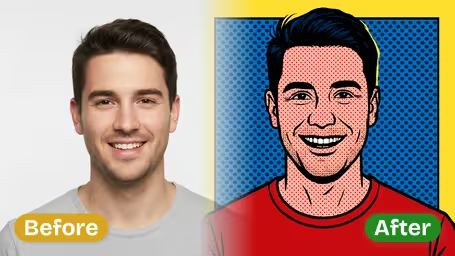
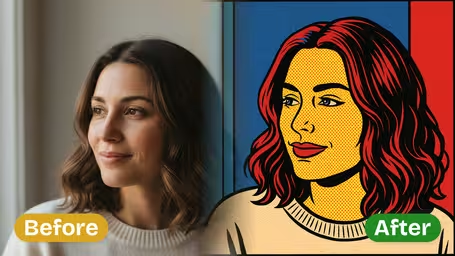
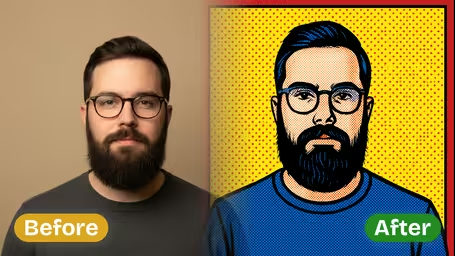
Example Gallery
Recommended Templates
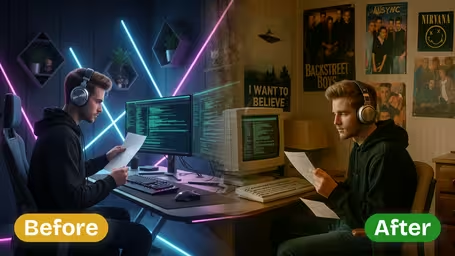
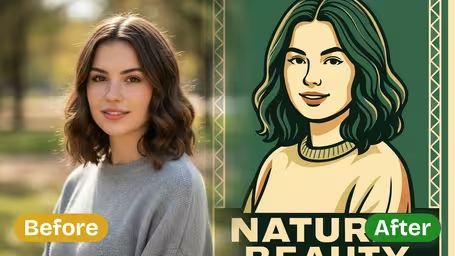
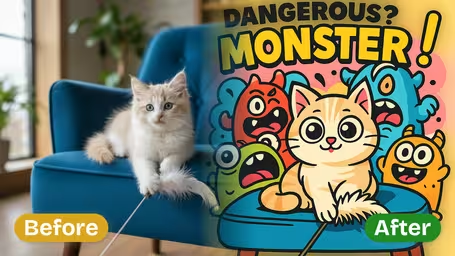
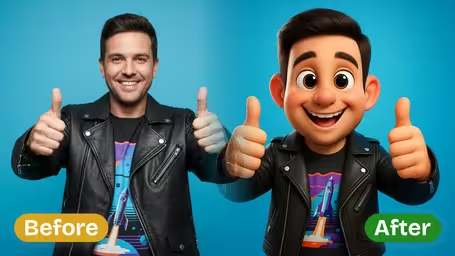
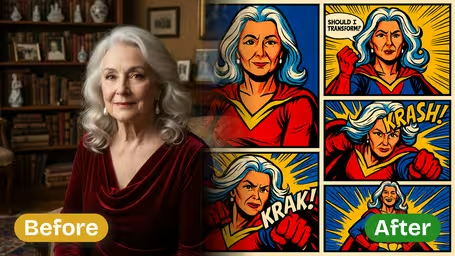
What the pop art filter does to your photo
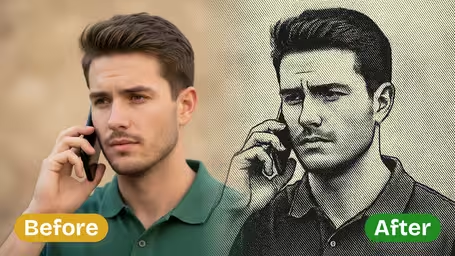
The filter redraws the whole photo instead of laying a texture on top. Skin, clothes and background become flat areas of red, yellow, blue and black, shadows turn into Ben-Day dots, and every edge gets a thick ink outline. The pose and framing of your original stay the same, so the person is still easy to recognize.
- 01
Lichtenstein comic look
Bold black outlines, halftone dot shading and flat primary colors, styled like a single panel from a 1960s comic.
- 02
Your composition stays
Pose, framing and features such as hairstyle and glasses carry over. Only the way the picture is drawn changes.
- 03
Two models, two prices
GPT Image 2.5 gives finer detail and a square result for 8 credits. Nano Banana 2.1 costs 4 credits and is not forced into a square.
- 04
Flat colors that print cleanly
Large single-color areas and clean lines stay crisp on posters, mugs and T-shirts, and are easy to touch up afterwards.
How to turn a photo into pop art
Three steps, one photo, about a minute.
- 01
Upload a photo
Pick one JPG or PNG. A portrait, a couple shot or a pet close-up works best.
Plain backgrounds help. Busy backgrounds turn into large dot patterns that pull attention away from the face.
- 02
Choose GPT Image 2.5 or Nano Banana 2.1
GPT Image 2.5 (8 credits) is the default and returns a square image with finer detail. Nano Banana 2.1 (4 credits) is cheaper and is not forced into a square crop.
Testing several photos? Find the best one with Nano Banana 2.1, then rerun it with GPT Image 2.5.
- 03
Generate and download
Click generate, wait a few seconds and download the image. Add a speech bubble or caption afterwards in any editor if you want the full comic look.
If the face looks off, try a front-facing photo with even light. Strong side light turns into heavy black shadows in this style.
What people make with the pop art filter
Most people use it for gifts and profile pictures: a printed, framed pop art portrait of a partner or the family dog makes a cheap, personal present. Creators make punchy thumbnails, small shops turn product photos into retro comic ads, and party hosts make matching portraits for 60s-themed nights.
Framed gifts
Turn a couple photo or a pet close-up into a comic panel, then print and frame it for a birthday, anniversary or Valentine's Day.
Profile pictures that read at any size
Thick outlines and primary colors stay clear even as a tiny circle on Instagram, Discord or LinkedIn.
Retro product and promo shots
Small brands run product photos through the filter for 60s-style ads, menu boards and social posts.
Merch and party decor
Flat colors and clean lines print well on T-shirts, mugs and posters for retro or comic-themed parties.
Pop Art Filter FAQ
What the filter does, what it costs and how to get a cleaner result.
AI Pricing Plans
Flexible AI Pricing
Pay-as-you-go credits or subscription plans. No hidden fees, cancel anytime.
One Time supports crypto payment (BTC, USDT, ETH, 350+) · Monthly billing
Free-One Time
Try before you buy
- Up to 3 videos
- Up to 32 images
- Multi-Model Support
- Text to Video
- Image to Video
- Video to Video
Show more (+11)
- Consistent Character
- AI Animation Generator
- Templates & Effects
- AI Video Enhancers
- Interactive Community
- Faster Generation Speed
- No-watermark Outputs
- More Camera Movement
- Private Video Visibility
- Copy Protection
- Priority Support
Pro-1 Month
PopularElevate your AI experience
- Up to 80 videos
- Up to 800 images
- 3 tasks(Parallel Tasks)
- Multi-Model Support
- Text to Video
- Image to Video
Show more (+12)
- Video to Video
- Consistent Character
- AI Animation Generator
- Templates & Effects
- AI Video Enhancers
- Interactive Community
- Faster Generation Speed
- No-watermark Outputs
- More Camera Movement
- Private Video Visibility
- Copy Protection
- Priority Support
Lite-1 Month
Start your AI journey
- Up to 30 videos
- Up to 300 images
- 3 tasks(Parallel Tasks)
- Multi-Model Support
- Text to Video
- Image to Video
Show more (+12)
- Video to Video
- Consistent Character
- AI Animation Generator
- Templates & Effects
- AI Video Enhancers
- Interactive Community
- Faster Generation Speed
- No-watermark Outputs
- More Camera Movement
- Private Video Visibility
- Copy Protection
- Priority Support
- Card
- Crypto accepted (BTC, USDT, ETH, 350+)