


🎨 Seedream 5.0 Pro — ByteDance's flagship image model: up to 2K, best-in-class typography & multi-reference editing!


AI Vintage Photo Filter: Make Any Photo Look Like an Old Print or Film Shot
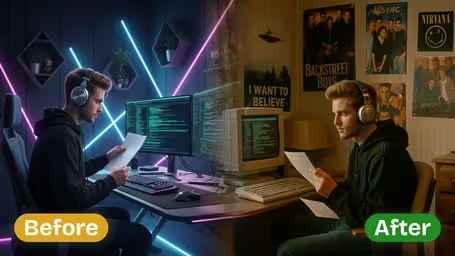
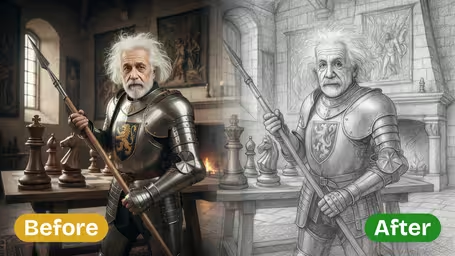
Upload a modern photo and choose one of four looks: Sepia Tone, Black & White, Faded Color or Retro Film. The AI adds aged tones, grain and the soft contrast of old prints while keeping your composition.
Example Gallery


Recommended Templates


What the vintage filter changes
The filter repaints your photo with the look of an old print instead of just lowering the saturation. It shifts the colors, adds film grain and softens contrast the way aged paper and film do, while the scene, pose and framing stay the same. You choose one of four named styles, and every result comes back as a square image.
- 01
Four distinct looks
Sepia Tone, Black & White, Faded Color and Retro Film each change color, contrast and grain in a different way.
- 02
Grain and aged tones
Depending on the style you get film grain, yellowed paper, muted pastels or the color of analog film stock.
- 03
Your scene stays put
People, pose and composition are kept. The AI changes how the photo looks, not what is in it.
- 04
One fixed price
Every style costs the same 8 credits with GPT Image 2.5, and each run gives you one image.


How to make a photo look vintage
Pick a photo, pick a style, download. About a minute.
- 01
Upload a photo
Upload one JPG or PNG. Portraits, couples, street scenes and travel photos all work.
The output is square, so center the subject or crop the photo to a square first.
- 02
Choose a vintage style
Pick Sepia Tone (the default), Black & White, Faded Color or Retro Film. The model is GPT Image 2.5 and every style costs 8 credits.
Photos with simple, strong light, like window light or late-afternoon sun, look most convincing in Black & White.
- 03
Generate and download
Click generate, wait a few seconds and download the aged version.
Not sure which style to use? Run the same photo twice. Faded Color and Retro Film can look surprisingly different on skin tones.


When people use the vintage photo filter
Couples turn wedding and engagement shots into old-looking prints for frames and thank-you cards. Others post throwback-style photos on Instagram, give a family portrait an heirloom look for a grandparent's birthday, or make retro visuals for a café menu, a band poster or a themed party invitation.
Wedding and engagement prints
Black & White or Sepia versions of your favorite shots for frames, albums and thank-you cards.
Throwback posts
Faded Color or Retro Film makes this summer's photos look like an old snapshot for Instagram or TikTok.
Heirloom-style gifts
A sepia family portrait, printed and framed for a grandparent's birthday or a family reunion.
Retro design projects
Aged photos for café menus, band posters, zines and period-themed party invitations.
Vintage Photo Filter FAQ
How the four styles differ, what it costs and what it can't do.
AI Pricing Plans
Flexible AI Pricing
Pay-as-you-go credits or subscription plans. No hidden fees, cancel anytime.
One Time supports crypto payment (BTC, USDT, ETH, 350+) · Monthly billing
Free-One Time
Try before you buy
- Up to 3 videos
- Up to 32 images
- Multi-Model Support
- Text to Video
- Image to Video
- Video to Video
Show more (+11)
- Consistent Character
- AI Animation Generator
- Templates & Effects
- AI Video Enhancers
- Interactive Community
- Faster Generation Speed
- No-watermark Outputs
- More Camera Movement
- Private Video Visibility
- Copy Protection
- Priority Support
Pro-1 Month
PopularElevate your AI experience
- Up to 80 videos
- Up to 800 images
- 3 tasks(Parallel Tasks)
- Multi-Model Support
- Text to Video
- Image to Video
Show more (+12)
- Video to Video
- Consistent Character
- AI Animation Generator
- Templates & Effects
- AI Video Enhancers
- Interactive Community
- Faster Generation Speed
- No-watermark Outputs
- More Camera Movement
- Private Video Visibility
- Copy Protection
- Priority Support
Lite-1 Month
Start your AI journey
- Up to 30 videos
- Up to 300 images
- 3 tasks(Parallel Tasks)
- Multi-Model Support
- Text to Video
- Image to Video
Show more (+12)
- Video to Video
- Consistent Character
- AI Animation Generator
- Templates & Effects
- AI Video Enhancers
- Interactive Community
- Faster Generation Speed
- No-watermark Outputs
- More Camera Movement
- Private Video Visibility
- Copy Protection
- Priority Support
- Card
- Crypto accepted (BTC, USDT, ETH, 350+)