


🎨 Seedream 5.0 Pro — ByteDance's flagship image model: up to 2K, best-in-class typography & multi-reference editing!


Halftone Effect Generator: Turn Photos into Dot-Pattern Print Art
Upload a photo and the AI redraws the subject as halftone dots, like an old newspaper or comic print. Choose Ben-Day, newspaper, comic or pop art dots, set the contrast and download the result.
Example Gallery


Recommended Templates

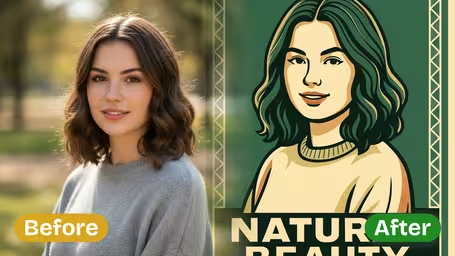
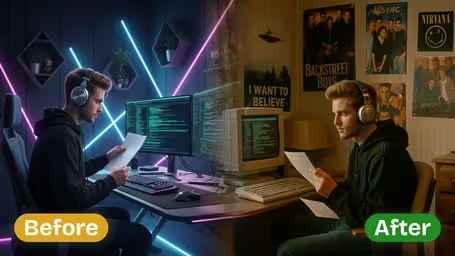
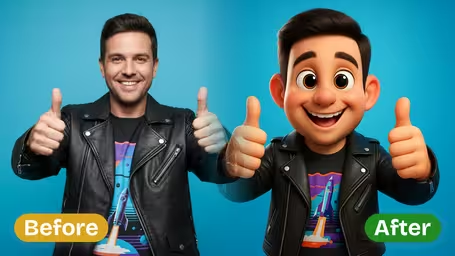


How the halftone effect works
The AI does not lay a dot texture over your photo. It redraws the subject as a real print screen, where dot size follows the tones of the original. You control the dot style and the contrast, and you choose between two models with different credit costs.
- 01
Dots that follow the light
Shadows turn into large, dense dots and highlights into tiny ones, so faces and shapes stay readable even in pure black and white.
- 02
Your background and framing stay
Only the subject is converted to halftone. The composition and background of your photo are kept, so the print still matches the original shot.
- 03
Four dot styles or your own
Classic Ben-Day Dots, Newspaper Print, Comic Book Style and Pop Art Halftone, plus a free-text field for a custom style of up to 50 characters.
- 04
Three contrast levels, two models
Low, Medium or High Contrast. GPT Image 2.5 costs 8 credits and returns a square image; Nano Banana 2.1 costs 4 credits.

How to Add a Halftone Effect to a Photo
Three steps, about a minute. You only need one JPG or PNG photo.
- 01
Upload one photo
Upload a JPG or PNG. Portraits, pets, products and city shots all work, as long as the subject is clear.
Photos with a clear light source and a plain background give the crispest dots. Very dark or blurry photos turn into muddy patterns.
- 02
Pick a Dot Pattern Style and Contrast Level
Choose Classic Ben-Day Dots, Newspaper Print, Comic Book Style or Pop Art Halftone, or type your own style. Then set Low, Medium or High Contrast.
For faces, Low or Medium Contrast keeps features readable. Save High Contrast for silhouettes, products and poster-style shots.
- 03
Choose a model, generate and download
GPT Image 2.5 (8 credits, square output) follows the style closely. Nano Banana 2.1 costs 4 credits and is a cheap way to test styles. Download when you like the result.
Test two or three dot styles on Nano Banana 2.1 first, then render your favorite with GPT Image 2.5.


When people use the Halftone Effect Generator
Most halftone images end up printed, or are meant to look printed. Bands and DJs turn promo photos into gig posters. Zine makers and students paste halftone portraits into collages. Small shops test T-shirt and sticker designs, since bold dots screen-print well. Others want a profile picture with a retro newspaper or comic look.
Gig posters and flyers
Turn a band or event photo into a high-contrast dot print that photocopies well and looks good on a wall.
T-shirt and sticker designs
Bold halftone dots in one color are easy to screen print, so they work well as a starting point for merch.
Zines, collages and school projects
Newspaper Print gives portraits the look of a clipped article, ready to paste into a layout.
Retro profile pictures and covers
A Comic Book or Pop Art Halftone portrait makes an avatar or highlight cover that stands out from regular photos.
Halftone Effect Generator FAQ
Practical answers about dot styles, contrast, color, cost and printing your halftone images.
AI Pricing Plans
Flexible AI Pricing
Pay-as-you-go credits or subscription plans. No hidden fees, cancel anytime.
One Time supports crypto payment (BTC, USDT, ETH, 350+) · Monthly billing
Free-One Time
Try before you buy
- Up to 3 videos
- Up to 32 images
- Multi-Model Support
- Text to Video
- Image to Video
- Video to Video
Show more (+11)
- Consistent Character
- AI Animation Generator
- Templates & Effects
- AI Video Enhancers
- Interactive Community
- Faster Generation Speed
- No-watermark Outputs
- More Camera Movement
- Private Video Visibility
- Copy Protection
- Priority Support
Pro-1 Month
PopularElevate your AI experience
- Up to 80 videos
- Up to 800 images
- 3 tasks(Parallel Tasks)
- Multi-Model Support
- Text to Video
- Image to Video
Show more (+12)
- Video to Video
- Consistent Character
- AI Animation Generator
- Templates & Effects
- AI Video Enhancers
- Interactive Community
- Faster Generation Speed
- No-watermark Outputs
- More Camera Movement
- Private Video Visibility
- Copy Protection
- Priority Support
Lite-1 Month
Start your AI journey
- Up to 30 videos
- Up to 300 images
- 3 tasks(Parallel Tasks)
- Multi-Model Support
- Text to Video
- Image to Video
Show more (+12)
- Video to Video
- Consistent Character
- AI Animation Generator
- Templates & Effects
- AI Video Enhancers
- Interactive Community
- Faster Generation Speed
- No-watermark Outputs
- More Camera Movement
- Private Video Visibility
- Copy Protection
- Priority Support
- Card
- Crypto accepted (BTC, USDT, ETH, 350+)