


🎨 Seedream 5.0 Pro — ByteDance's flagship image model: up to 2K, best-in-class typography & multi-reference editing!


Silhouette Generator: Turn Any Photo into Silhouette Art
Upload a photo and the AI turns the subject into a clean, high-contrast silhouette. Choose a black, white or creative color shape and set it on a solid, gradient, sunset or abstract background.
Example Gallery


Recommended Templates

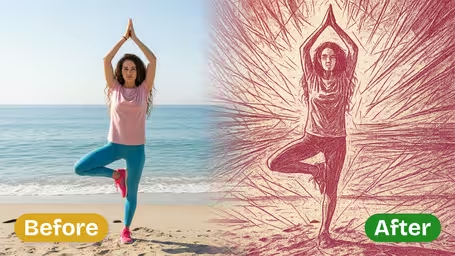

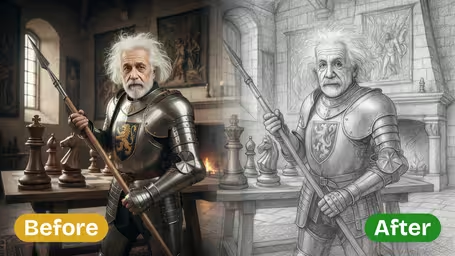
What the silhouette generator does
It keeps one thing from your photo, the shape of the subject, and rebuilds everything else. You get a crisp outline filled with a single tone, placed on a new background you choose, with no masking or editing on your side.
- 01
A clean outline from any photo
Hair, hands, hats and profiles are traced into a sharp shape, while clutter from the original background disappears.
- 02
Four background styles
Solid for a minimal look, Gradient for a soft fade, Sunset for warm orange and purple skies, Abstract for patterns and shapes.
- 03
Black, White or Custom color
Black gives the strongest contrast, White reverses it, and Custom lets the AI choose a creative color for the shape.
- 04
One model, flat 8 credits
Runs on GPT Image 2.5 and returns a square image for 8 credits. No extra settings to manage.


How to Make a Silhouette from a Photo
Pick a photo, two options and generate. About a minute.
- 01
Upload a photo with a clear outline
A JPG or PNG of a person, couple, pet or object. One photo per run.
Side profiles and poses with arms away from the body give the most readable shapes.
- 02
Choose Background Style and Silhouette Color
Pick Solid, Gradient, Sunset or Abstract, then Black, White or Custom for the shape.
White silhouettes look best on Gradient or Sunset backgrounds; on Solid, Black is the safest choice.
- 03
Generate and download
GPT Image 2.5 creates the silhouette for 8 credits and returns a square image. Download it when you like it.
If the outline merges two people, crop the photo so there is visible space between them and try again.



When people use the silhouette generator
Silhouettes are popular for keepsakes and for anything that needs a simple, bold shape. Couples turn an engagement photo into a sunset print or an invitation. Parents keep a profile of their child each year. Crafters make the base for vinyl decals and stickers, and small brands sketch logo ideas.
Wedding and engagement art
A Sunset silhouette of the couple works on invitations, save-the-dates and framed prints.
Child profile keepsakes
A Black profile on a Solid background each birthday makes a simple series to frame in the nursery.
Decals and stickers
Crafters trace a solid silhouette into a cut file for vinyl, car decals or T-shirt transfers.
Posters and covers
Abstract or Gradient silhouettes make striking event posters, book covers and social media graphics.
Silhouette Generator FAQ
Colors, backgrounds, the best photos, cutting machines and cost.
AI Pricing Plans
Flexible AI Pricing
Pay-as-you-go credits or subscription plans. No hidden fees, cancel anytime.
One Time supports crypto payment (BTC, USDT, ETH, 350+) · Monthly billing
Free-One Time
Try before you buy
- Up to 3 videos
- Up to 32 images
- Multi-Model Support
- Text to Video
- Image to Video
- Video to Video
Show more (+11)
- Consistent Character
- AI Animation Generator
- Templates & Effects
- AI Video Enhancers
- Interactive Community
- Faster Generation Speed
- No-watermark Outputs
- More Camera Movement
- Private Video Visibility
- Copy Protection
- Priority Support
Pro-1 Month
PopularElevate your AI experience
- Up to 80 videos
- Up to 800 images
- 3 tasks(Parallel Tasks)
- Multi-Model Support
- Text to Video
- Image to Video
Show more (+12)
- Video to Video
- Consistent Character
- AI Animation Generator
- Templates & Effects
- AI Video Enhancers
- Interactive Community
- Faster Generation Speed
- No-watermark Outputs
- More Camera Movement
- Private Video Visibility
- Copy Protection
- Priority Support
Lite-1 Month
Start your AI journey
- Up to 30 videos
- Up to 300 images
- 3 tasks(Parallel Tasks)
- Multi-Model Support
- Text to Video
- Image to Video
Show more (+12)
- Video to Video
- Consistent Character
- AI Animation Generator
- Templates & Effects
- AI Video Enhancers
- Interactive Community
- Faster Generation Speed
- No-watermark Outputs
- More Camera Movement
- Private Video Visibility
- Copy Protection
- Priority Support
- Card
- Crypto accepted (BTC, USDT, ETH, 350+)