


🎨 Seedream 5.0 Pro — ByteDance's flagship image model: up to 2K, best-in-class typography & multi-reference editing!


AI Bald Filter
AI Bald Filter - Apply an AI bald filter transformation that digitally removes all hair from the subject's head, leaving a smooth, natural-looking bald scalp with realistic skin texture and lighting consistency.
Example Gallery


Recommended Templates


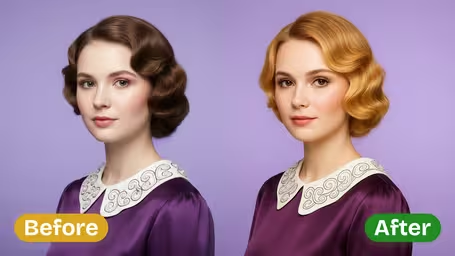

AI Bald Filter Features
Discover how Dreamega's AI Bald Filter can instantly transform your look, create realistic bald images, and make photo effects easy to use and share.
- 01
See How You Look Bald Instantly
Curious about your bald style? Upload a photo and use our AI bald filter to generate a realistic image of your scalp in seconds. Perfect for exploring new looks or sharing with others for fun.
- 02
Realistic Bald Transformations
Advanced photo processing maintains facial contours, skin tones, and image quality, so your bald effect looks convincing while keeping your natural character intact.
- 03
Fast Image Processing
Skip long waits—the AI bald filter delivers your transformed photos almost instantly. Ideal for quick creations, social media effects, and engaging others right away.


How to Use the AI Bald Filter to See Your New Look in Photos
Upload one JPG or PNG portrait, pick a model, and get a version of the same photo with a fully shaved, smooth scalp.
- 01
Upload a Straight-On Portrait
Choose one JPG or PNG photo where the face and forehead are clearly visible. A head-and-shoulders shot works best.
Pull long hair back or tie it up before taking the photo, and remove hats. The less hair hides your head outline, the more accurate the bald shape.
- 02
Choose a Model and Generate
GPT Image 2.5 (8 credits) gives the most natural scalp texture; Nano Banana 2.1 (4 credits) is cheaper and keeps the original framing better.
For a vertical or full-body photo, use Nano Banana 2.1, since GPT Image 2.5 outputs a square image.
- 03
Check the Result and Save It
Look at the head outline, the ears and the area above the forehead. If the shape looks off, re-run once or try the other model, then download the version you like.
Run the same photo through the buzz cut filter too if you are torn between a full shave and very short hair.



When People Use the AI Bald Filter
Most people open the bald filter for one of two reasons: they are seriously thinking about shaving their head, or they want a laugh with a friend's photo. It also gets used by people facing hair loss or chemotherapy who want to see the change on their own terms first, and by anyone sketching a character look.
Deciding whether to shave
See how your head shape, ears and jawline look without hair before committing to the razor.
Preparing for hair loss or treatment
Some people facing chemotherapy or heavy thinning prefer to see a bald version of themselves privately before it happens.
Pranks and group chats
Make a friend bald for a birthday message or a group chat joke. Ask before posting their face publicly.
Costume and character ideas
Check a bald look for a cosplay, a stage role or a Halloween costume before buying a bald cap.
AI Bald Filter FAQ
Practical answers about the AI Bald Filter: who it works on, what it keeps, how to fix odd head shapes, and what each run costs.
AI Pricing Plans
Flexible AI Pricing
Pay-as-you-go credits or subscription plans. No hidden fees, cancel anytime.
One Time supports crypto payment (BTC, USDT, ETH, 350+) · Monthly billing
Free-One Time
Try before you buy
- Up to 3 videos
- Up to 32 images
- Multi-Model Support
- Text to Video
- Image to Video
- Video to Video
Show more (+11)
- Consistent Character
- AI Animation Generator
- Templates & Effects
- AI Video Enhancers
- Interactive Community
- Faster Generation Speed
- No-watermark Outputs
- More Camera Movement
- Private Video Visibility
- Copy Protection
- Priority Support
Pro-1 Month
PopularElevate your AI experience
- Up to 80 videos
- Up to 800 images
- 3 tasks(Parallel Tasks)
- Multi-Model Support
- Text to Video
- Image to Video
Show more (+12)
- Video to Video
- Consistent Character
- AI Animation Generator
- Templates & Effects
- AI Video Enhancers
- Interactive Community
- Faster Generation Speed
- No-watermark Outputs
- More Camera Movement
- Private Video Visibility
- Copy Protection
- Priority Support
Lite-1 Month
Start your AI journey
- Up to 30 videos
- Up to 300 images
- 3 tasks(Parallel Tasks)
- Multi-Model Support
- Text to Video
- Image to Video
Show more (+12)
- Video to Video
- Consistent Character
- AI Animation Generator
- Templates & Effects
- AI Video Enhancers
- Interactive Community
- Faster Generation Speed
- No-watermark Outputs
- More Camera Movement
- Private Video Visibility
- Copy Protection
- Priority Support
- Card
- Crypto accepted (BTC, USDT, ETH, 350+)