









🎨 Seedream 5.0 Pro — ByteDance's flagship image model: up to 2K, best-in-class typography & multi-reference editing!


Short Hair Filter: See How You'd Look with Short Hair Before the Big Chop
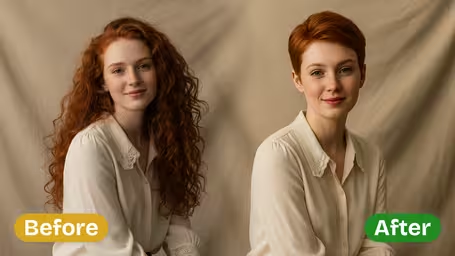
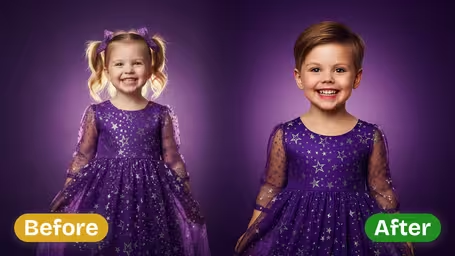
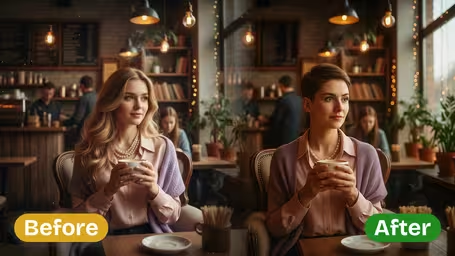
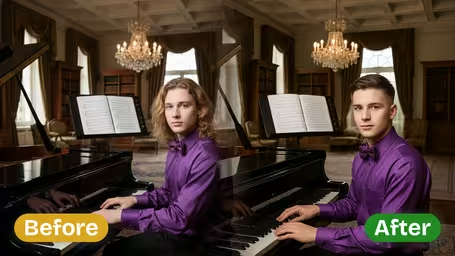
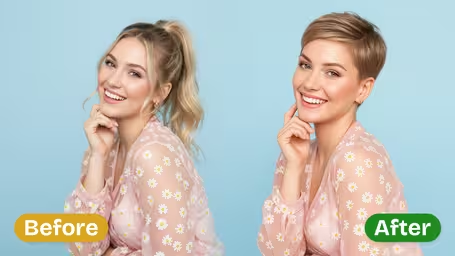
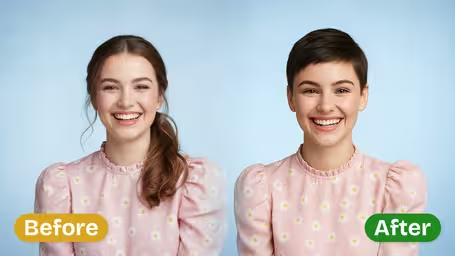
Upload a selfie and the AI swaps your current hair for a modern short cut while your face, skin tone and background stay the same. A cheap way to test a big change before you sit in the salon chair.
Example Gallery
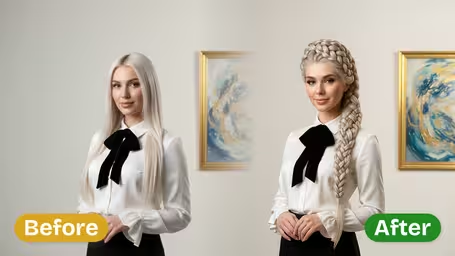
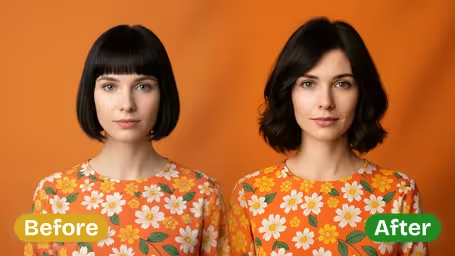
Recommended Templates
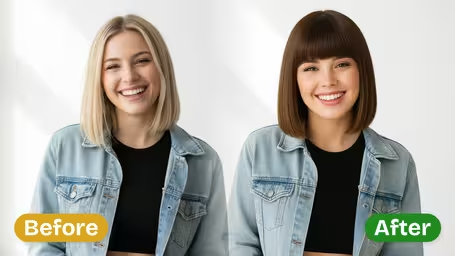
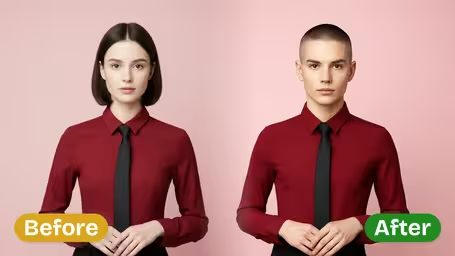
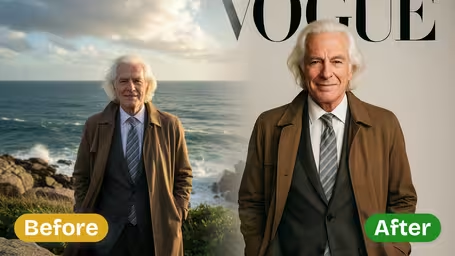
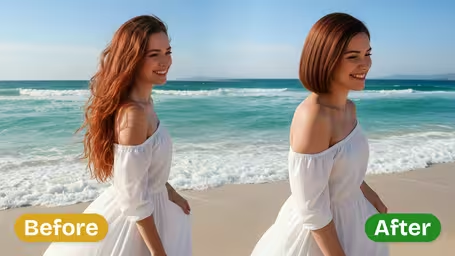
How the short hair filter changes your photo
The filter only touches your hair. It replaces the current length with a modern short cut and leaves your face, expression, clothes and background as they were. The style it aims for is clean and contemporary: cropped, sleek and salon-finished rather than messy. There are no sliders to set. You upload, pick a model and compare results.
- 01
A modern short cut
Bobs, crops and pixie-style cuts with a finished salon look, chosen to fit the photo.
- 02
Your face stays yours
Facial features, skin tone and expression are kept, so the preview is about the hair and not a new face.
- 03
Same hair color, new length
Your current shade usually carries into the new cut, so you judge the length, not a dye job.
- 04
Two models
GPT Image 2.5 (8 credits, square image) or Nano Banana 2.1 (4 credits) for quick comparisons.




How to try short hair on your photo
Three steps and no settings to learn.
- 01
Upload a clear selfie
Upload a front-facing JPG or PNG with your hair down and visible.
Skip the hat and don't tuck hair behind your ears. The AI needs to see where your hair starts.
- 02
Choose a model
This template has no cut options, only the model: GPT Image 2.5 (8 credits, default) or Nano Banana 2.1 (4 credits).
Run the same selfie on both models. They often pick different short cuts.
- 03
Compare and save
Generate a few versions and download the ones you like.
Put your favorite next to your original photo before you book. Side by side, the decision gets much easier.


When people try the short hair filter
Most people use it right before a big decision. Someone with waist-length hair wants to see a bob before donating a ponytail. Others are bored after a long winter, planning a summer cut, or arguing with friends about whether a pixie would suit them. Stylists use it too, to show nervous clients a preview.
Before the big chop
Test a short cut on your own face before cutting off years of growth.
Hair donation plans
Giving away a long ponytail? See what will be left on you first, so the new look isn't a shock.
Salon consultations
Stylists show clients a preview on their own photo, which makes the talk about length much easier.
Settling a group chat debate
Friends keep saying you'd look great with short hair? Post the preview and let them vote.
Short Hair Filter FAQ
What the short hair preview can and can't tell you before a haircut.
AI Pricing Plans
Flexible AI Pricing
Pay-as-you-go credits or subscription plans. No hidden fees, cancel anytime.
One Time supports crypto payment (BTC, USDT, ETH, 350+) · Monthly billing
Free-One Time
Try before you buy
- Up to 3 videos
- Up to 32 images
- Multi-Model Support
- Text to Video
- Image to Video
- Video to Video
Show more (+11)
- Consistent Character
- AI Animation Generator
- Templates & Effects
- AI Video Enhancers
- Interactive Community
- Faster Generation Speed
- No-watermark Outputs
- More Camera Movement
- Private Video Visibility
- Copy Protection
- Priority Support
Pro-1 Month
PopularElevate your AI experience
- Up to 80 videos
- Up to 800 images
- 3 tasks(Parallel Tasks)
- Multi-Model Support
- Text to Video
- Image to Video
Show more (+12)
- Video to Video
- Consistent Character
- AI Animation Generator
- Templates & Effects
- AI Video Enhancers
- Interactive Community
- Faster Generation Speed
- No-watermark Outputs
- More Camera Movement
- Private Video Visibility
- Copy Protection
- Priority Support
Lite-1 Month
Start your AI journey
- Up to 30 videos
- Up to 300 images
- 3 tasks(Parallel Tasks)
- Multi-Model Support
- Text to Video
- Image to Video
Show more (+12)
- Video to Video
- Consistent Character
- AI Animation Generator
- Templates & Effects
- AI Video Enhancers
- Interactive Community
- Faster Generation Speed
- No-watermark Outputs
- More Camera Movement
- Private Video Visibility
- Copy Protection
- Priority Support
- Card
- Crypto accepted (BTC, USDT, ETH, 350+)