


🎨 Seedream 5.0 Pro — ByteDance's flagship image model: up to 2K, best-in-class typography & multi-reference editing!


AI Black White Manga Filter
AI Black White Manga Filter - Transform into manga style with Japanese manga art technique, black and white manga aesthetic, detailed manga line work, dramatic manga expressions, manga panel composition, shonen/shoujo manga influence, authentic Japanese comic style.
Example Gallery


Recommended Templates


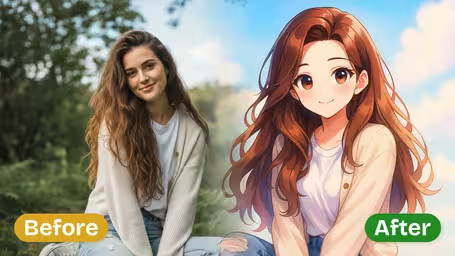

AI Black & White Manga Generator Features
Transform your images into authentic Japanese manga artwork with our advanced AI generator. Experience dramatic black and white contrasts, professional comic art quality, and classic Japanese aesthetics for creative and commercial manga projects.
- 01
Authentic Black & White Manga Style
Transform images into authentic Japanese manga artwork with dramatic black and white contrasts, crisp line art, and classic monochrome aesthetics that capture the essence of traditional manga comics.
- 02
Professional Comic Art Quality
Generate high-quality manga-style artwork with professional-grade detail, clean line work, and authentic shading techniques that rival published manga illustrations for creative and commercial use.
- 03
Classic Japanese Comic Aesthetics
Experience the timeless beauty of traditional manga art with characteristic Japanese comic styling, including dynamic poses, expressive character features, and iconic visual storytelling elements.


How to Turn a Photo Into Black and White Manga Art
Upload a photo, choose a manga genre and a line weight, and get a black and white manga-style drawing of it.
- 01
Upload a Photo
Upload one JPG or PNG. Portraits, people in action poses and street scenes with clear shapes convert best, since the AI rebuilds them as ink lines and gray tones.
Pick a photo with clear light and shadow; flat, foggy photos give muddy gray results.
- 02
Choose Manga Style and Line Intensity
Pick Shonen, Shoujo or Seinen style, then Light, Medium or Bold lines. GPT Image 2.5 draws the black and white version for 8 credits.
For a soft romance look use Shoujo with Light Lines; for an action cover use Shonen with Bold Lines.
- 03
Download Your Manga Art
Download the square image and use it as a cover, a panel for your own comic or a profile picture.
Dark lines on white stay readable when printed small, so the result works for stickers and zines.



When people use the AI Black White Manga Filter
Manga readers who want to see themselves as a character are the main users, followed by people making their own comics who need a quick base drawing. Because the output is pure black and white, it also gets used where color would be a problem: photocopied zines, one-color prints, stamps and engraving.
Manga-style self-portraits
A selfie in Shonen or Shoujo style becomes a profile picture or a "me as a manga character" post.
Comic and zine drafts
Creators turn reference photos of poses or locations into ink-style panels, then redraw or letter them.
Covers and posters
Bold Lines output makes a striking cover for a zine, a club flyer or a band poster printed in one color.
Engraving and stickers
High-contrast black and white artwork transfers well to laser engraving, rubber stamps and vinyl stickers.
AI Black & White Manga Generator FAQ
What the manga styles and line settings do, what a conversion costs, and how to get clean black and white manga art from a photo.
AI Pricing Plans
Flexible AI Pricing
Pay-as-you-go credits or subscription plans. No hidden fees, cancel anytime.
One Time supports crypto payment (BTC, USDT, ETH, 350+) · Monthly billing
Free-One Time
Try before you buy
- Up to 3 videos
- Up to 32 images
- Multi-Model Support
- Text to Video
- Image to Video
- Video to Video
Show more (+11)
- Consistent Character
- AI Animation Generator
- Templates & Effects
- AI Video Enhancers
- Interactive Community
- Faster Generation Speed
- No-watermark Outputs
- More Camera Movement
- Private Video Visibility
- Copy Protection
- Priority Support
Pro-1 Month
PopularElevate your AI experience
- Up to 80 videos
- Up to 800 images
- 3 tasks(Parallel Tasks)
- Multi-Model Support
- Text to Video
- Image to Video
Show more (+12)
- Video to Video
- Consistent Character
- AI Animation Generator
- Templates & Effects
- AI Video Enhancers
- Interactive Community
- Faster Generation Speed
- No-watermark Outputs
- More Camera Movement
- Private Video Visibility
- Copy Protection
- Priority Support
Lite-1 Month
Start your AI journey
- Up to 30 videos
- Up to 300 images
- 3 tasks(Parallel Tasks)
- Multi-Model Support
- Text to Video
- Image to Video
Show more (+12)
- Video to Video
- Consistent Character
- AI Animation Generator
- Templates & Effects
- AI Video Enhancers
- Interactive Community
- Faster Generation Speed
- No-watermark Outputs
- More Camera Movement
- Private Video Visibility
- Copy Protection
- Priority Support
- Card
- Crypto accepted (BTC, USDT, ETH, 350+)