









🎨 Seedream 5.0 Pro — ByteDance's flagship image model: up to 2K, best-in-class typography & multi-reference editing!


AI Bob Haircut Filter
AI Bob Haircut Filter - Transform any hairstyle into a modern, sleek bob cut while preserving natural hair color and facial features.
Example Gallery
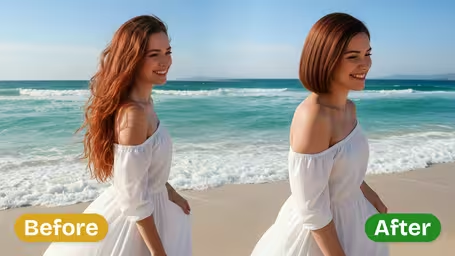
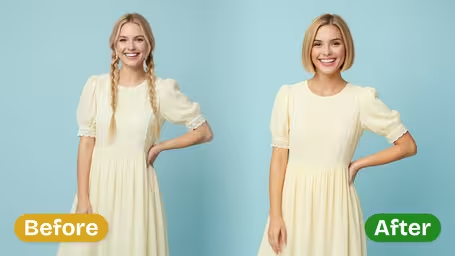
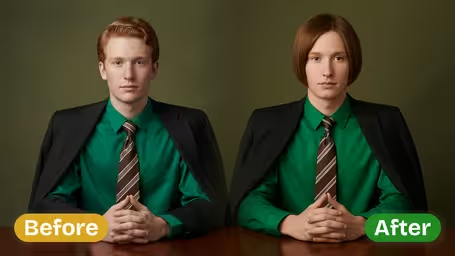
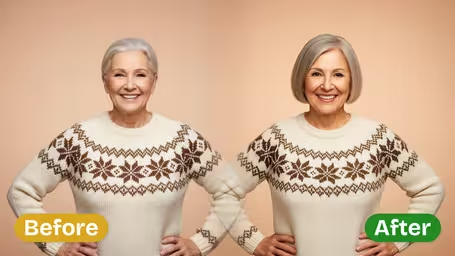
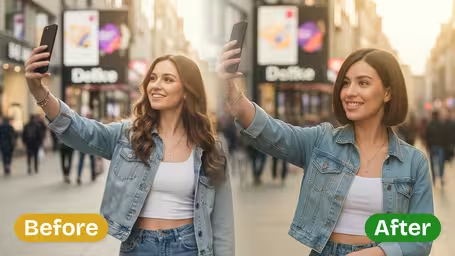
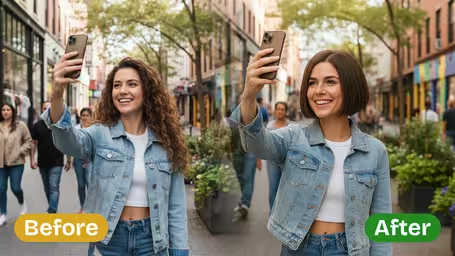
Recommended Templates
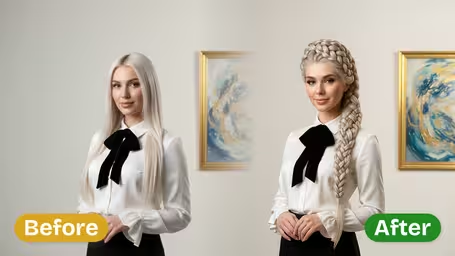
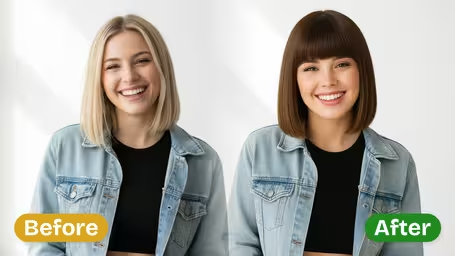

AI Bob Haircut Filter Features
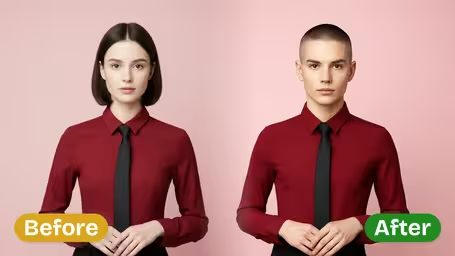
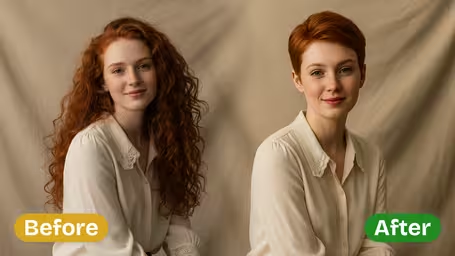
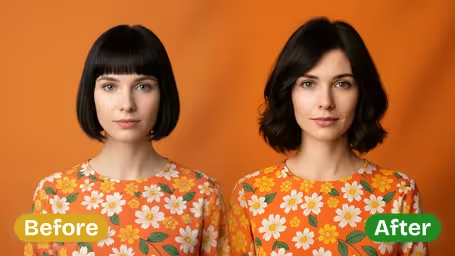
Explore how the AI bob haircut filter from Dreamega transforms your hairstyle into a sleek bob while preserving facial features, attire, and photo details—all for free.
- 01
Convert Your Look Into Bob Haircut Style
Easily revamp your photo by switching your hairstyle to a polished bob haircut. The filter keeps your facial features, clothing, and overall shape intact, delivering a chic and modern look suitable for any occasion.
- 02
Faithful Bob Haircut Transformation
Achieve an authentic bob haircut with accurate length, shape, and texture in your photo. This filter adjusts naturally to the subject’s head shape, ensuring the transformation looks genuine and stylish.
- 03
Subject Traits Maintained
Preserve every detail of your facial features, clothing patterns, and expressions while changing only the hairstyle. The result is a harmonious bob haircut that blends seamlessly with your natural look.

How to Use the AI Bob Haircut Filter on Your Photo
Upload a photo, pick a bob length and style, and see the cut on your own face with your hair color, clothes and background unchanged.
- 01
Upload a photo with your jaw and neck visible
Use a JPG or PNG with your hair down and your face toward the camera. Seeing your jawline and neck lets you judge where the bob ends.
Move scarves and high collars out of the way.
- 02
Choose length, style and model
Pick Short, Chin or Shoulder length and a Classic, Layered or Asymmetrical style, or type your own. Then choose GPT Image 2.5 (8 credits) or Nano Banana 2.1 (4 credits) and generate.
Start with chin length; it is the cut most people picture when they say bob.
- 03
Download and compare
Save the versions you like and compare them with your current hair. Take the one you choose to the salon so the stylist sees the exact length.
Change only one setting between runs so you know what made the difference.



When people use the AI Bob Haircut Filter
Going from long hair to a bob is a big cut, and growing it back can take a year or more. People use the filter to see the length on their own face first, to choose between a classic and a layered bob, or to show a stylist exactly where the line should fall. It is also a low-risk way to try a lob before going shorter.
A big chop from long hair
See whether a chin-length bob suits your face before you cut off a lot of length.
Classic or layered?
Run both styles on one photo. Layered usually reads softer and fuller, while classic looks sharper and shows more of the jawline.
Showing the stylist the exact length
A picture of your own face with a chin or shoulder bob is clearer than a magazine photo of someone with different hair.
Trying a lob first
If a short bob feels risky, test shoulder length now and keep the shorter cut as a possible next step.
AI Bob Haircut Filter FAQ
Answers about the AI Bob Haircut Filter: lengths, styles, curly hair, photo tips and the credit cost per try.
AI Pricing Plans
Flexible AI Pricing
Pay-as-you-go credits or subscription plans. No hidden fees, cancel anytime.
One Time supports crypto payment (BTC, USDT, ETH, 350+) · Monthly billing
Free-One Time
Try before you buy
- Up to 3 videos
- Up to 32 images
- Multi-Model Support
- Text to Video
- Image to Video
- Video to Video
Show more (+11)
- Consistent Character
- AI Animation Generator
- Templates & Effects
- AI Video Enhancers
- Interactive Community
- Faster Generation Speed
- No-watermark Outputs
- More Camera Movement
- Private Video Visibility
- Copy Protection
- Priority Support
Pro-1 Month
PopularElevate your AI experience
- Up to 80 videos
- Up to 800 images
- 3 tasks(Parallel Tasks)
- Multi-Model Support
- Text to Video
- Image to Video
Show more (+12)
- Video to Video
- Consistent Character
- AI Animation Generator
- Templates & Effects
- AI Video Enhancers
- Interactive Community
- Faster Generation Speed
- No-watermark Outputs
- More Camera Movement
- Private Video Visibility
- Copy Protection
- Priority Support
Lite-1 Month
Start your AI journey
- Up to 30 videos
- Up to 300 images
- 3 tasks(Parallel Tasks)
- Multi-Model Support
- Text to Video
- Image to Video
Show more (+12)
- Video to Video
- Consistent Character
- AI Animation Generator
- Templates & Effects
- AI Video Enhancers
- Interactive Community
- Faster Generation Speed
- No-watermark Outputs
- More Camera Movement
- Private Video Visibility
- Copy Protection
- Priority Support
- Card
- Crypto accepted (BTC, USDT, ETH, 350+)