


🎨 Seedream 5.0 Pro — ByteDance's flagship image model: up to 2K, best-in-class typography & multi-reference editing!


AI Dread Filter
AI Dread Filter - Transform hair to authentic dreadlocks with natural texture, reggae culture aesthetic, and organic hair patterns.
Example Gallery


Recommended Templates


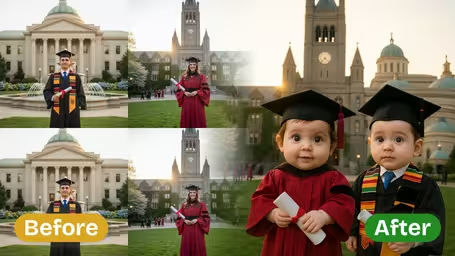

AI Dread Filter Features
Discover how Dreamega’s AI Dread Filter transforms your hair into realistic dreadlocks with vibrant detail, letting you preview bold styles in your photo for social media or personal use.
- 01
Rock a Bold Dreadlock Look
Channel a confident, vibrant style by instantly adding realistic dreadlocks to your photo. Dreamega’s AI Dread Filter creates an edgy transformation perfect for standing out on social media or exploring new looks without commitment.
- 02
Authentic Dreadlock Styling
Experience intricate textures and natural thickness that blend seamlessly with your existing hair in any photo. The AI dread filter preserves your facial features while delivering a culturally rich, bold portrait that looks convincingly real.
- 03
Confident Dreadlock Look Preview
Try short or long dread styles customized for your vibe before making any real-life changes. The AI dread filter lets you create bold, eye-catching portraits for sparking conversations or enhancing your social media presence effortlessly.

How to Try Dreamega's Bold Dreadlock Photo Filter for a Vibrant Social Media Look
Upload one JPG or PNG photo, choose a dreadlock length and thickness, and get the same photo back with only your hair turned into locs.
- 01
Upload a Clear Photo
Pick one JPG or PNG photo where your face and hairline are easy to see. For Medium or Long locs, use a shot that shows at least your upper body.
Take off hats, caps and headbands. Hair pulled back close to the head gives the AI a clean hairline to build the locs from.
- 02
Set Length, Thickness and Model
Choose Short, Medium or Long, then Thin, Medium or Thick, or type your own thickness. GPT Image 2.5 costs 8 credits; Nano Banana 2.1 costs 4.
GPT Image 2.5 outputs a square image and can crop waist-length locs. For tall or full-body photos, pick Nano Banana 2.1.
- 03
Review and Download
Look at the hairline, the ends of the locs and the spot where they fall over your shoulders. Re-run if something looks off, then save the version you like.
Change only one setting per run. That way you can tell whether the length or the thickness made the difference.



When People Use the AI Dread Filter
Locs have deep roots in African, Afro-diasporic and Rastafari traditions, among others, and growing them takes months or years. So most people open this filter to see a length and thickness on their own face before they commit or book a loctician. Others use it to design a character or simply to see themselves with a very different look.
Before starting locs
Compare thin, medium and thick locs on your own photo, then bring the one you like to your loctician as a reference.
Choosing a length to grow toward
Run shoulder, mid-back and waist length on the same full-body photo to decide how far you want to take them.
Characters and cosplay
Try a loc hairstyle for a game character, a stage role or a costume before buying a wig.
Getting a second opinion
Send the preview to friends or family and ask what they think. If it's someone else's photo, ask them before you post it.
AI Dread Filter FAQ
Straight answers about the AI Dread Filter: the length and thickness options, photo tips, hair colour, which model to pick and what a run costs.
AI Pricing Plans
Flexible AI Pricing
Pay-as-you-go credits or subscription plans. No hidden fees, cancel anytime.
One Time supports crypto payment (BTC, USDT, ETH, 350+) · Monthly billing
Free-One Time
Try before you buy
- Up to 3 videos
- Up to 32 images
- Multi-Model Support
- Text to Video
- Image to Video
- Video to Video
Show more (+11)
- Consistent Character
- AI Animation Generator
- Templates & Effects
- AI Video Enhancers
- Interactive Community
- Faster Generation Speed
- No-watermark Outputs
- More Camera Movement
- Private Video Visibility
- Copy Protection
- Priority Support
Pro-1 Month
PopularElevate your AI experience
- Up to 80 videos
- Up to 800 images
- 3 tasks(Parallel Tasks)
- Multi-Model Support
- Text to Video
- Image to Video
Show more (+12)
- Video to Video
- Consistent Character
- AI Animation Generator
- Templates & Effects
- AI Video Enhancers
- Interactive Community
- Faster Generation Speed
- No-watermark Outputs
- More Camera Movement
- Private Video Visibility
- Copy Protection
- Priority Support
Lite-1 Month
Start your AI journey
- Up to 30 videos
- Up to 300 images
- 3 tasks(Parallel Tasks)
- Multi-Model Support
- Text to Video
- Image to Video
Show more (+12)
- Video to Video
- Consistent Character
- AI Animation Generator
- Templates & Effects
- AI Video Enhancers
- Interactive Community
- Faster Generation Speed
- No-watermark Outputs
- More Camera Movement
- Private Video Visibility
- Copy Protection
- Priority Support
- Card
- Crypto accepted (BTC, USDT, ETH, 350+)