


🎨 Seedream 5.0 Pro — ByteDance's flagship image model: up to 2K, best-in-class typography & multi-reference editing!


AI Curly Hair
AI Curly Hair Filter - Transform your hair to curly style with natural curl patterns, voluminous texture, and bouncy curl definition.
Example Gallery


Recommended Templates


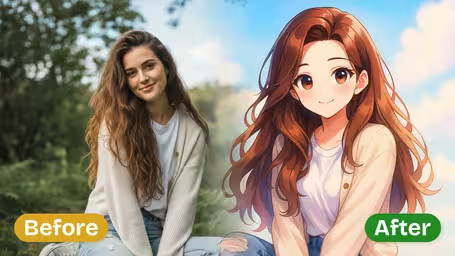

AI Curly Hair Filter Features
Discover how the Dreamega AI curly hair filter transforms your photo with realistic curls, intuitive controls, and instant style changes.
- 01
Transform Straight Hair into Vibrant Curls
Instantly change your hairstyle by applying the curly hair filter to your photo. The AI technology creates voluminous, bouncy curls that add dynamic style while preserving your facial features and overall look.
- 02
Realistic Curl Texture and Lighting Match
The filter analyzes your head shape, facial contours, and photo lighting to blend the curls seamlessly. Each curl strand is rendered with lifelike texture and accurate shadows for a natural hairstyle appearance.
- 03
One-Click Curl Application
Upload your photo and apply curls with a single click. The streamlined interface generates your curly hair look within minutes without the need for manual photo editing skills.



How to Use the AI Curly Hair Filter to Transform Your Photo with Virtual Curls
Upload one JPG or PNG photo, choose how tight the curls should be and how much volume to add, and get the same photo back with curly hair.
- 01
Upload a Photo That Shows Your Hair
Pick one JPG or PNG photo where your face and the full length of your hair are visible, with the hair worn loose.
Brush your hair out and take it down first. A ponytail or bun hides the length the AI needs, and hats get in the way.
- 02
Set Curl Intensity, Volume and Model
Choose Light, Medium or Strong Curls, then Natural Volume, Voluminous or Bouncy, and pick GPT Image 2.5 (8 credits) or Nano Banana 2.1 (4 credits).
If your hair goes past the shoulders in a vertical photo, use Nano Banana 2.1 so the ends are not cut off by GPT Image 2.5's square output.
- 03
Compare the Result and Download
Check the hairline, the parting and how the curls fall around your face, then download the version you like.
Change one setting per run so you can tell what made the difference, and show your hairdresser the Light and Strong versions side by side.


When People Use the AI Curly Hair Filter
Most people try it before booking a perm or a curl-friendly cut, to check whether curls suit their face before spending money and an afternoon at the salon. Others have naturally curly hair and want to see a tighter or looser version, or are simply curious how they would look with a completely different texture.
Before getting a perm
Compare soft waves and tight curls on your own face, then take the screenshot to the salon instead of a stranger's photo.
Going back to natural curls
If you have straightened your hair for years, get a rough idea of a curly look. It is an AI estimate, not your real curl pattern.
Event and photoshoot hair
Test a curly style for a wedding, prom or shoot before the trial appointment with your stylist.
Fun edits and costumes
Give a friend a huge 70s curly look for the group chat, or check curls for a cosplay wig before you buy one.
AI Curly Hair Filter FAQ
Straight answers about the AI Curly Hair filter: what each curl and volume setting does, short hair, colour changes, and what a run costs.
AI Pricing Plans
Flexible AI Pricing
Pay-as-you-go credits or subscription plans. No hidden fees, cancel anytime.
One Time supports crypto payment (BTC, USDT, ETH, 350+) · Monthly billing
Free-One Time
Try before you buy
- Up to 3 videos
- Up to 32 images
- Multi-Model Support
- Text to Video
- Image to Video
- Video to Video
Show more (+11)
- Consistent Character
- AI Animation Generator
- Templates & Effects
- AI Video Enhancers
- Interactive Community
- Faster Generation Speed
- No-watermark Outputs
- More Camera Movement
- Private Video Visibility
- Copy Protection
- Priority Support
Pro-1 Month
PopularElevate your AI experience
- Up to 80 videos
- Up to 800 images
- 3 tasks(Parallel Tasks)
- Multi-Model Support
- Text to Video
- Image to Video
Show more (+12)
- Video to Video
- Consistent Character
- AI Animation Generator
- Templates & Effects
- AI Video Enhancers
- Interactive Community
- Faster Generation Speed
- No-watermark Outputs
- More Camera Movement
- Private Video Visibility
- Copy Protection
- Priority Support
Lite-1 Month
Start your AI journey
- Up to 30 videos
- Up to 300 images
- 3 tasks(Parallel Tasks)
- Multi-Model Support
- Text to Video
- Image to Video
Show more (+12)
- Video to Video
- Consistent Character
- AI Animation Generator
- Templates & Effects
- AI Video Enhancers
- Interactive Community
- Faster Generation Speed
- No-watermark Outputs
- More Camera Movement
- Private Video Visibility
- Copy Protection
- Priority Support
- Card
- Crypto accepted (BTC, USDT, ETH, 350+)