


🎨 Seedream 5.5 — ByteDance's newest image model: native transparent backgrounds, up to 2K & editing with up to 10 references!


Wavy Hair Filter: See Your Hair with Loose, Medium or Tight Waves
Upload a photo and the AI turns flat or straight hair into soft, beachy waves with extra volume. Choose how defined the waves are, and preview a perm or wand look on your own face before you commit.
Example Gallery


Recommended Templates


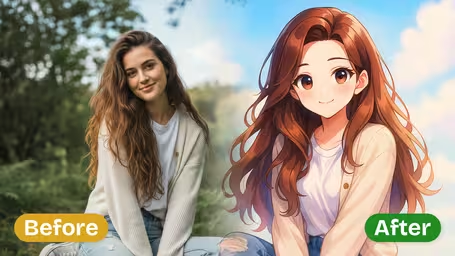


What the wavy hair filter does
The filter reshapes your hair into natural, flowing waves and adds soft volume, while your face, hair color, clothes and background stay the same. You control one thing: the wave pattern. Loose, Medium and Tight change how relaxed or defined the waves are and how much body they add. The finish is beachy and soft rather than stiff or salon-set.
- 01
Three wave patterns
Loose Waves for relaxed movement, Medium Waves (default) for beachy definition, Tight Waves for small, defined waves.
- 02
Beachy volume
Adds lift and body along with the waves, which shows most on fine or flat hair.
- 03
Your face and color stay
Features, skin tone and hair color are kept, so you only judge the texture.
- 04
Two models
GPT Image 2.5 (8 credits, square image) or Nano Banana 2.1 (4 credits).



How to add waves to your hair in a photo
Three steps. The wave pattern is the setting that matters most.
- 01
Upload a photo with your hair down
Upload a JPG or PNG where your hair is loose and visible. Straight or slightly wavy hair shows the biggest change.
Skip ponytails and buns. The waves need visible length to show up.
- 02
Choose the wave pattern and model
Pick Loose Waves, Medium Waves (default) or Tight Waves, then GPT Image 2.5 (8 credits) or Nano Banana 2.1 (4 credits).
Medium Waves is the safest first try. Tight Waves shows the biggest change.
- 03
Generate and compare
Generate, download the image and repeat with another pattern to compare.
Tell your stylist which pattern you liked. Loose usually means a wand or blowout; Tight is closer to a perm.


When people try the wavy hair filter
Most users have straight or flat hair and are wondering about a perm, a body wave or simply learning to use a curling wand. Some want beach waves for a summer trip or a wedding and want to see the look first. People with fine hair also use it to check whether more volume would change their face the way they hope.
Perm decisions
See waves on your own face before a perm that takes months to grow out.
Summer and vacation hair
Preview beach waves before a trip, so you know whether to pack the curling wand.
Wedding and event styling
Compare Loose and Medium Waves with your outfit before the big day.
Volume for fine hair
Check how a fuller, wavier look frames your face before buying products or treatments.
Wavy Hair Filter FAQ
Wave patterns, perms, fine hair and other questions about adding waves to a photo.
AI Pricing Plans
Flexible AI Pricing
Pay-as-you-go credits or subscription plans. No hidden fees, cancel anytime.
One Time supports crypto payment (BTC, USDT, ETH, 350+) · Monthly billing
Free-One Time
Try before you buy
- Up to 3 videos
- Up to 32 images
- Multi-Model Support
- Text to Video
- Image to Video
- Video to Video
Show more (+11)
- Consistent Character
- AI Animation Generator
- Templates & Effects
- AI Video Enhancers
- Interactive Community
- Faster Generation Speed
- No-watermark Outputs
- More Camera Movement
- Private Video Visibility
- Copy Protection
- Priority Support
Pro-1 Month
PopularElevate your AI experience
- Up to 80 videos
- Up to 800 images
- 3 tasks(Parallel Tasks)
- Multi-Model Support
- Text to Video
- Image to Video
Show more (+12)
- Video to Video
- Consistent Character
- AI Animation Generator
- Templates & Effects
- AI Video Enhancers
- Interactive Community
- Faster Generation Speed
- No-watermark Outputs
- More Camera Movement
- Private Video Visibility
- Copy Protection
- Priority Support
Lite-1 Month
Start your AI journey
- Up to 30 videos
- Up to 300 images
- 3 tasks(Parallel Tasks)
- Multi-Model Support
- Text to Video
- Image to Video
Show more (+12)
- Video to Video
- Consistent Character
- AI Animation Generator
- Templates & Effects
- AI Video Enhancers
- Interactive Community
- Faster Generation Speed
- No-watermark Outputs
- More Camera Movement
- Private Video Visibility
- Copy Protection
- Priority Support
- Card
- Crypto accepted (BTC, USDT, ETH, 350+)